Coupons
Batch generation, tracking and redemption of discount coupons and gift certificates.
Open in the admin panel/crm/coupons The «Coupons and certificates» page generates batches of unique codes. A gift certificate is a fixed face value that can be spent in parts (the card shows the remaining «Balance»). A discount coupon is a percent or amount discount. Unlike a promo code, every coupon is a separate code with its own status; it can be bound to a specific customer, printed and redeemed manually from the admin. Active coupons are offered as rewards in Achievements and Challenges.
How to open
- In the sidebar, expand the CRM group.
- Click Coupons.
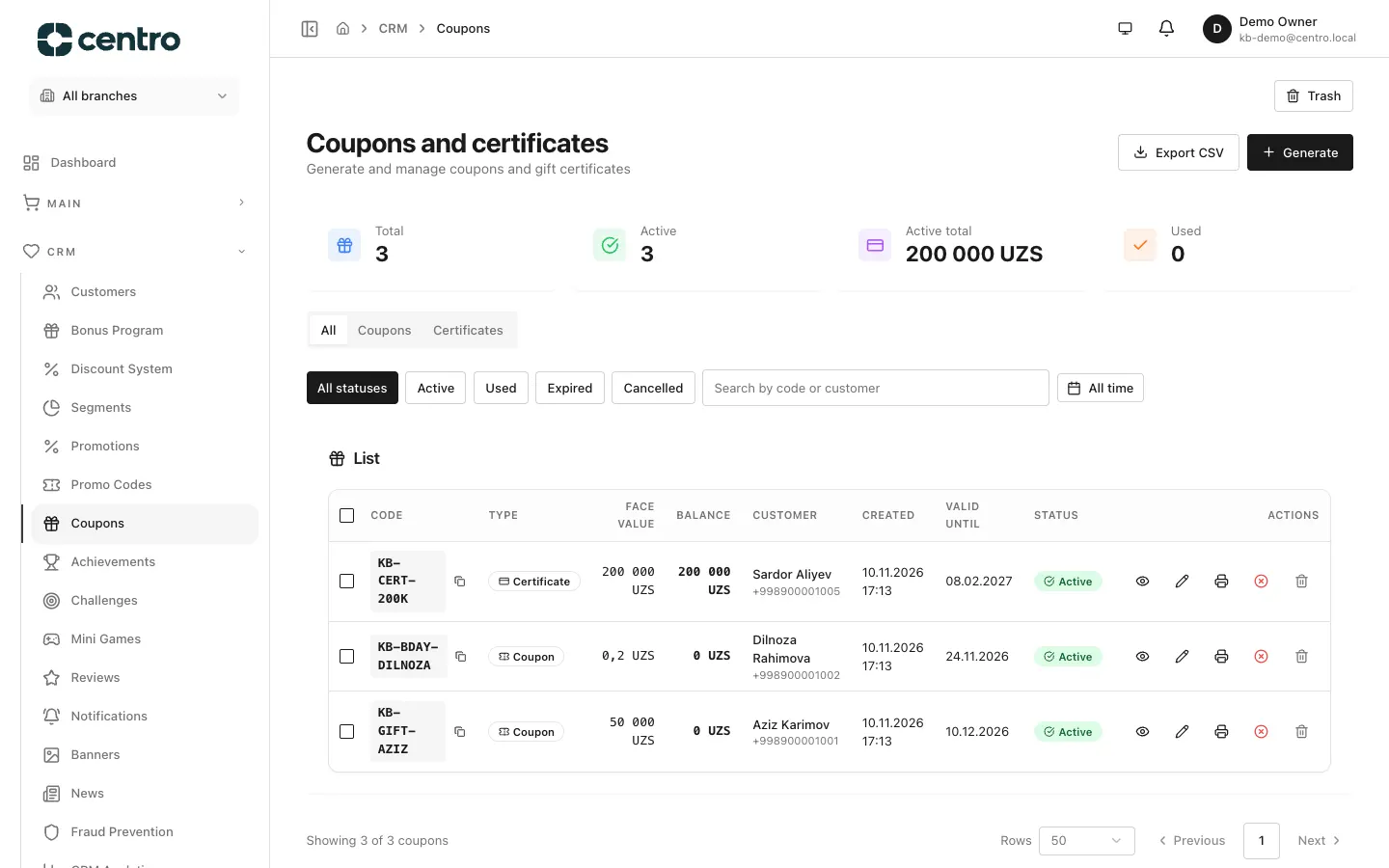
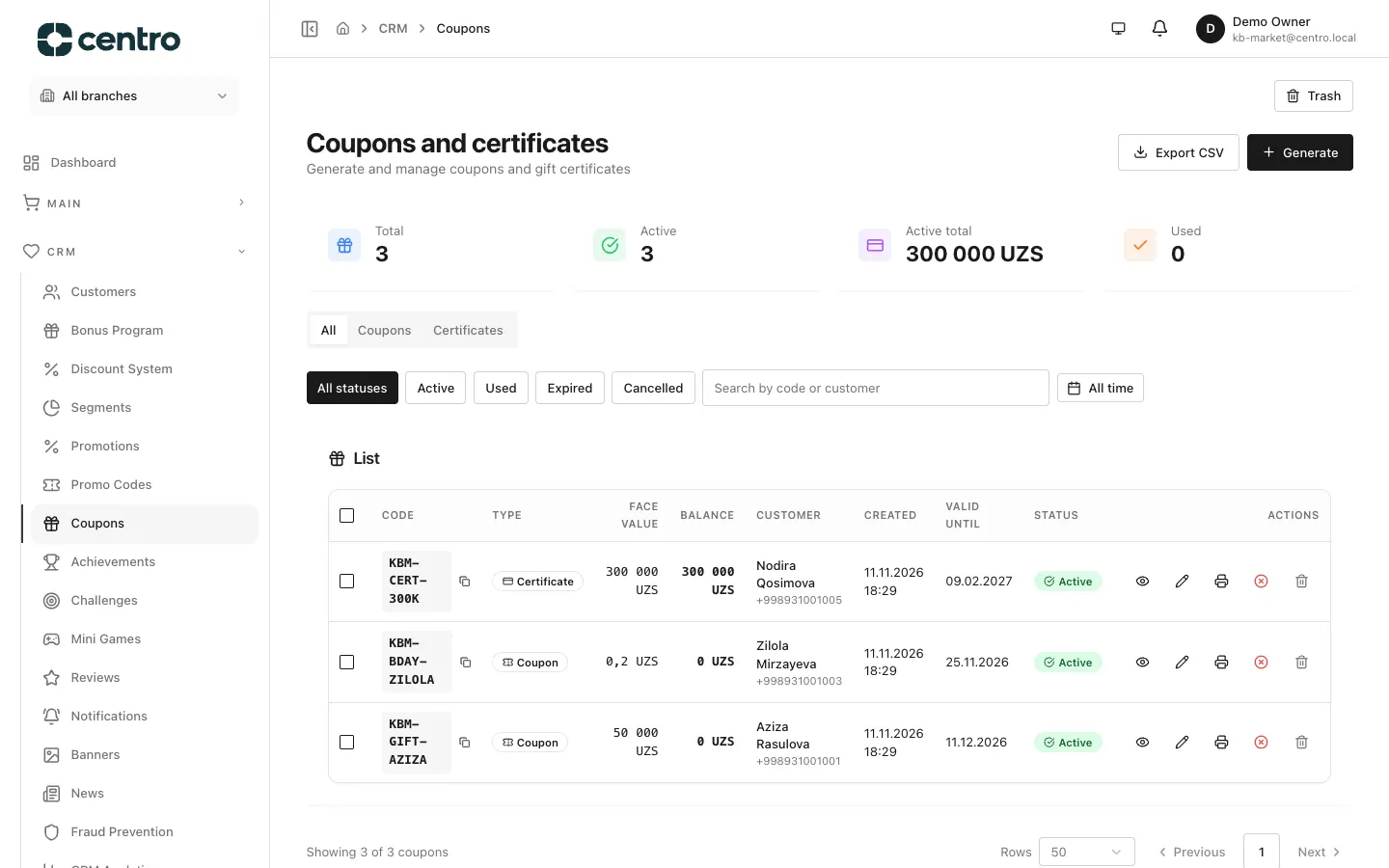
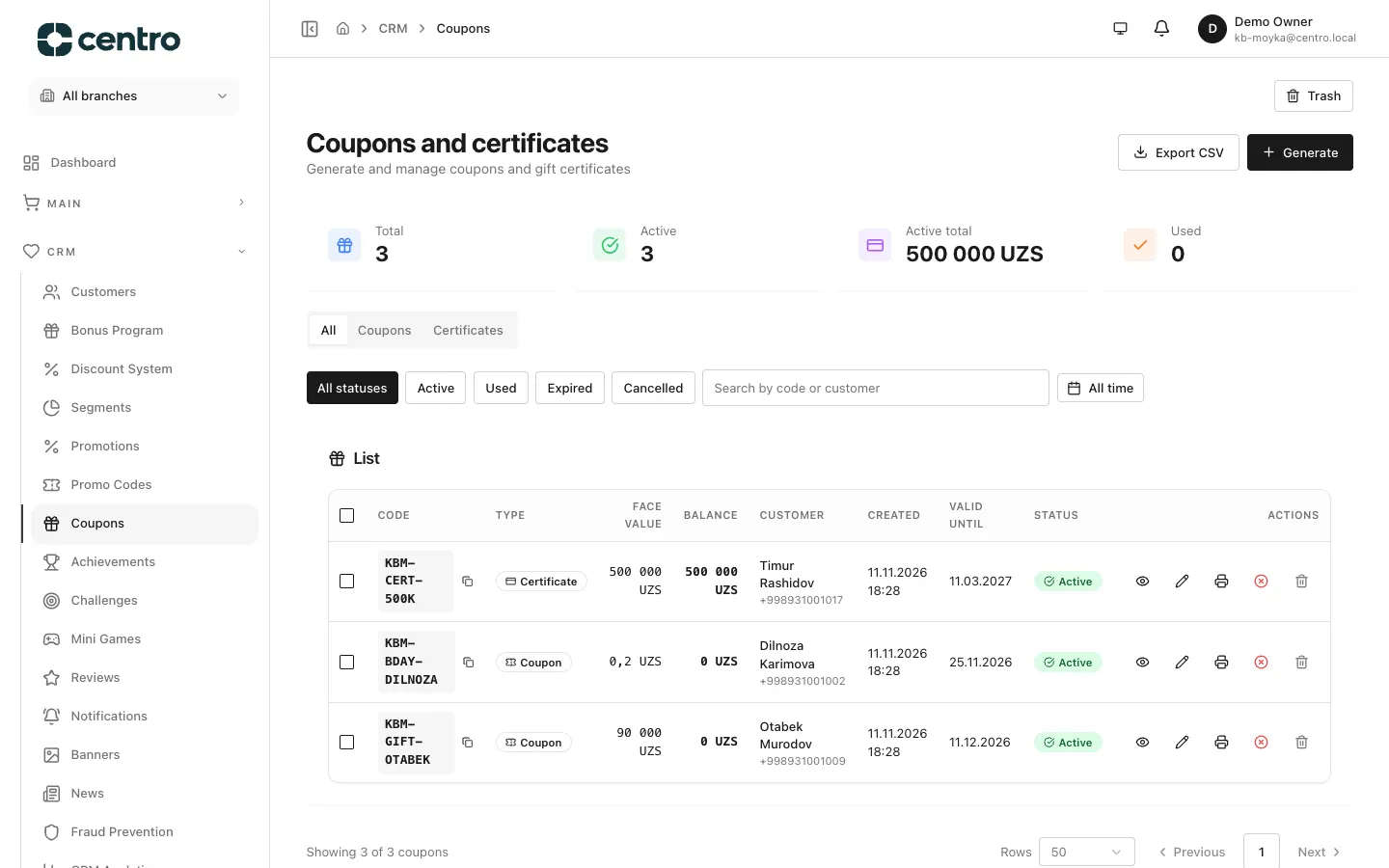
Coupon list #
Tabs, filters, table and bulk actions.
Top bar and filters
- Buttons
- «Generate» — new batch; «Export CSV» — export the coupons of the current table page to CSV; «Delete selected» — appears when rows are ticked.
- Cards
- «Total», «Active», «Active total», «Used».
- Tabs
- «All», «Coupons», «Certificates».
- Filters
- Status: «All statuses», «Active», «Used», «Expired», «Cancelled»; «Search by code or customer»; a date-range filter by creation date.
Table columns
- «Code», «Type»
- Code and type: «Coupon» or «Certificate».
- «Face value», «Balance»
- Face value and remaining certificate balance.
- «Customer»
- Bound customer or «Not linked».
- «Created», «Valid until», «Status»
- Created date, expiry («No expiry» when unlimited) and status. Dates are formatted in the interface language.
- «Actions»
- View, edit (both open the coupon page), «Print», «Cancel coupon» (active only), «Delete».
Tip: «Delete selected» skips used coupons: they cannot be deleted.
Generating coupons #
Type, face value, number and prefix of codes, extra conditions.
- In the list click «Generate».
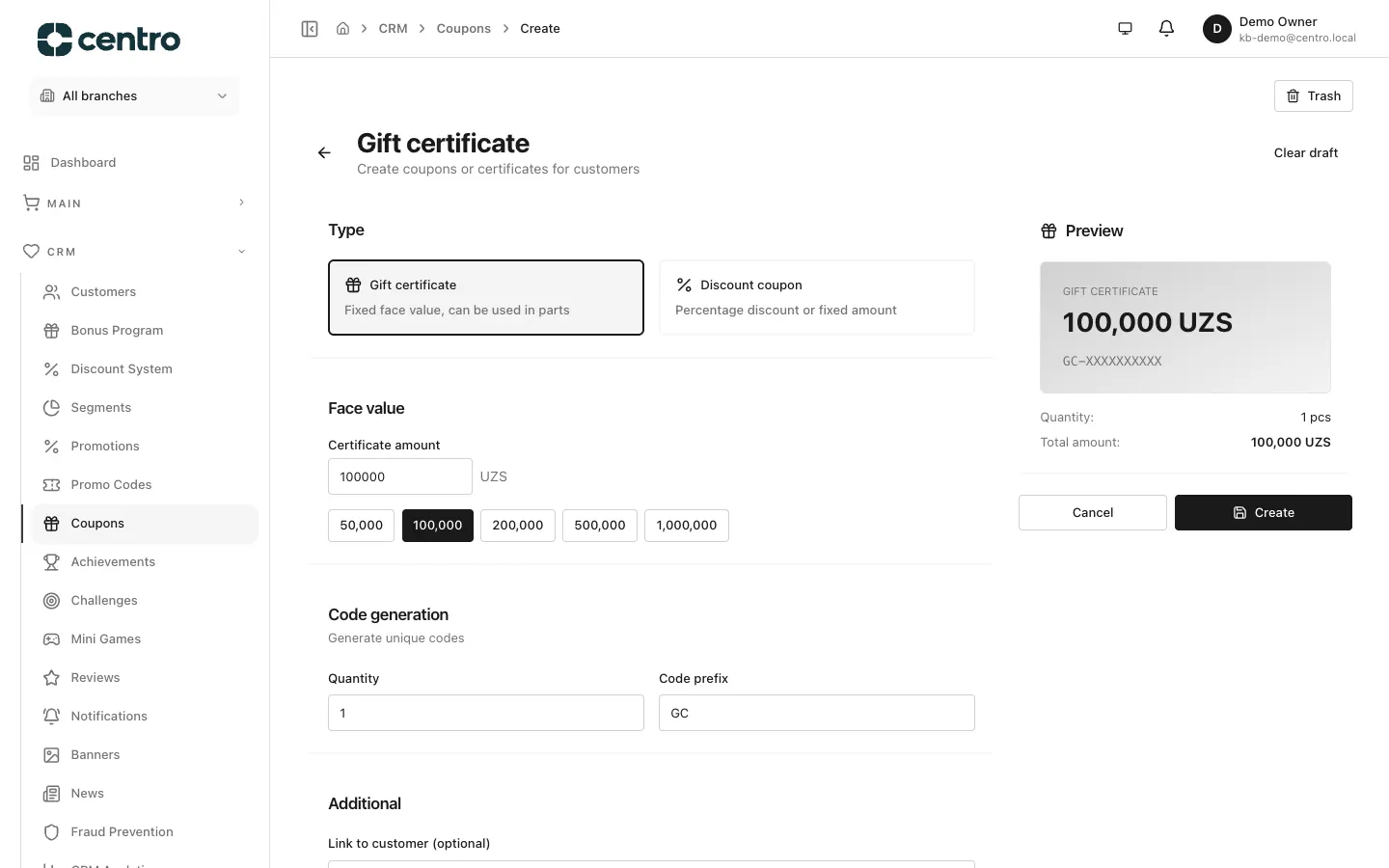
- In «Type» choose «Gift certificate» (default) or «Discount coupon».
- Fill in «Face value», «Code generation» and «Additional».
- Check the «Preview» on the right and click «Create» — you return to the list.
Fields
- «Face value»
- Certificate — «Certificate amount»; coupon — «Amount» or «Percent» mode. Value must be above 0; percent at most 100.
- «Quantity»
- 1 to 500 codes per run.
- «Code prefix»
- Required, up to 10 characters (GC by default).
- «Redemption method», «Min. receipt to apply», «Max. discount»
- Coupon only: «Single-use» / «Multi-use», minimum receipt, maximum discount (percent mode only).
- «Link to customer (optional)»
- If a customer is selected, only they can use it; «Not linked (for everyone)» — for everyone.
- «Valid until»
- A date after today; empty means no expiry.
Important: In the current version the server does not store «Redemption method» or «Max. discount» when generating coupons (the form sends them for future use). Do not rely on them; «Min. receipt to apply» is stored.
Tip: Whatever you type is auto-saved as a draft in this browser: close the page and come back, and the coupon form is restored. To start over, click «Clear draft» at the top of the page.
Coupon page and redemption #
Details, editing customer and notes, manual redemption and redemption history.
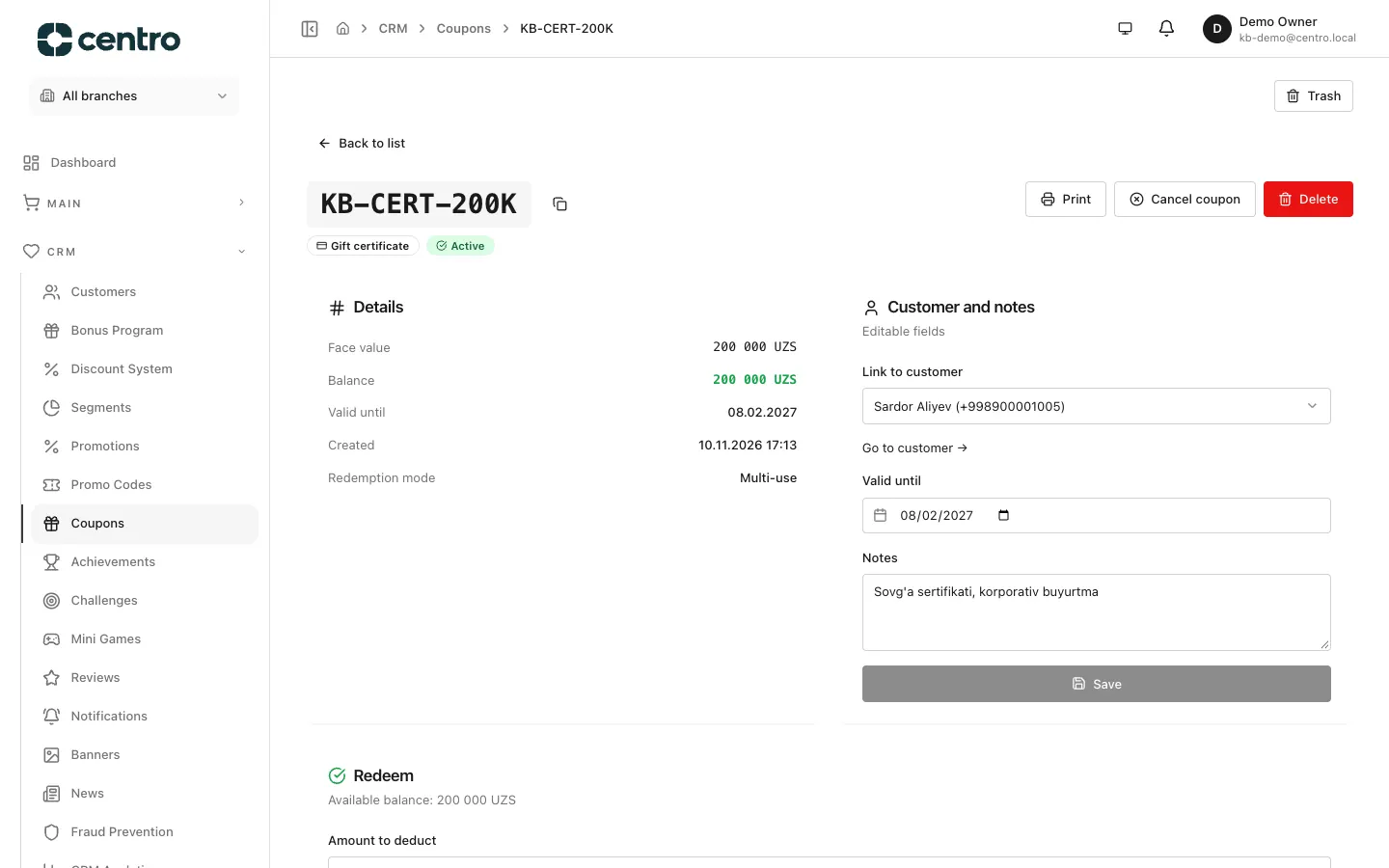
- Top buttons
- «Print» — print a card with a QR code; «Cancel coupon» (active only); «Delete».
- «Details»
- «Face value», «Balance» (certificates), «Discount mode», «Min. order amount», «Valid until», «Created», «Redemption mode», «Used».
- «Customer and notes»
- Editable fields: «Link to customer», «Valid until» (must be after the issue date), «Notes». «Save» is enabled only when something changed.
- «Redemption history»
- «Date», «Amount», «Order», «Channel», «Employee».
Manual redemption («Redeem»)
- The «Redeem» block appears only for an active coupon.
- For a certificate enter «Amount to deduct» (the available balance is hinted in the field). A coupon needs no amount.
- Optional fields: «Order ID (optional)» (UUID format), «Customer name (optional)», «Phone (optional)».
- Click «Redeem certificate» or «Mark as used».
Important: An expired, cancelled or already used coupon cannot be redeemed — you get «The coupon is invalid…».