Bonus Program
Bonus tiers, earning and redemption rules, automation and history.
Open in the admin panel/crm/bonus This page runs the loyalty program: «Manage bonus tiers and the rules for earning and redeeming points». It configures tiers, point value, expiry, event bonuses, the referral program, rules and automatic tier changes.
How to open: in the sidebar expand the CRM group and choose Bonus Program.
Header and stats
- «Active» / «Disabled» switch
- Turns the program on or off (then click «Save»).
- «Members»
- Number of program members.
- «Tiers»
- Number of tiers.
- «Base bonus»
- Base earning percentage.
- «VIP customers»
- Customers on the last (highest) tier.
Important: Two kinds of saving: the program switch and the parameters on the «Settings» and «Automation» tabs are saved only with «Save» / «Save changes». Tier dialogs, threshold tables, rules and «Default program» are saved immediately.
Tabs: «Bonus tiers», «Settings», «Rules», «Automation», «History». If the settings fail to load, «Bonus program is unavailable» is shown.
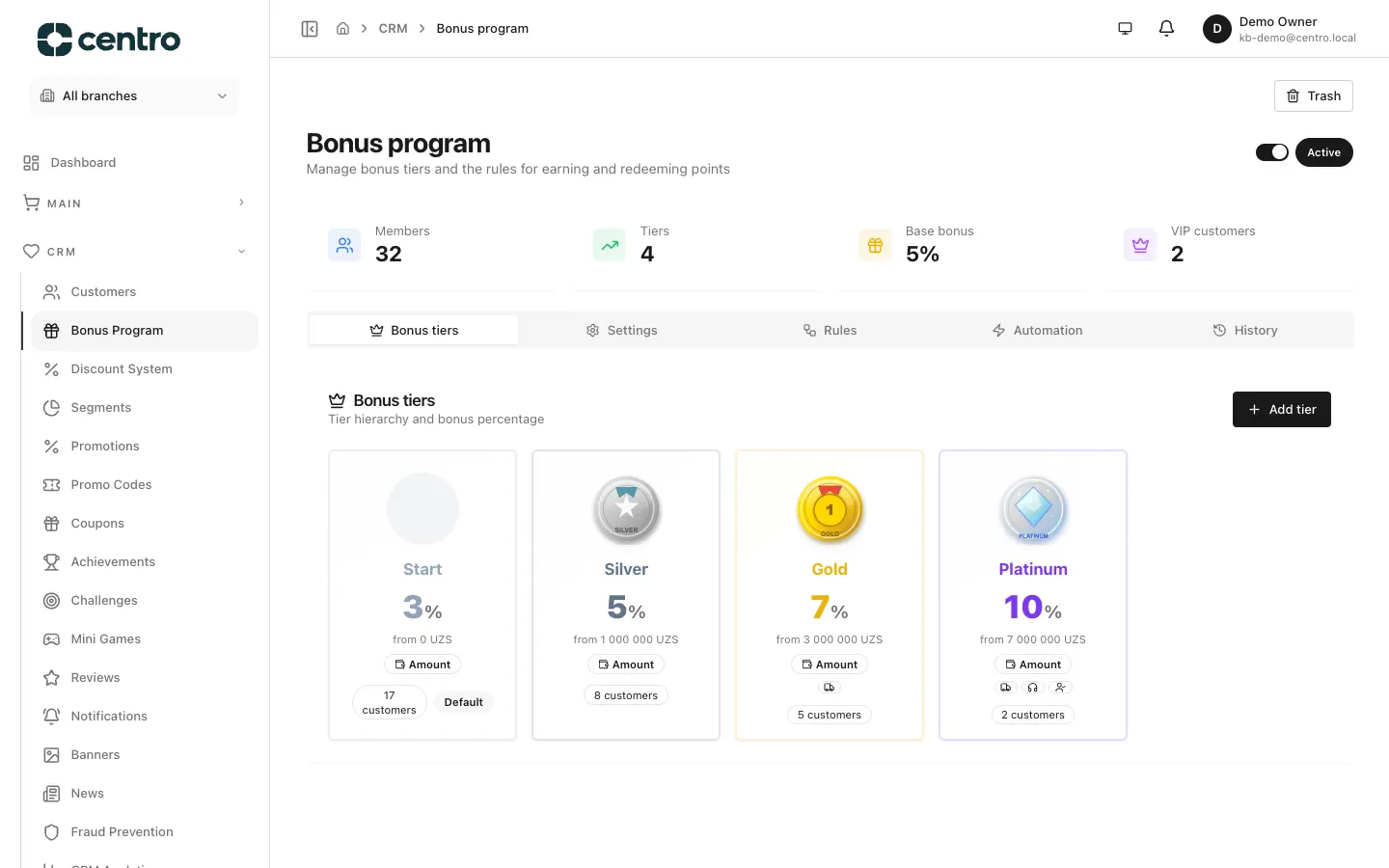
«Bonus tiers» tab #
Tier hierarchy and the default program for new customers.
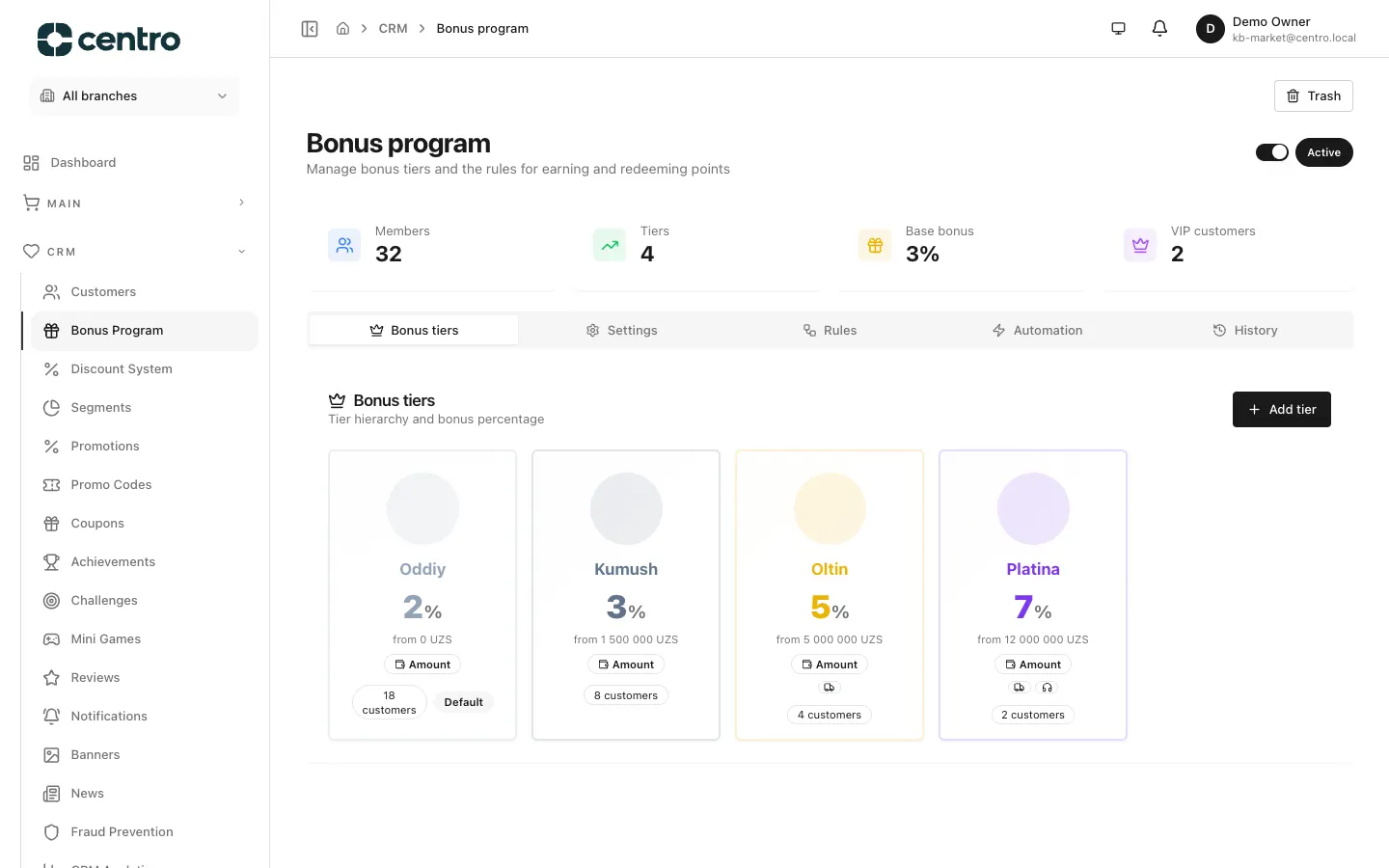
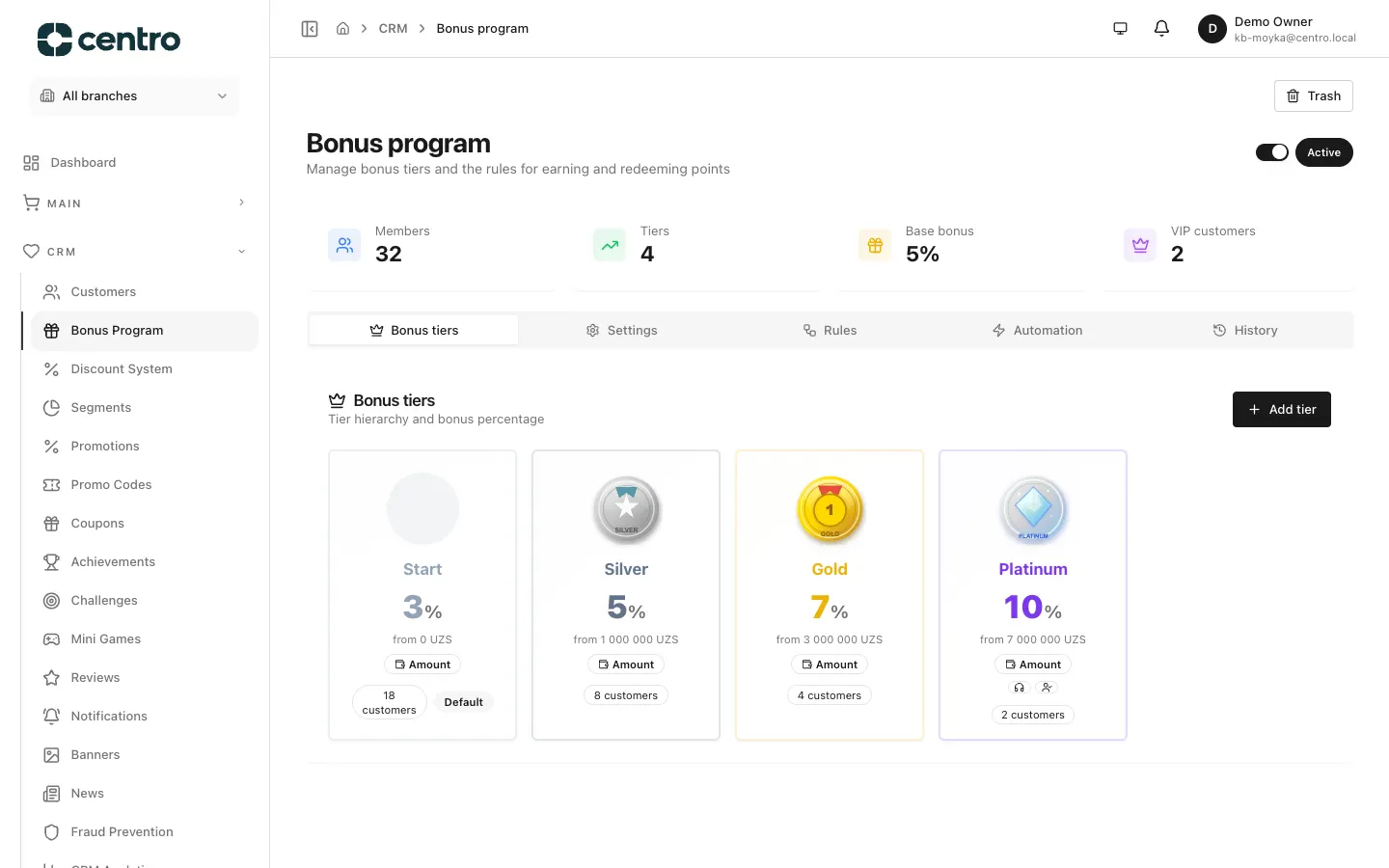
The page opens on this tab. Each tier card shows the image, name, bonus percentage, threshold («from N orders» / «from <amount>» / «from N points»), criterion badge («Orders» / «Amount» / «Points»), privilege icons, «N customers» and «Default» on the default tier. Pencil — edit; trash — delete («Delete tier?»).
«Default program»
- «For new customers»
- «Bonus program», «Discount program» or «No program». Used when creating customers in CRM and on web-store sign-up. The choice is saved immediately (no «Save» needed).
Create and edit a tier #
Fields of the «New bonus tier» dialog.
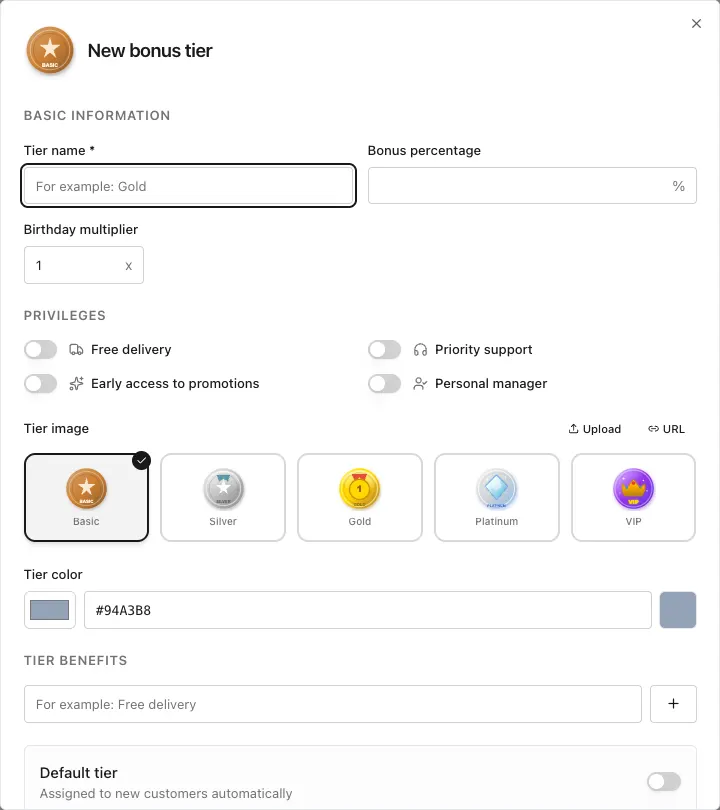
- «Tier name *»
- Required.
- «Bonus percentage»
- From 0 to 100.
- «Birthday multiplier»
- Birthday multiplier: from 1 to 9.99.
- «Privileges»
- «Free delivery», «Priority support», «Early access to promotions», «Personal manager».
- «Tier image» / «Tier color»
- A preset image or your own via «Upload»; the tier colour.
- «Tier benefits»
- A list of benefits as text.
- «Default tier»
- Assigned to new customers automatically.
- Click «Add tier» or the pencil on a tier card.
- Fill in the fields.
- Click «Create tier» or «Save changes» — the tier is saved immediately. A new tier is placed after the existing ones.
«Settings» tab #
Earning and redemption rules, event bonuses, referrals and notifications.
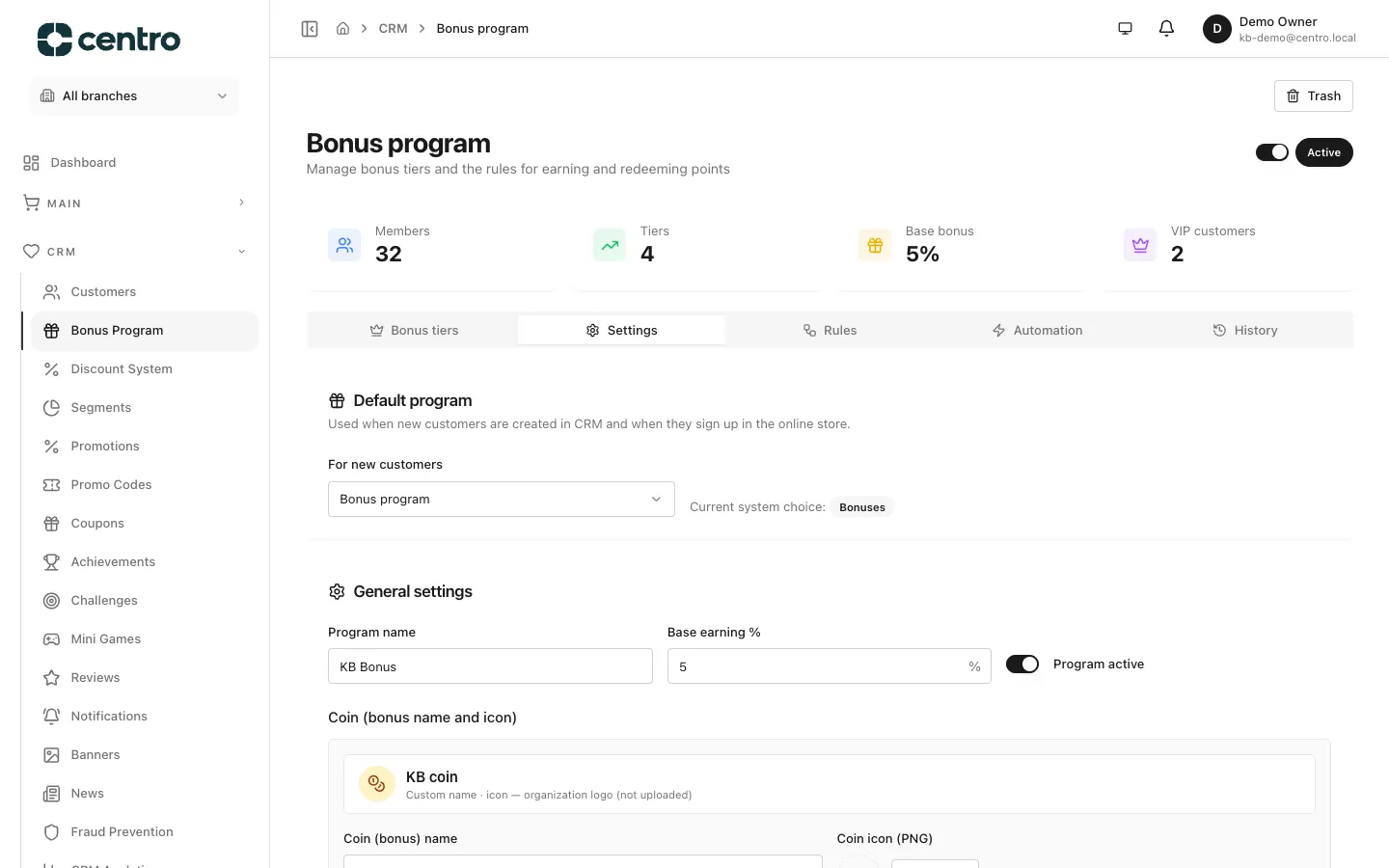
Important: Changes on this tab are not saved until you click «Save» (in the header) or «Save changes» (bottom of the page). The buttons appear only when there are unsaved changes.
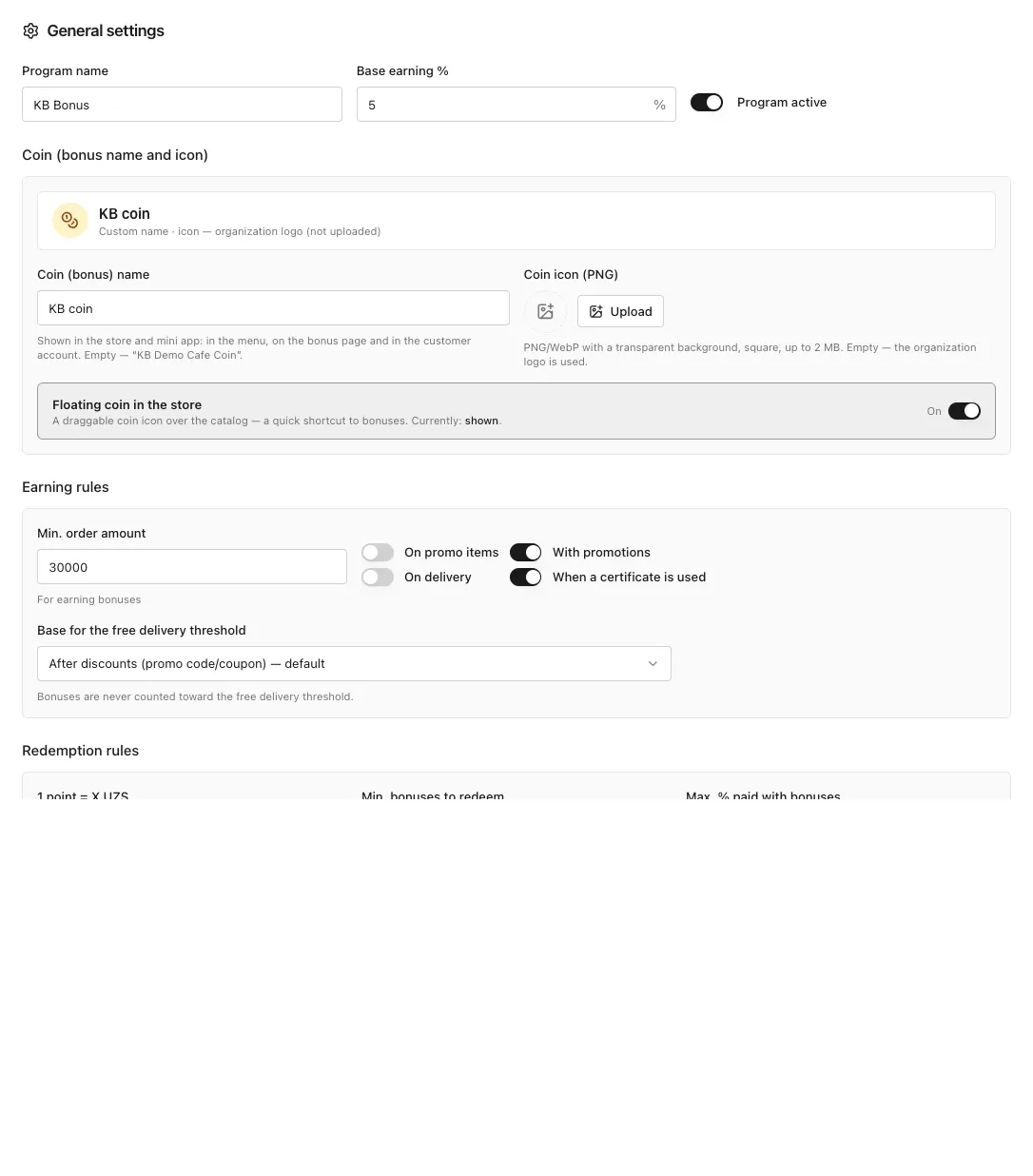
Main settings and coin #
Program name, base rate, active flag and the bonus coin.
- «Program name»
- Program name.
- «Base earning %»
- Base earning percentage, 0–100.
- «Program active»
- Same as the switch in the header.
- «Coin (bonus) name»
- The name the customer sees in the store and the mini app: in the menu, on the bonus page and in the account (up to 80 characters). Empty — the organization name + «Coin», e.g. «Rayhon Coin».
- «Coin icon (PNG)»
- A square PNG or WebP with a transparent background, up to 2 MB: «Upload», «Replace», «Remove». Empty — the organization logo is used. The preview shows how the name and icon will look.
- «Floating coin in the store»
- When on, a draggable coin icon appears over the online store catalog — tapping it opens the bonus page. The current state is written next to it.
Tip: The name, icon and floating coin are also in the coin block on «Online store» → «Design» — they are the same settings: save them in one place and they change in the other. Here they are saved with «Save» in the header.
Earning, redemption, expiry and tier period #
When points are earned, how they are spent and when they expire.
- «Earning rules»
- «Min. order amount» (minimum order to earn); switches «On promo items», «On delivery», «With promotions», «When a certificate is used» — whether to earn in those cases. «Base for the free delivery threshold»: «After discounts (promo code/coupon) — default» or «Before discounts (full amount)». Bonuses never count toward the free-delivery threshold.
- «Redemption rules»
- «1 point = X <currency>» — the value of one point; «Min. bonuses to redeem»; «Max. % paid with bonuses» (0–100).
- «Bonus expiry»
- With «Bonuses expire» on: «After (days)» — after how many days, «Notify before (days)» — how many days before to warn.
- «Tier calculation period»
- «Upgrade criterion»: «By total purchase amount», «By amount for the period», «By number of orders», «By points earned». «Calculation period»: «All time», «Last 30 days» / «Last 60 days» / «Last 90 days» / «Last 180 days», «Last year».
Event bonuses and referral program #
Birthday, welcome bonus and inviting friends.
- «Birthday bonus»
- «Bonus amount» (0 = off) and «Granting method»: «Automatically at midnight», «On app login» or «Manually by staff».
- «Welcome bonus»
- Points given to a new customer (0 = off).
- «Referral program»
- «The referrer» and «The invited friend» — points for each; «Minimum referral order amount»; «Qualification period, days» (0–3650, 0 = no limit); «Uses per code» (0 = no limit). The «What the customer will see» block previews the result.
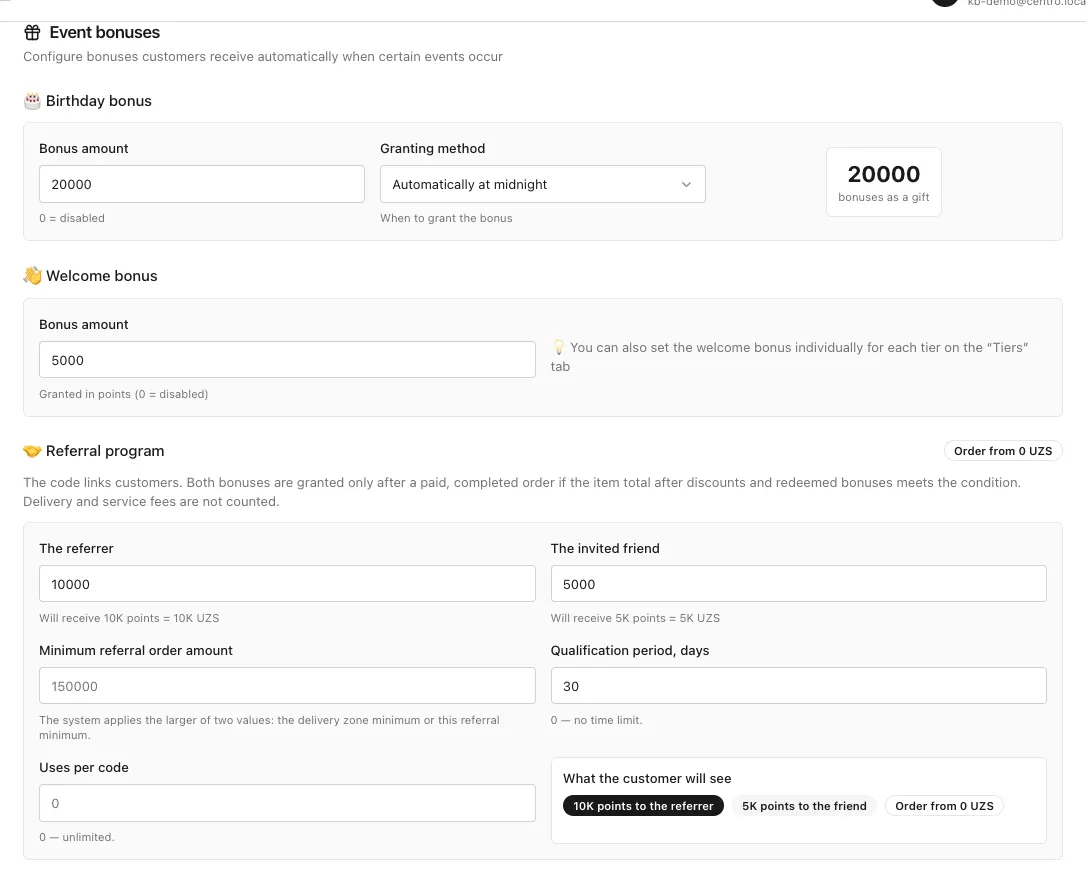
Tip: Both referral bonuses are credited only after a paid, completed order whose goods total, after discounts and redeemed bonuses, meets the condition. Delivery and service charge do not count. The system applies the larger of the delivery-zone minimum and the referral minimum.
Important: Referral fields cannot be negative. On an error, saving switches to the «Settings» tab and highlights the first invalid field.
Notifications #
Message templates for loyalty events.
The «Notifications» block (at the bottom of the «Settings» tab) holds the push texts customers get on loyalty events. At the top: the «Multilingual» switch (on — a separate text per language), «Notification languages» (changed in system settings via «Configure languages») and «Available variables» — placeholders for the text with their meaning: #{customerName}, #{tierName}, #{previousTierName}, #{bonusPercent}, #{bonusAmount}, #{expiryDate}, #{daysLeft}, #{storeName}, #{challengeName}, #{achievementName}, #{pointsEarned}, #{gameName}, #{orderNumber}.
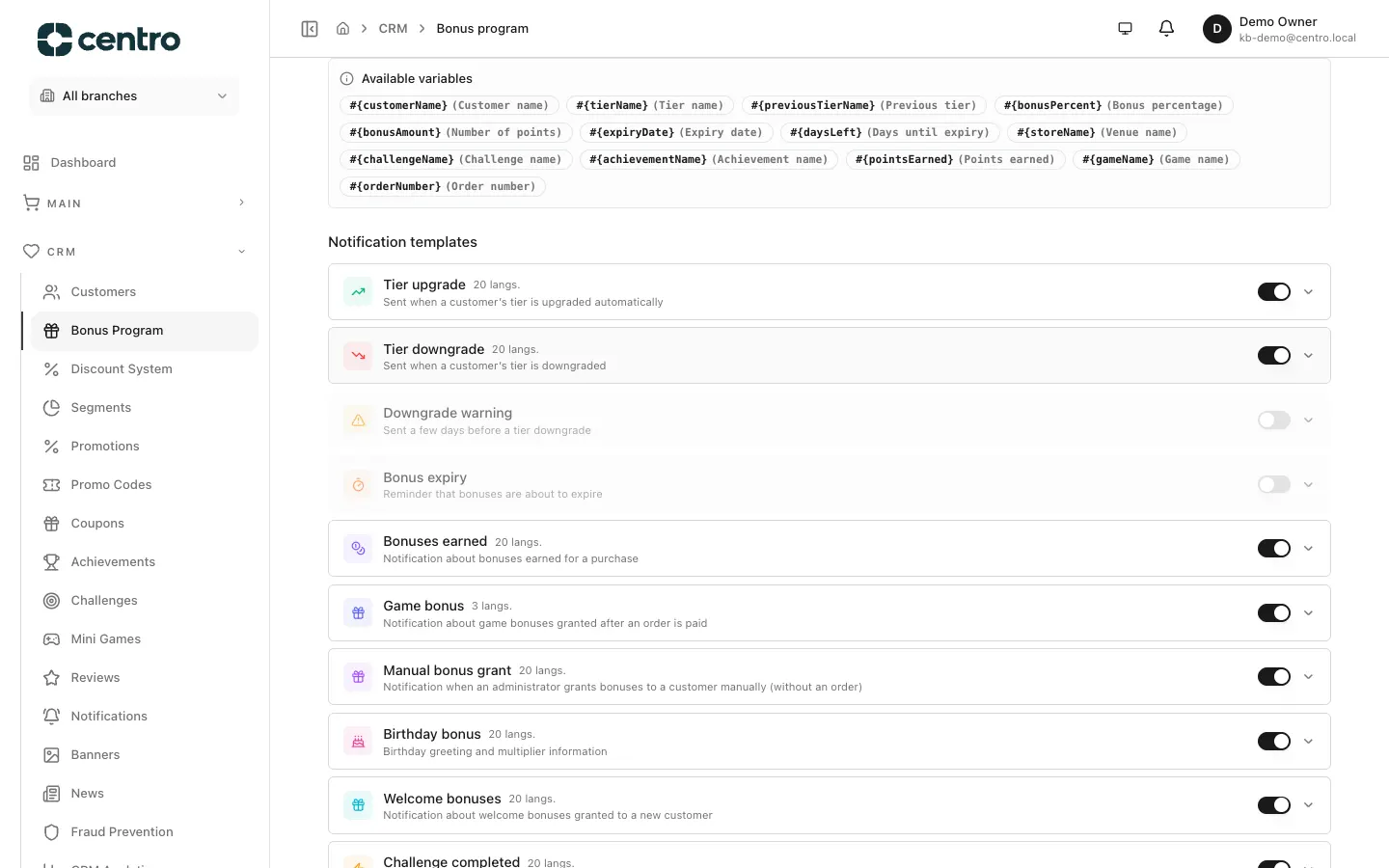
«Notification templates» (13)
- Tiers: «Tier upgrade», «Tier downgrade», «Downgrade warning» (a few days before the downgrade).
- Points: «Bonus expiry», «Bonuses earned» (for a purchase), «Game bonus» (a game after a paid order), «Manual bonus grant» (points an administrator granted without an order).
- Events: «Birthday bonus», «Welcome bonuses», «Challenge completed», «Achievement unlocked».
- Referrals: «Friend signed up (bonus pending)» — to the referrer right after the friend signs up; «Referral bonus granted» — after the friend’s first paid order.
Change a template text
- Click a template row to expand it (a switched-off template does not expand). Next to the name you see how many languages have a text, e.g. «20 langs.».
- Write the text for each language (only the main one when multilingual is off). «Bonuses earned» and «Game bonus» also have a title.
- Click «Save» in the header or «Save changes» at the bottom.
Tip: The switch next to each template turns off only that message and stays off after a page reload. «Tier downgrade» and «Downgrade warning» are separate templates, each with its own text and its own switch.
Tip: A push reaches only customers who allowed push notifications in the app and have an active device. Automatic push texts for orders and more are set in «Notifications» → «Template settings»; sent and skipped pushes are visible there in the «Recent sends» log.
«Rules» tab #
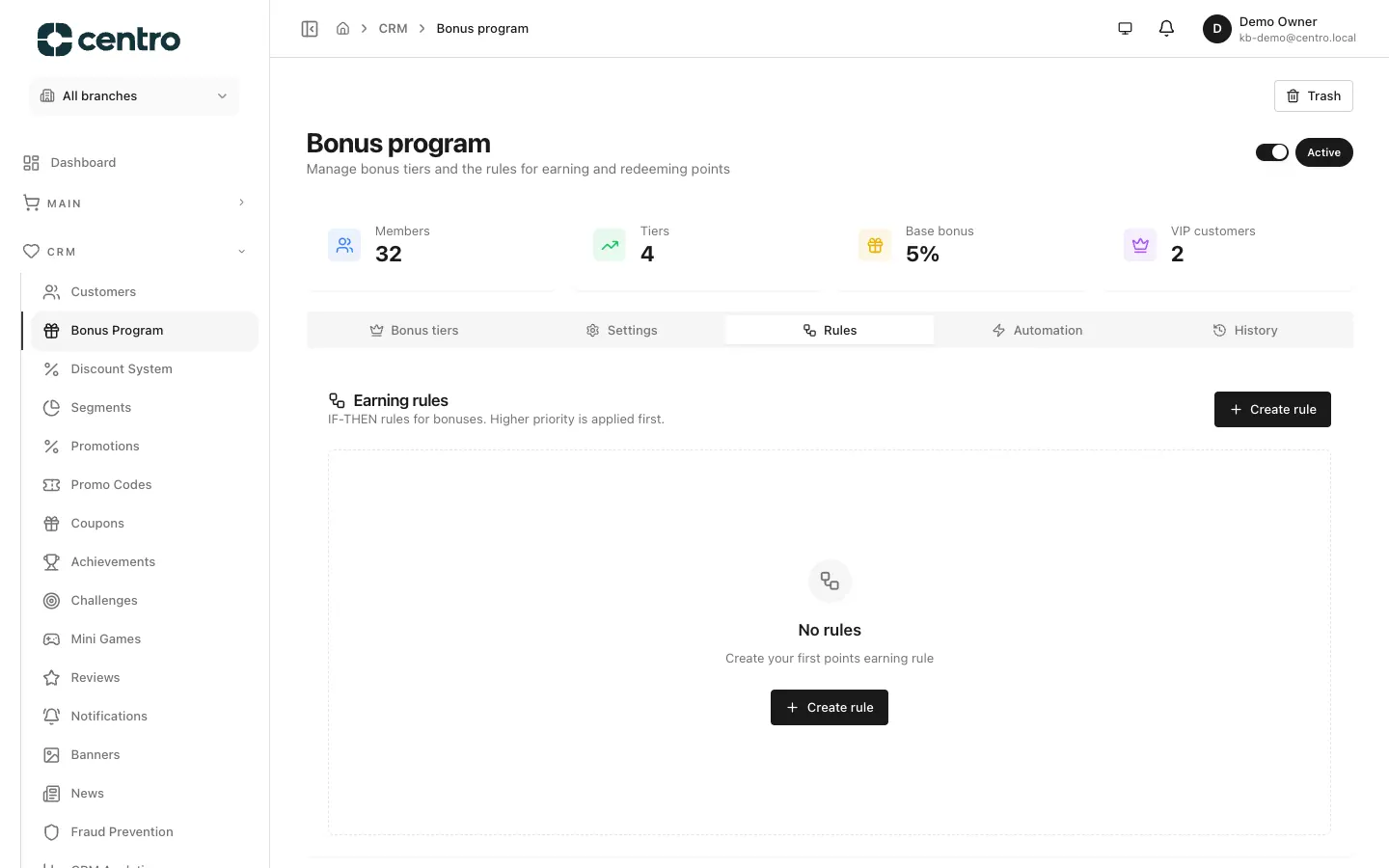
IF-THEN rules for earning points.
«Earning rules» — IF-THEN rules for bonuses; a higher priority rule applies first. Each rule card has an on/off switch («Active» / «Off»), an «Applied: N times» counter and a delete button. A created rule cannot be edited — only switched on/off or deleted. All actions are saved immediately.
«New rule» dialog
- «Name *» / «Priority» / «Description»
- Name is required; priority must be at least 1.
- «Conditions»
- «All (AND)» — all conditions, «Any (OR)» — any of them. Types: «Day of week» (at least one day), «Time of day» (start and end), «Order amount» (above 0), «Customer tier», «First order», «Nth order» (N ≥ 1). «Add condition» adds one.
- «Actions»
- «Multiply points» or «Add points»; the value must be above 0. «Add action» adds one.
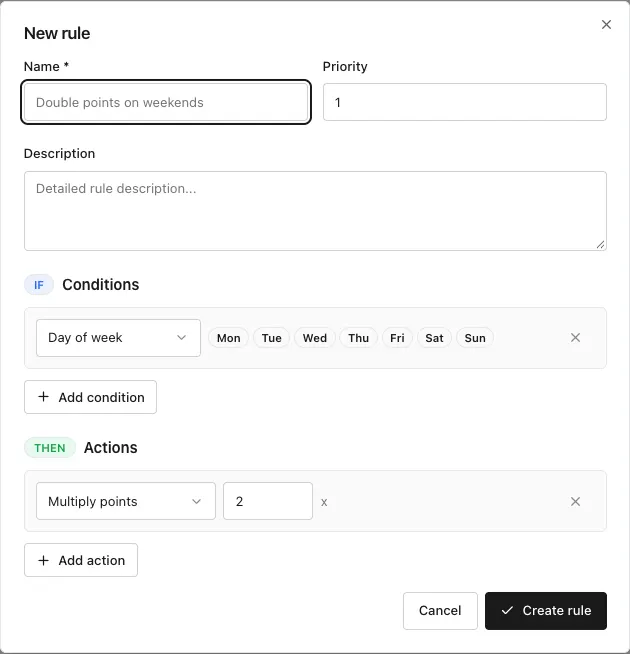
- Click «Create rule».
- Enter a name, priority and optionally a description.
- Add conditions and actions.
- Click «Create rule» — you will see «Rule created».
«Automation» tab #
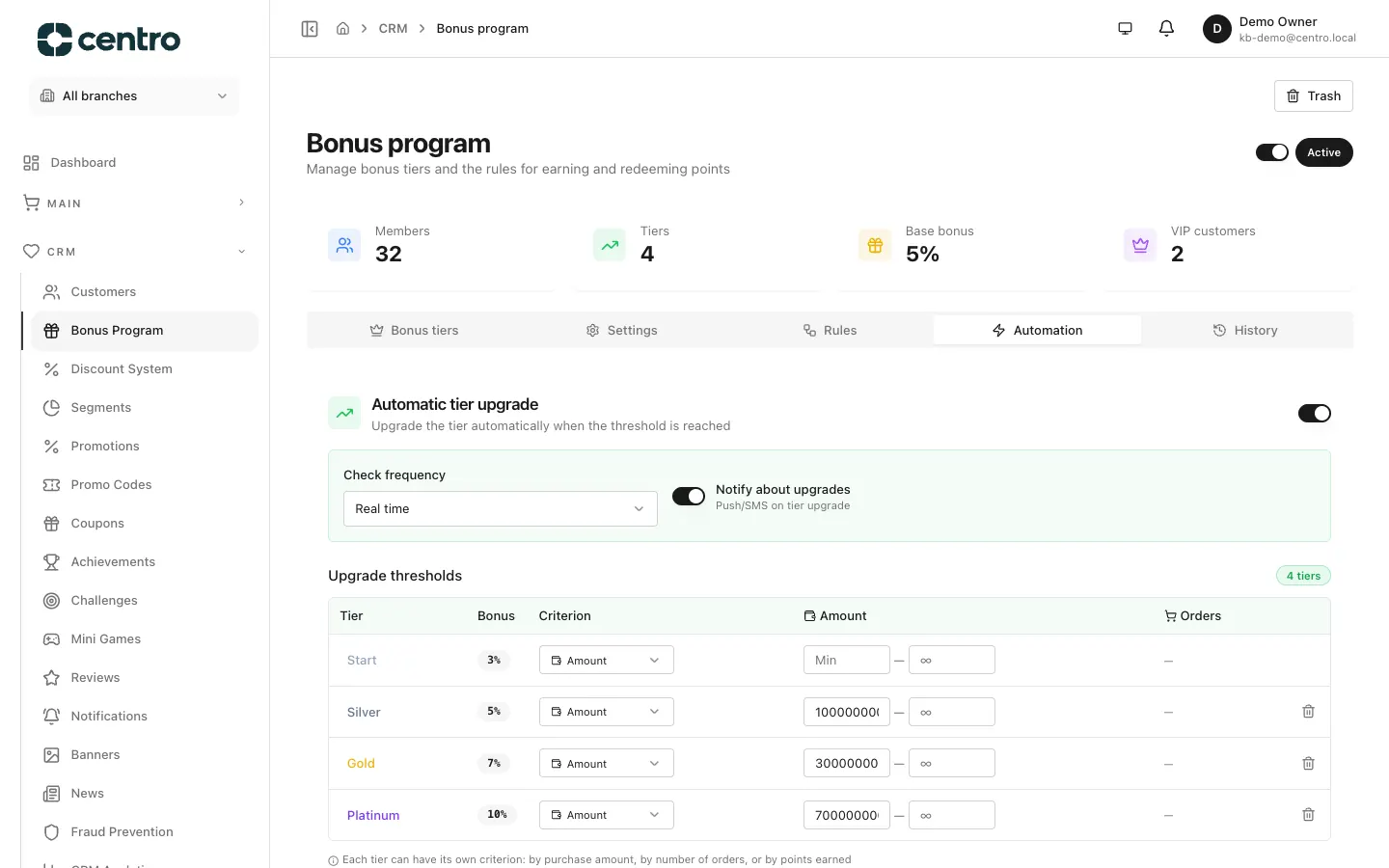
Automatic tier upgrades and downgrades.
- «Automatic tier upgrade»
- When on: «Check frequency» («Real time», «Daily», «Weekly»), «Notify about upgrades» (Push/SMS) and the «Upgrade thresholds» table: per tier a «Criterion» («Amount» / «Orders» / «Points») and min/max bounds.
- «Automatic tier downgrade»
- When on: «Check frequency» («Daily», «Weekly», «Monthly»), «Global threshold (days)», «Warn» and «How many days before». The «Individual downgrade criteria» table: «No downgrade», «Inactivity» (days), «Spending drop» (min amount), «Order drop» (min orders). The base tier cannot be downgraded.
Important: Switches, check frequency and global parameters are saved only with «Save changes». Thresholds and downgrade criteria in the tables are saved per tier as soon as you leave the field; the maximum must exceed the minimum or the change is rejected. The reset icon («Reset thresholds» / «Reset downgrade criteria») clears the values.
«History» tab #
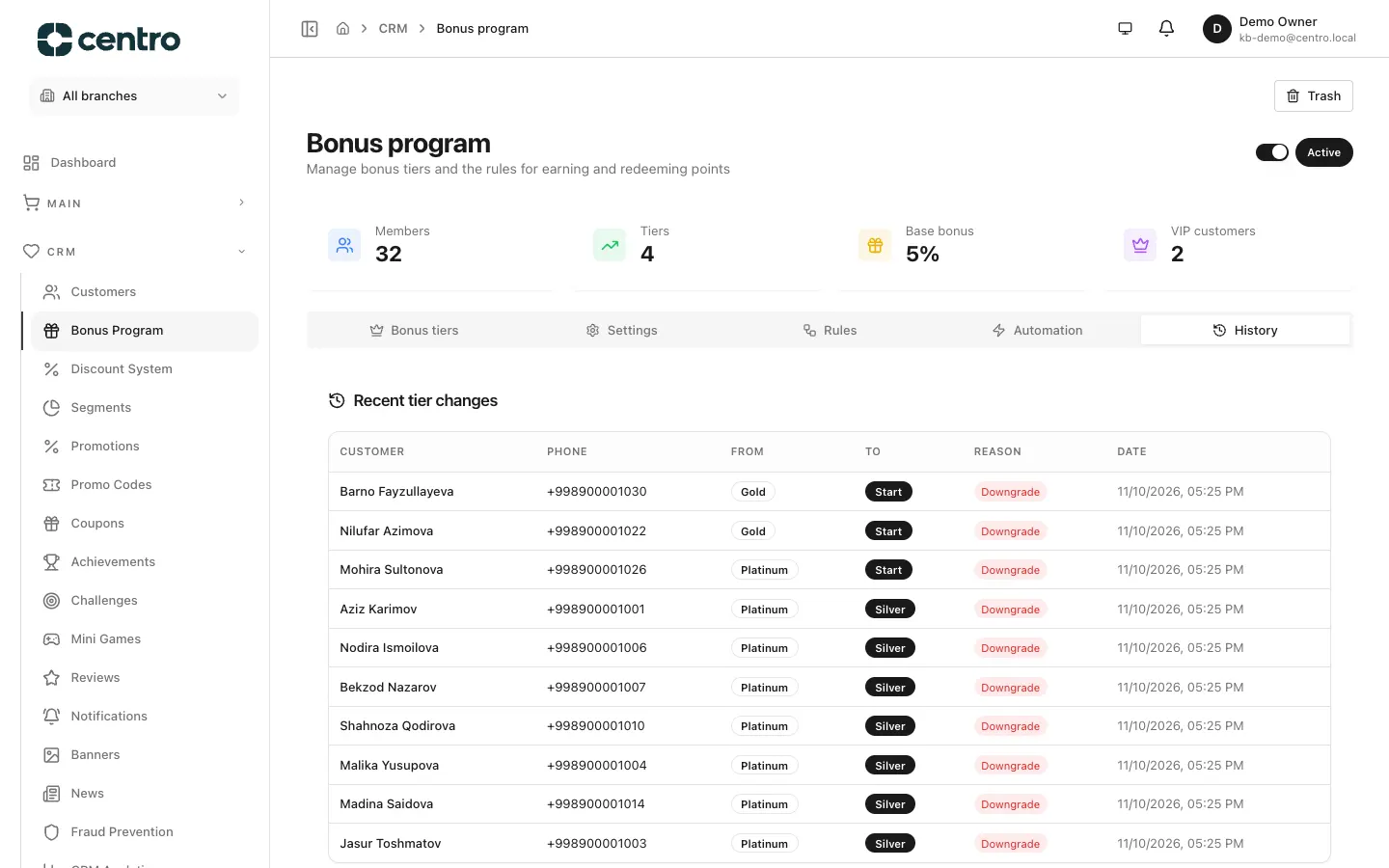
Recent customer tier changes.
The «Recent tier changes» table: «Customer», «Phone», «From», «To», «Reason», «Date». If empty — «No change records».