Semi-finished goods
Prep items made in advance (zirvak, dough, sauce): composition, batch yield, cost price and shelf life.
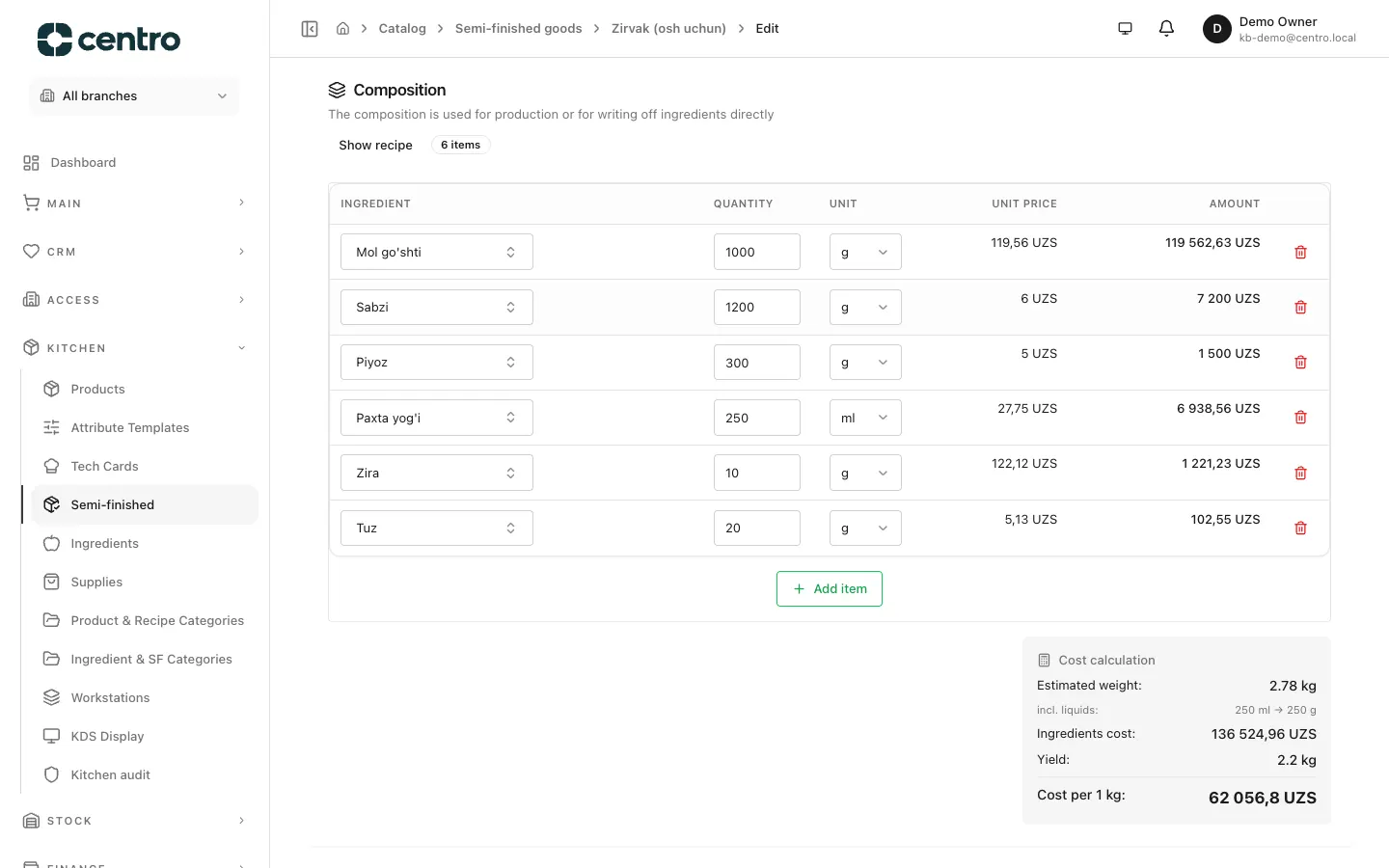
Open in the admin panel/catalog/semi-finished A semi-finished item (SF) is an intermediate product used in several dishes. For example, «Zirvak (osh uchun)» is made from 1 kg of beef, 1.2 kg of carrots, 0.3 kg of onion, oil and spices, and one batch yields 2.2 kg. It is then used in tech cards as an ingredient in grams. Technically an SF is also an ingredient: it lives in the same directory as «Ingredients», it just has a composition.
Two types
- Produced — cooked in the kitchen in batches. The «Stock → Production» document writes off the composition (meat, carrots…) and receives the SF stock. When a dish is sold, the SF itself is written off.
- Purchased (box unticked) — not produced separately. On a sale the system expands its composition and writes the ingredients off directly.
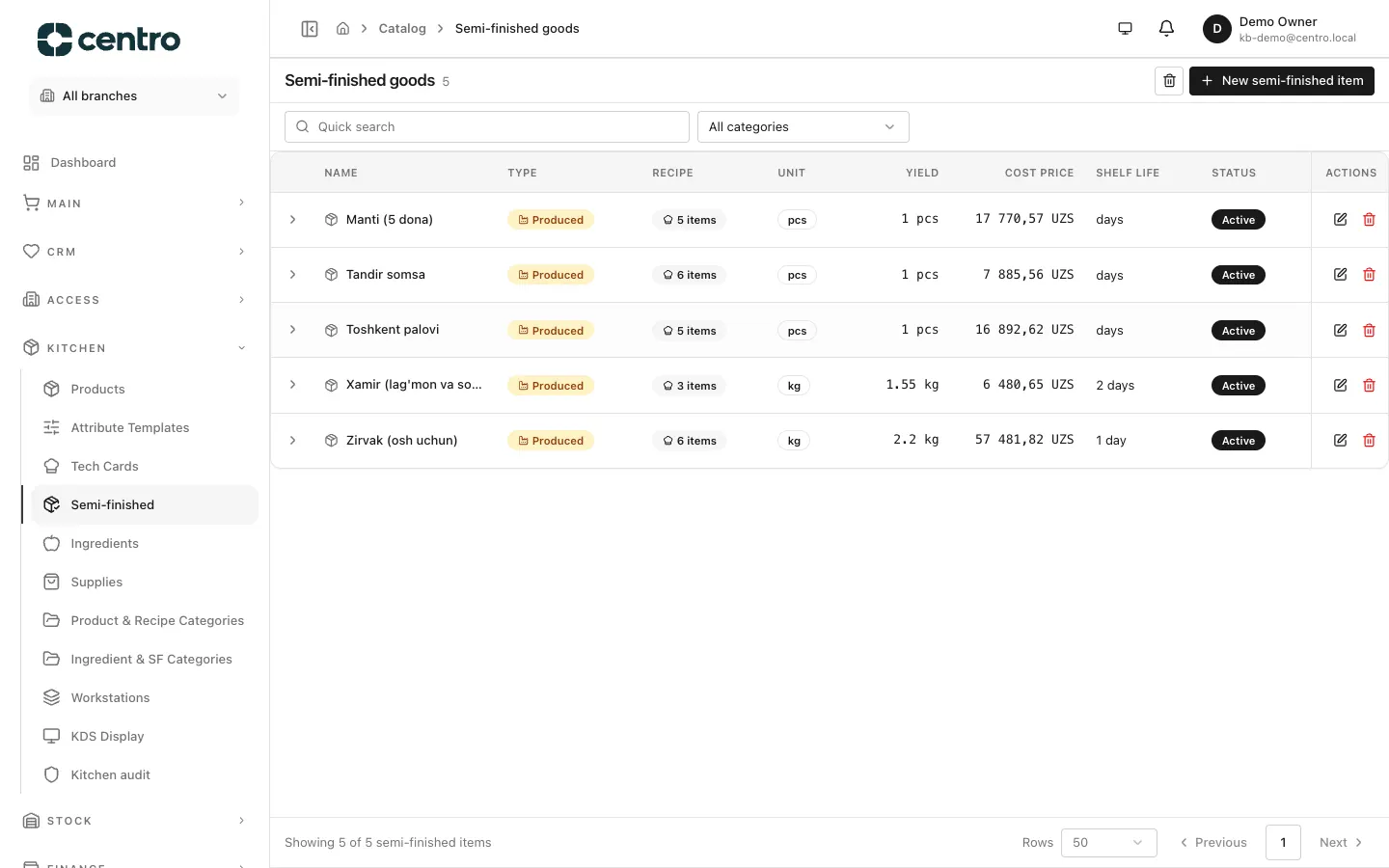
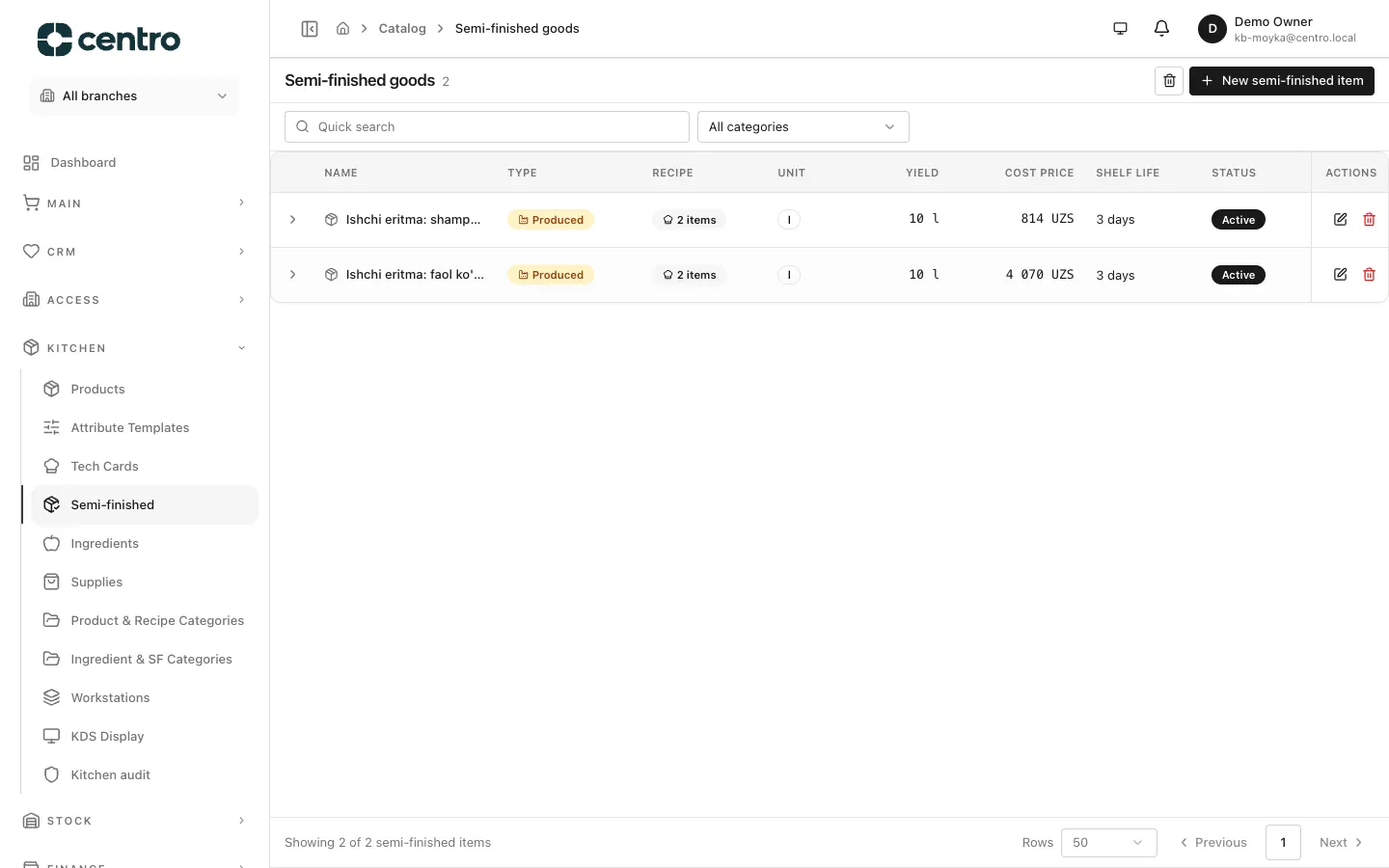
List columns
- «Type»
- «Produced» or «Purchased».
- «Recipe»
- The number of composition lines; «No recipe» — the composition is empty.
- «Yield», «Cost price»
- The batch yield and the cost of 1 unit (kg/l/pcs) = composition cost / yield.
- «Shelf life»
- In days — how long the finished SF keeps.
- «Status»
- «Active», «Inactive» or «Archive». A new semi-finished item is always created «Active».
Tip: «Delete» in a list row menu asks for confirmation and moves the record to the trash («Semi-finished item moved to the trash»). Restore it via the bin icon above the list — see the «Trash: restoring deleted records» section of the «Products» page.
Creating a semi-finished item #
Composition, batch yield, losses and cost calculation.
- In the list click «New semi-finished item».
- In «General information» enter the name, category and «Unit» (kg, l or pcs). The unit cannot be changed after creation.
- In «Semi-finished item type» keep or untick «Produced in-house» and enter the «Batch yield» — how much finished SF the composition gives.
- In «Composition» add ingredients with «Add item» and enter the quantity (g/ml or kg/l).
- Check the weight, the ingredients cost and «Cost per 1 kg» in «Cost calculation», then click «Create».
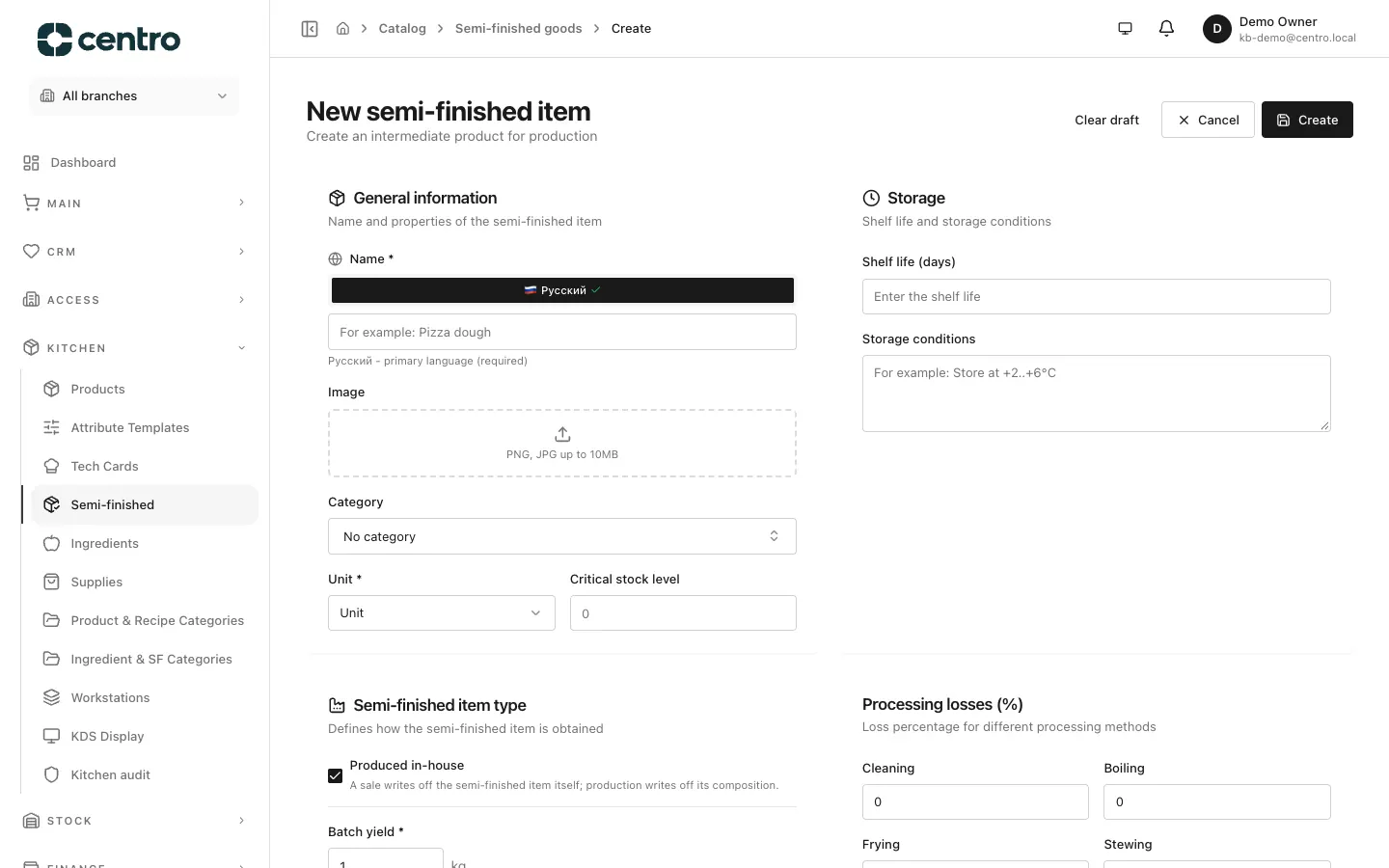
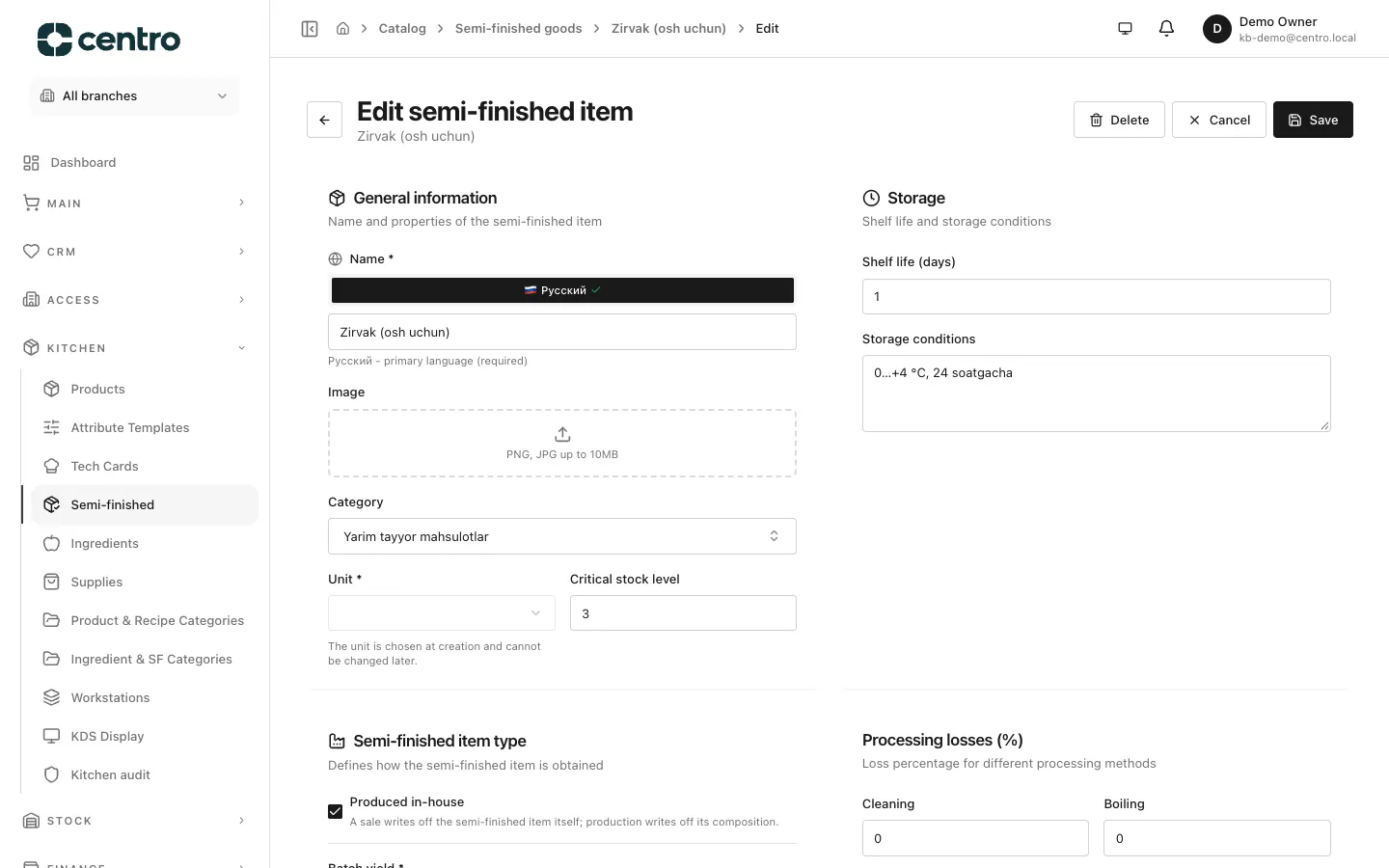
- «Processing losses (%)»
- Cleaning, boiling, frying, stewing, baking — when the SF is used in a tech card, gross is calculated from these percentages.
- «Critical stock level»
- When stock falls below it, a stock alert shows — time to cook a new batch.
- «Shelf life (days)», «Storage conditions»
- For example: 1 day, 0…+4 °C.
- «Name *» and language tabs
- The name in the primary language is required, others are optional — they show in that language in apps and documents. On a name error the form opens that language tab.
- «Image», «Category»
- Image — PNG or JPG up to 10 MB (you cannot save while it uploads). The category is picked from a searchable list; if it is missing, create it on the spot: «Create category» → the «New category» dialog — it is added to the ingredient categories.
- The composition picker
- Tabs «All / Ingredients / Semi-finished / Products»: the composition can hold an ingredient, another semi-finished item or a finished product (priced «…/pc»). Each line shows «Unit price» and «Amount»; the same ingredient cannot be added twice («This ingredient is already in the composition»).
Tip: If an ingredient is missing, create it right here with «Add ingredient» in the composition picker — it is added to the composition at once.
Tip: The create page keeps what you type as a draft in this browser and restores it when you come back («Semi-finished item draft restored»). Click «Clear draft» to start over. A name that matches an existing semi-finished item or ingredient is rejected: «A semi-finished item or ingredient with this name already exists».
Editing. The pencil in a list row opens the «Edit semi-finished item» page (the screenshots above). Same blocks; the differences: «Unit *» is locked; in the composition card «Show recipe» opens the composition as a compact table; no draft is kept; at the top are «Delete», «Cancel» and «Save». The new composition and yield apply to later sales and production documents.
Important: «Delete» on the edit page asks for no confirmation — the semi-finished item is deleted on the click. If it is used in a tech card, in another semi-finished item or in an unfinished order, the server refuses to delete it.