Partners
Only: Store
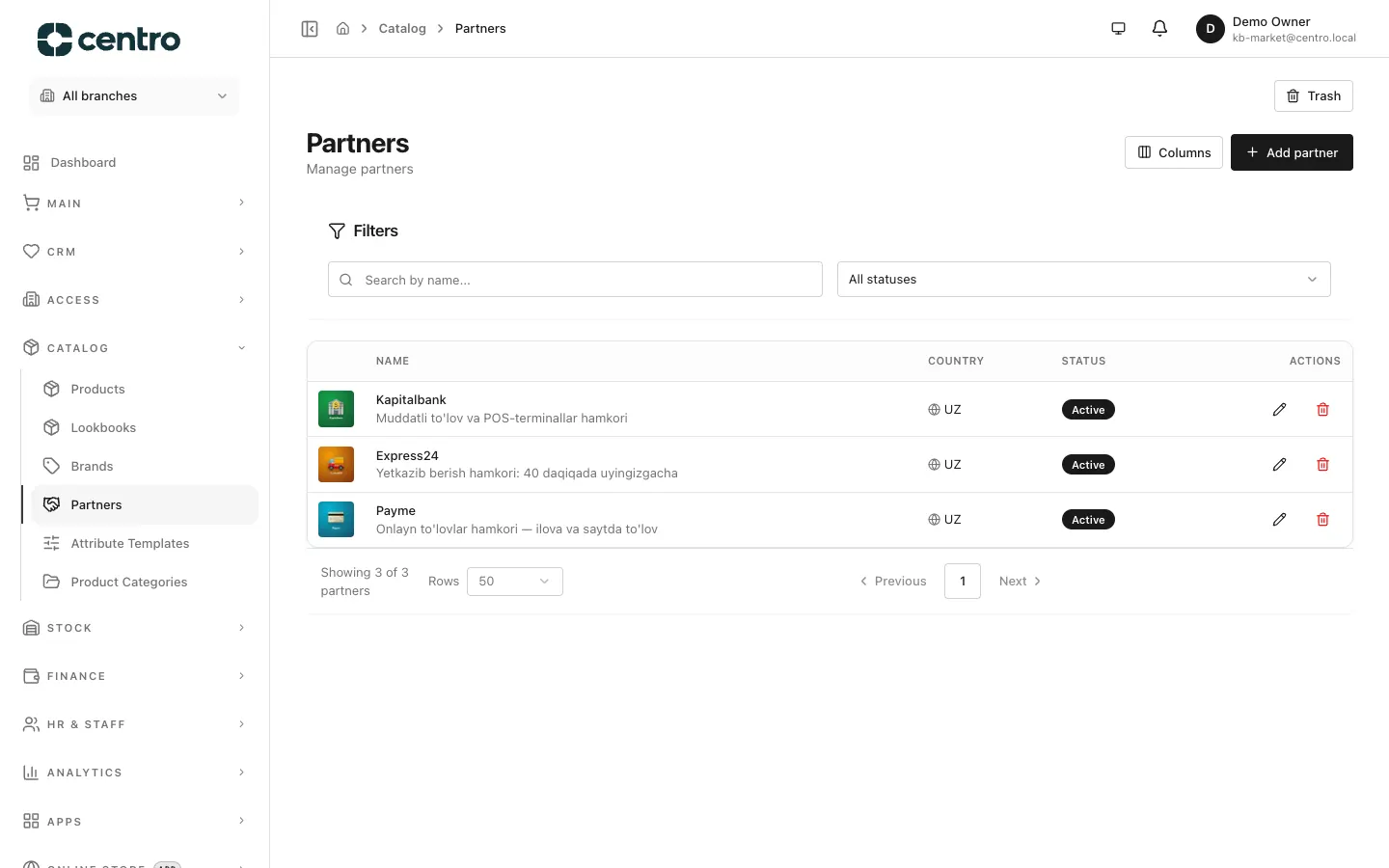
The store’s partner directory (payment systems, delivery services, banks): logo, country, website and status.
Open in the admin panel/catalog/partners Partners is a directory of the companies the store works with, such as Payme, Express24 or a bank. They are shown with their logos in the partners block of the website. Restaurants have the same page in the CRM group.
How to open
- Sidebar: Catalog → Partners.
Screenshot not captured yet
- «Filters» / «Columns»
- «Search by name...» and status; columns — «Logo», «Country», «Website», «Status», «Slug», «Created date».
- Actions
- Edit and delete (with confirmation).
Adding a partner #
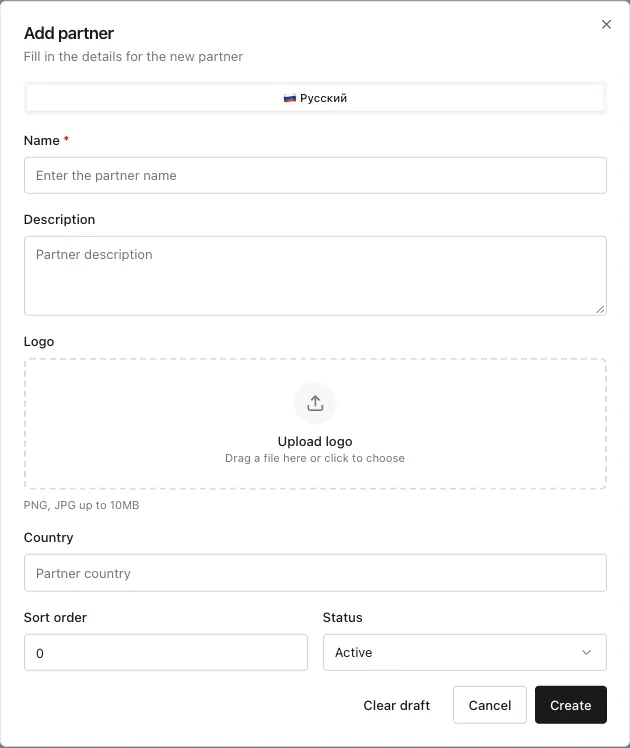
The «Add partner» dialog.
Screenshot not captured yet
- «Name *» / «Description»
- Per language tab. The name is unique, deleted partners included.
- «Logo» / «Country» / «Sort order» / «Status»
- PNG or JPG up to 10MB; the partner’s country; order (from 0); «Active» / «Inactive».
Tip: The dialog keeps its data as a draft; «Clear draft» resets it.