Attribute templates
Sets of extra fields for products: portion, spiciness, calories, volume, etc.
Open in the admin panel/catalog/attribute-templates A template is a list of attributes (characteristics). Choose a template in the product form and its fields appear, so every dish gets the same data filled in. For example, the «Taom xususiyatlari» template has portion size, spiciness, calories and a vegetarian flag.
A template is a list of attributes (characteristics). Choose a template in the product form and its fields appear, so all products of one kind are filled in the same way. Stores usually keep one template per product group: e.g. «Kiyim» (material, season, care), «Poyabzal», «Oziq-ovqat» (ingredients, shelf life). «Filterable» attributes become filters for buyers on the website and in the app.
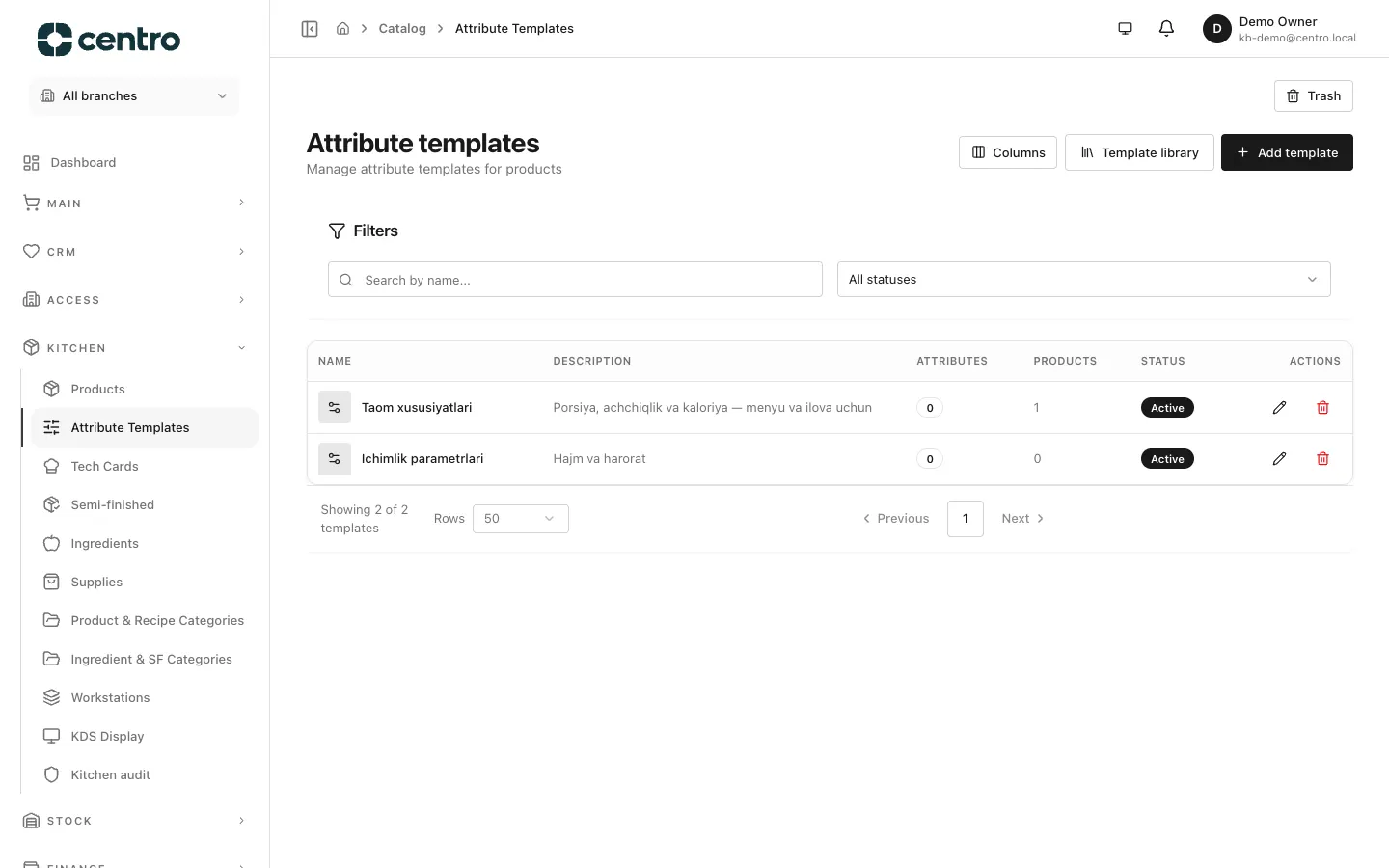
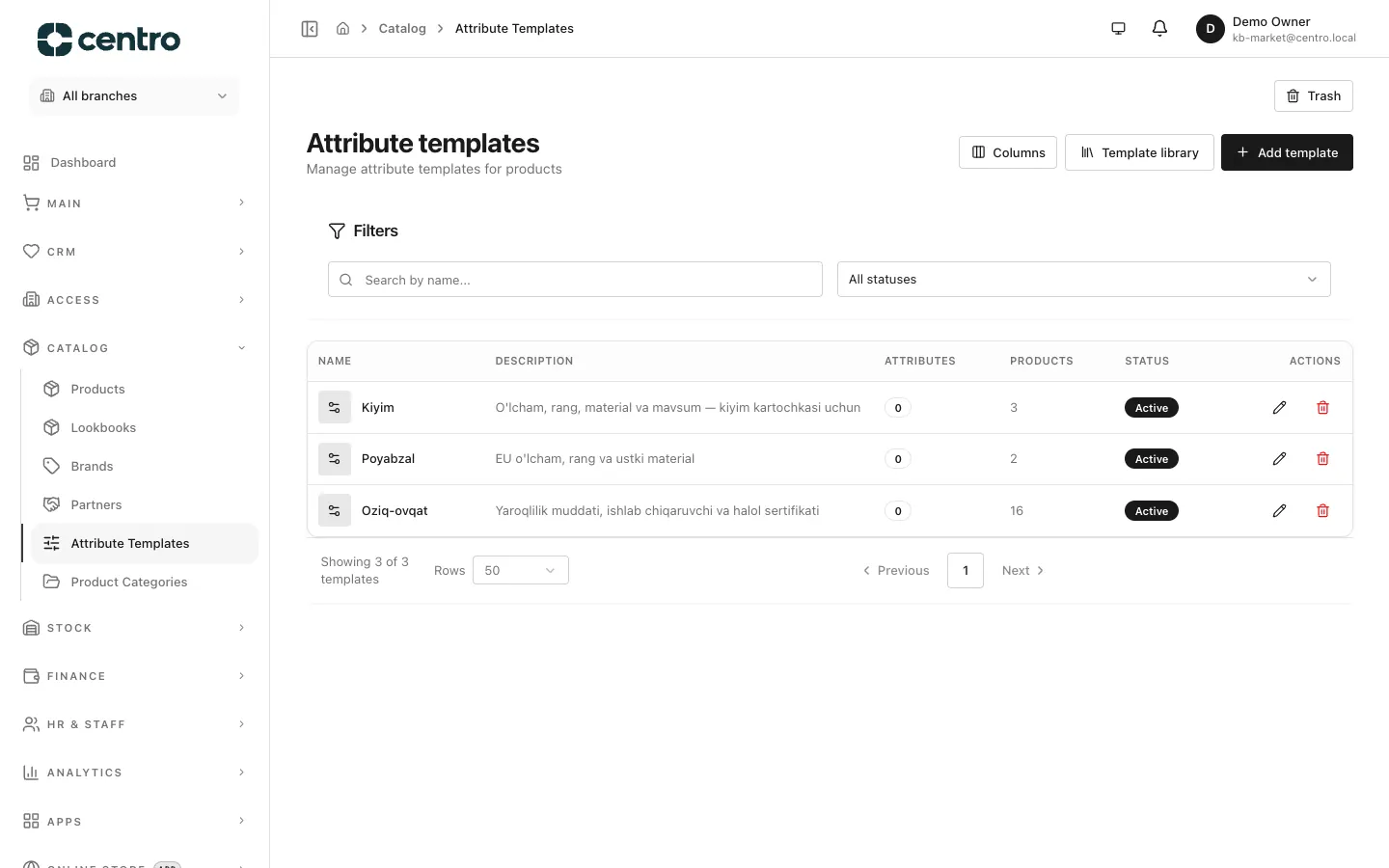
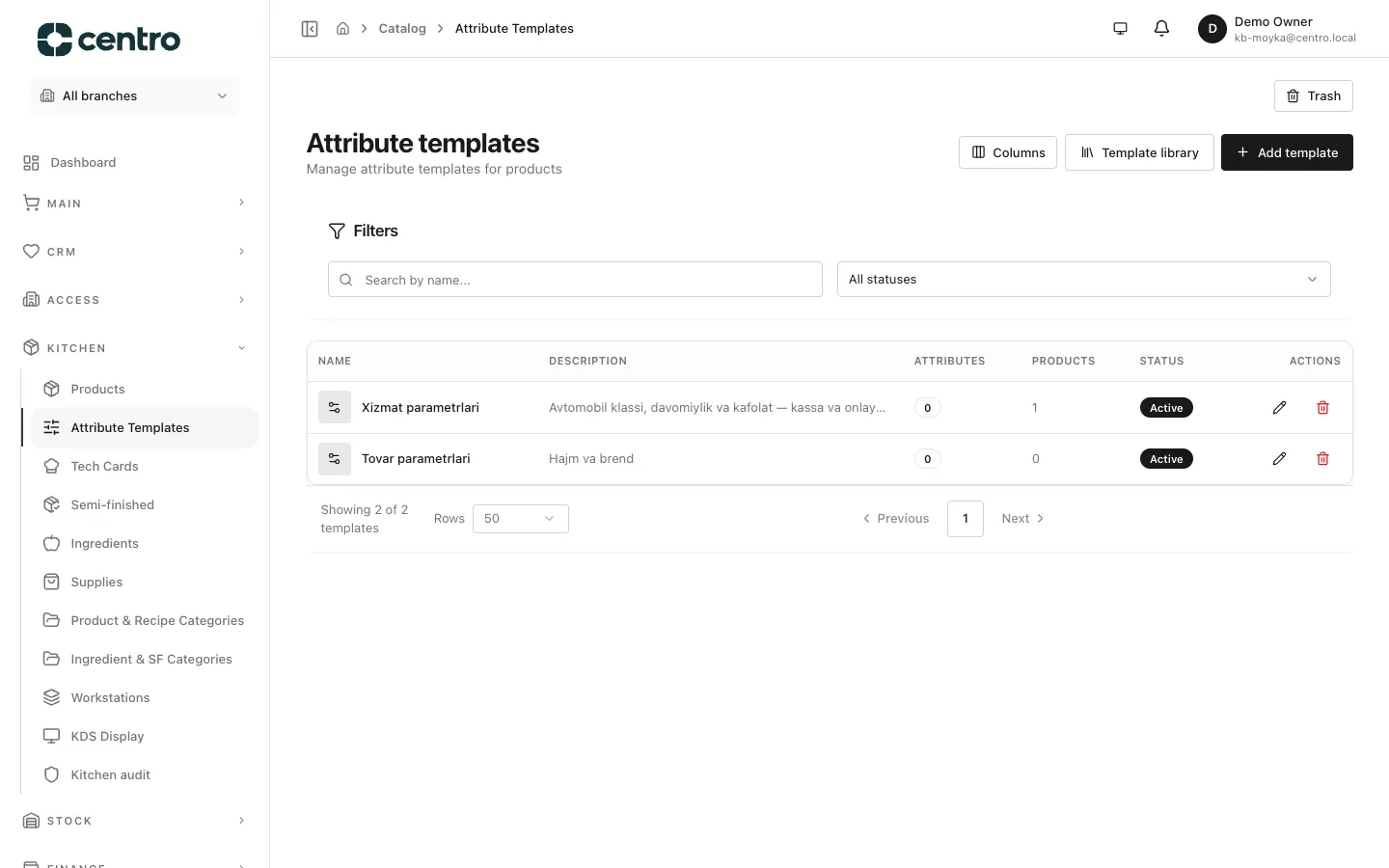
List columns
- «Name» / «Description»
- Clicking a row opens the template page.
- «Attributes» / «Products»
- How many attributes the template has and how many products use it.
- «Status», «Slug», «Created date»
- Columns are changed via «Columns»; filters are name search and status.
Create a template
- Click «Add template», enter the name (required in the default language) and description, click «Create».
- Open the template and add fields with «Add attribute».
- In the product form pick it in «Attribute template».
Template library #
Importing a ready-made template with one click.
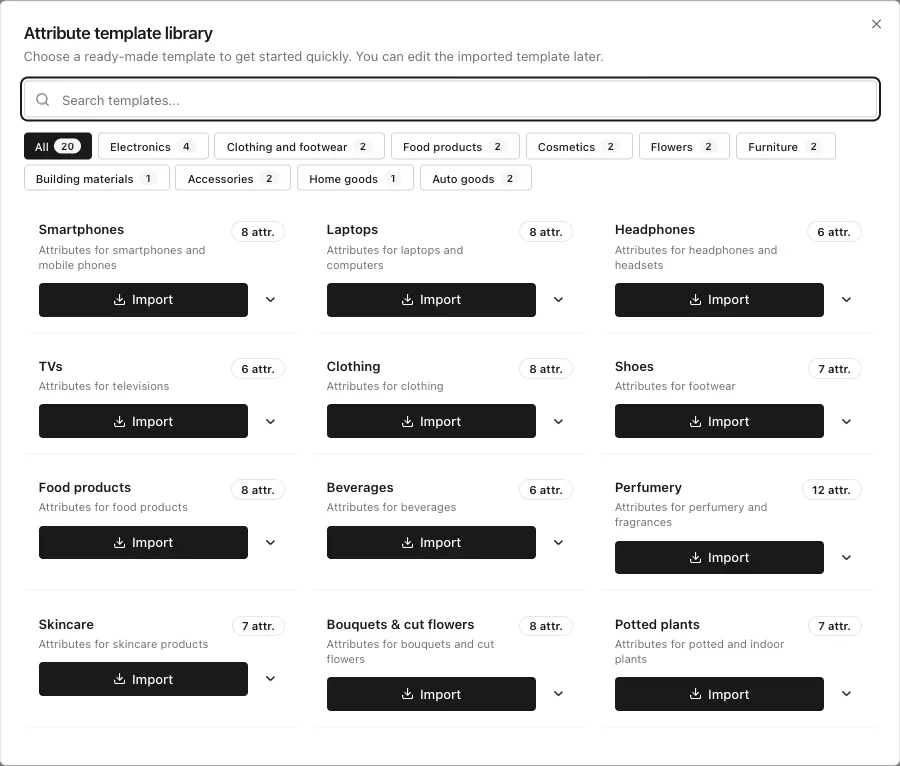
«Template library» shows ready-made templates by industry (food, drinks and more). Narrow them with the search and industry chips; the arrow expands the attribute list (type, unit, * — required, «filter»). «Import» creates the template with its attributes; if the template already exists (including among deleted ones) it is not imported again and a warning is shown.
Tip: An imported template can be edited freely afterwards: delete unneeded attributes and add your own.
Template page and attributes #
Adding and editing attributes and their types.
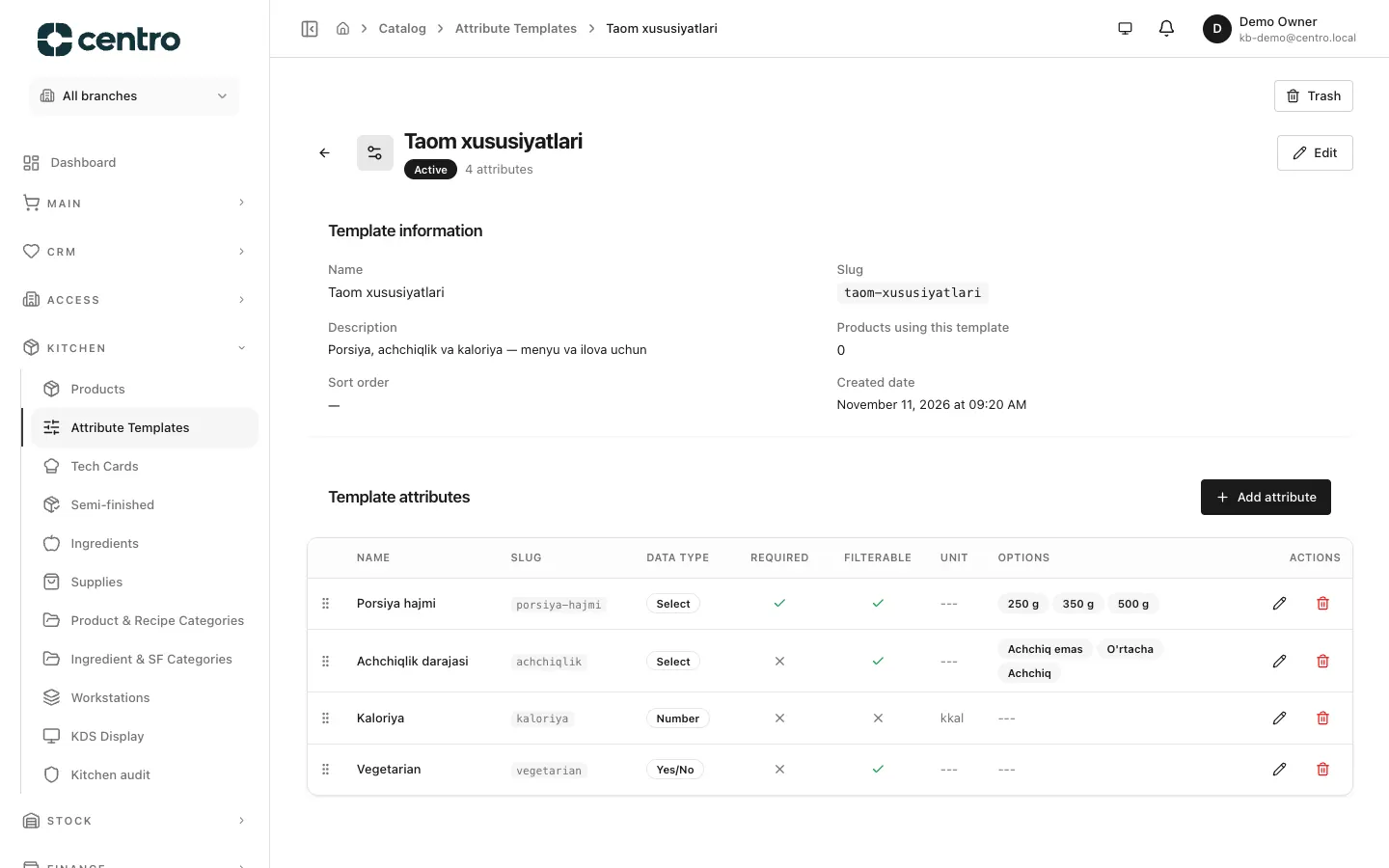
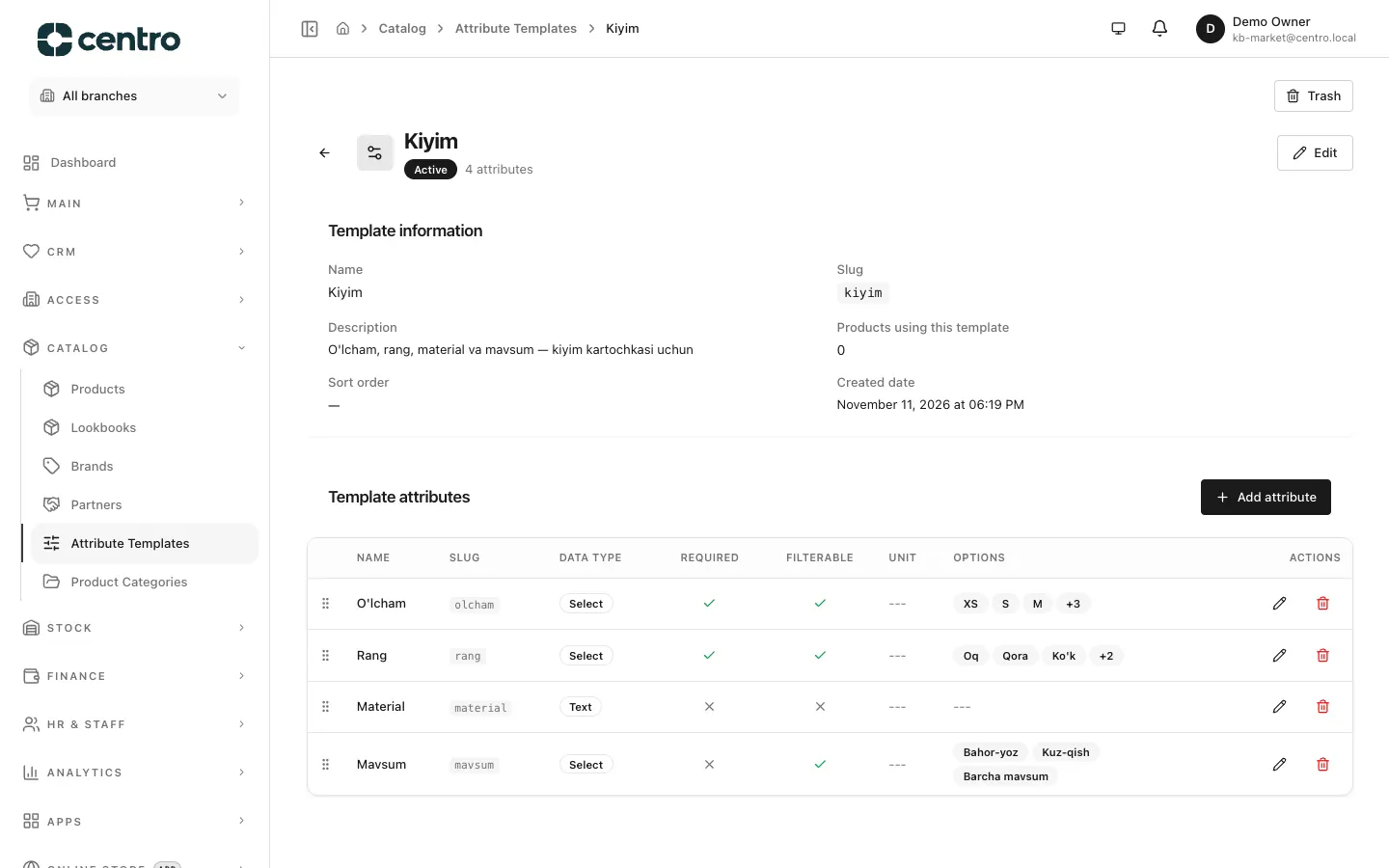
At the top is «Template information» (name, slug, description, «Products using this template», order, created date); below is the «Template attributes» table: name, slug, «Data type», «Required», «Filterable», «Unit», options. Drag rows to reorder; the pencil edits, the bin deletes.
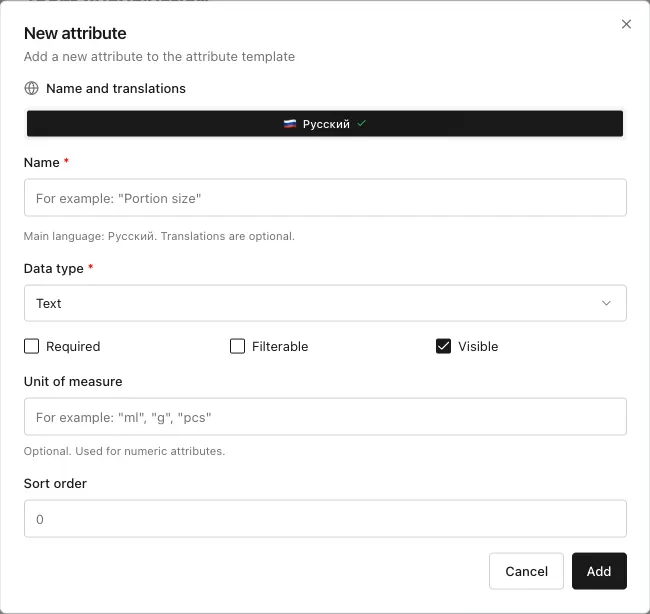
Attribute fields
- «Name»
- Required on the default-language tab; other language tabs hold the translated name and option translations.
- «Data type»
- «Text», «Number», «Yes/No», «Select», «Multi-select», «Color». Choice types need at least one option (type it and press Enter or «Add»).
- «Required» / «Filterable» / «Visible»
- A product cannot be saved without a required field; a filterable attribute is used as a filter on the website and app; a visible one is shown to the customer.
- «Unit of measure» / «Sort order»
- The unit is for numeric attributes (e.g. kcal, g, ml); the order is the sequence of fields in the form.