Brands
The brands of the store’s products: logo, country, number of products, import from a ready-made library, and the trash.
Open in the admin panel/catalog/brands A brand is picked in the product form, in the «Category and brand» block. You can then filter the product list with «All brands», and buyers find products by brand on the website and in the app. Stores have this page in the Catalog group; restaurants have the same page in the CRM group.
How to open
- Sidebar: Catalog → Brands.
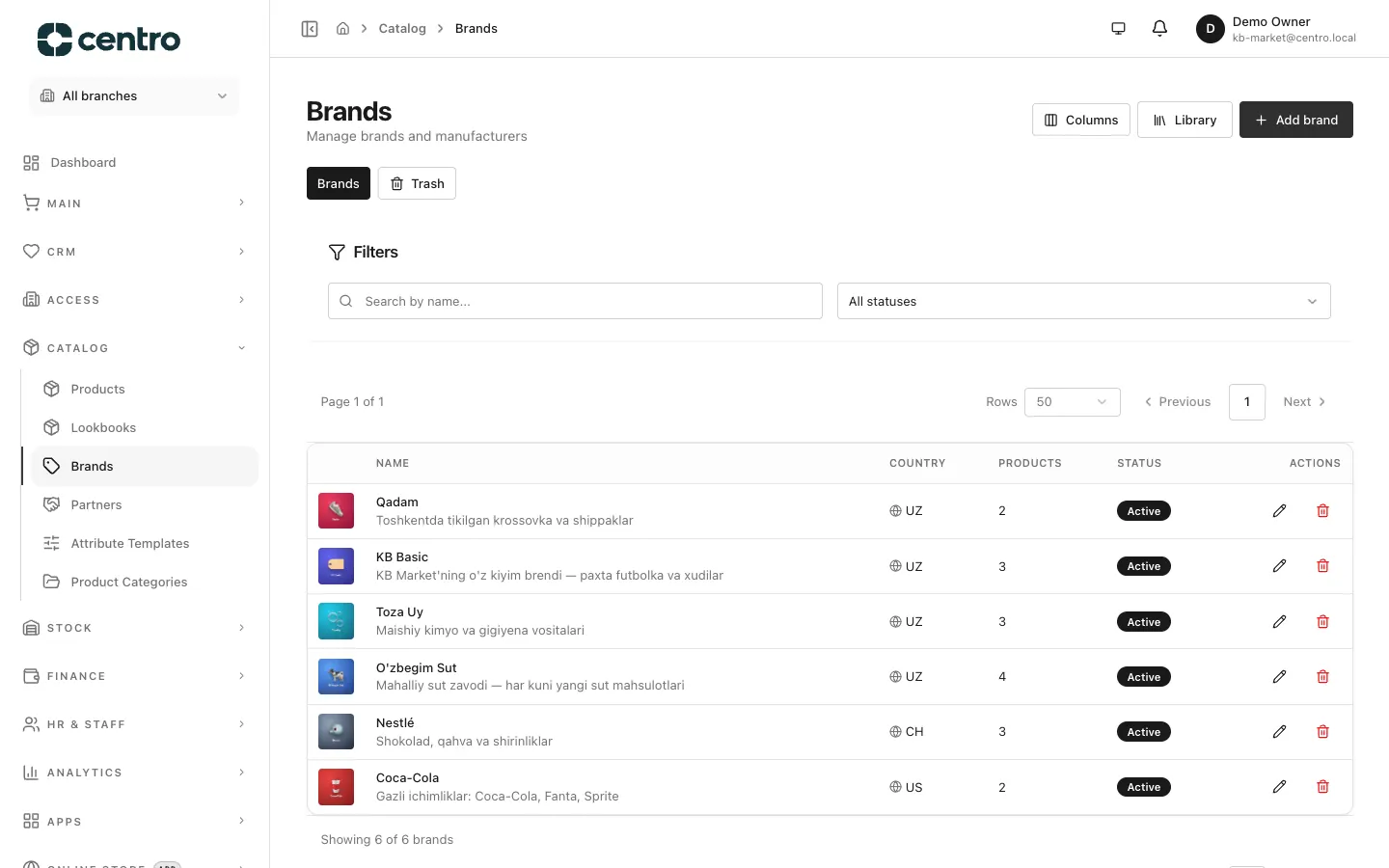
- «Filters»
- «Search by name...» and status («All statuses», «Active», «Inactive»); «Reset filters».
- «Columns»
- «Logo», «Country», «Website», «Products» (how many products have this brand), «Status», «Slug», «Created date» — switch on the ones you need.
- «Brands» / «Trash»
- The buttons at the top switch between the list and the trash of deleted brands; a brand can be restored from the trash.
Adding and editing a brand #
Fields of the «Add brand» dialog.
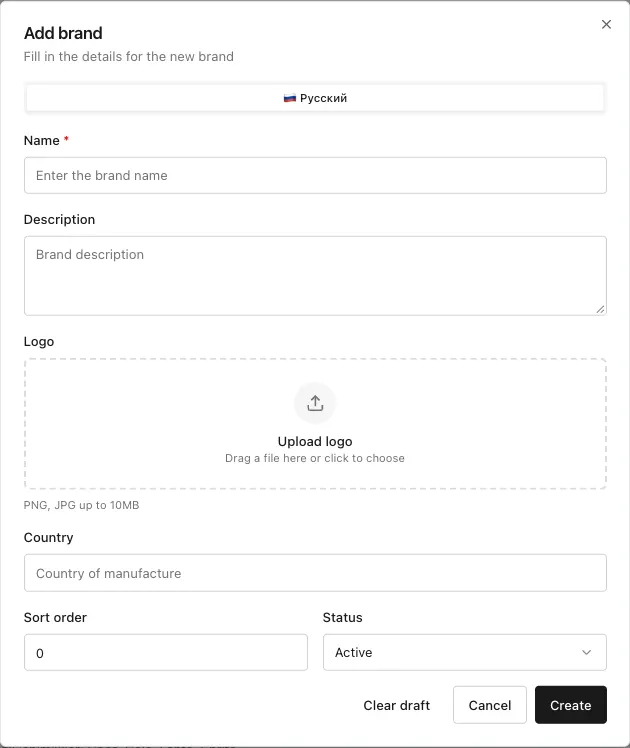
- «Name *» / «Description»
- Per language tab; the name is required in the main language. It must be unique — brands in the trash count too.
- «Logo»
- PNG or JPG up to 10MB; drag a file in or pick one.
- «Country» / «Sort order» / «Status»
- Country of the manufacturer, order (a whole number from 0) and «Active» / «Inactive». An inactive brand is hidden from pickers.
Tip: After changes the website (storefront) cache is reset; if that fails you get a warning and the website updates a little later.
Brand library #
Importing ready-made brands with their logos.
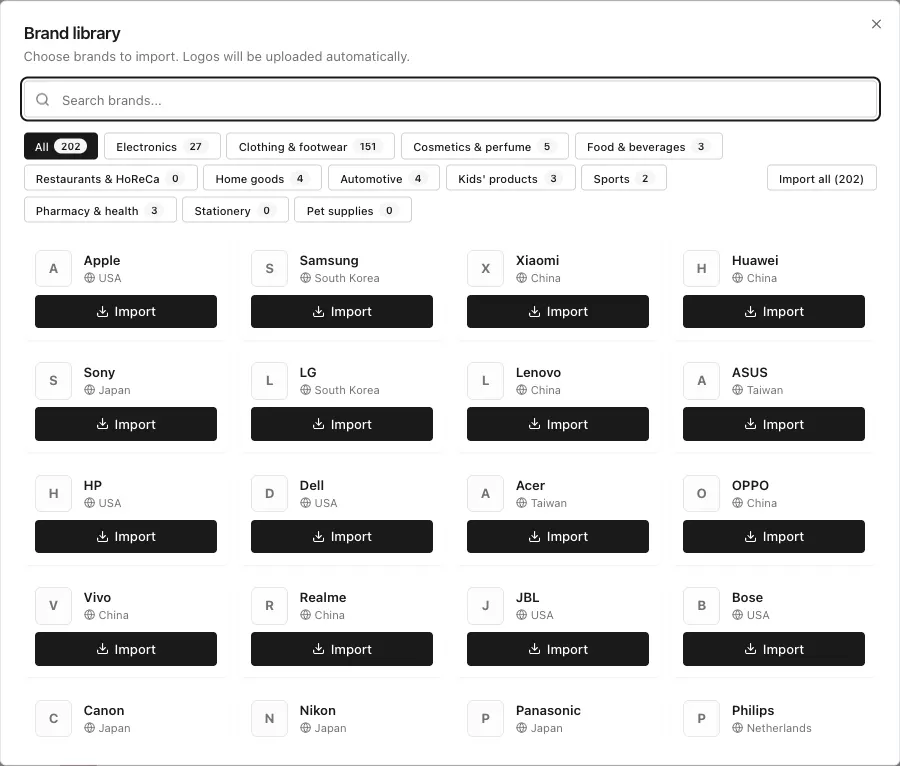
The «Library» button shows popular brands by industry (electronics, clothing and shoes, cosmetics, food, home goods and more). Narrow them with the search and industry buttons; «Import» adds one brand, «Import all (N)» adds all shown. Logos are loaded automatically and existing brands are skipped.
Tip: In the library the country under a brand is shown in the interface language (e.g. «USA») and the search finds it too. On import, though, the country is saved with the brand in Russian (e.g. «США») — edit it afterwards if needed.