Kitchen audit
Only: Restaurant, Car wash
Who prepared each item, when and at which station — the history of KDS actions.
Open in the admin panel/catalog/kitchen-audit The audit helps resolve disputes: why a dish was late, who sent it back, who cancelled it. Each record is one KDS event (created, routed, claimed by cook, ready, issued, recalled…).
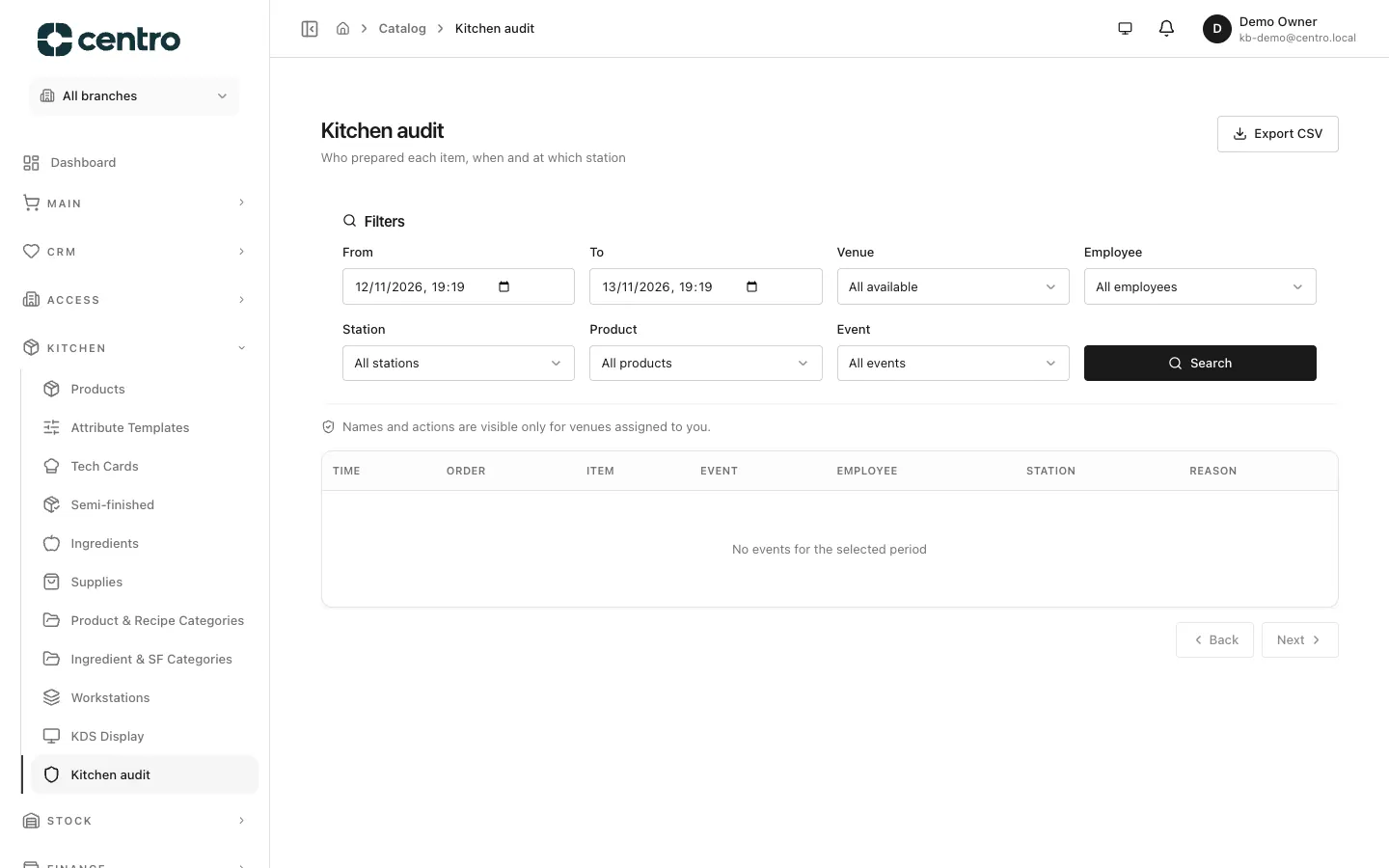
Filters
- «From» / «To»
- Default — the last 24 hours, at most 31 days. If you never touch «To», it moves to the current time on every search.
- «Venue», «Employee», «Station», «Product», «Event»
- The lists are filled from the selected period. Pick filters and click «Search».
Table columns
- «Order»
- The order number links to the kitchen tab of the order; the venue is shown below.
- «Item» / «Event»
- The product and unit number («Unit 2» — the second portion). Problem events (cancellation, recall, rework, skipped step, supervisor override) are highlighted in red.
- «Employee», «Station», «Reason»
- Who did it (name and role), from which station to which, and the comment. 100 records per page, «Back» / «Next».
Important: Viewing needs the «Kitchen history» permission at view level, «Export CSV» needs full. Names and actions are visible only for venues assigned to you.