Yandex Eats
The Yandex Eats Vendor API integration: binding branches, receiving orders, the menu and fees.
Open in the admin panel/settings/integrations/yandex-eats How to open and turn on
- In Apps → All apps connect and pay for «Yandex Eats» (a paid app, currently 10 USD a month; no trial).
- In the sidebar click Apps → Yandex Eats (the position needs access to «System settings»).
- Get a Restaurant ID from Yandex Eats for each branch, bind the branch, hand the keys to Yandex, check with «Test» and turn receiving on.
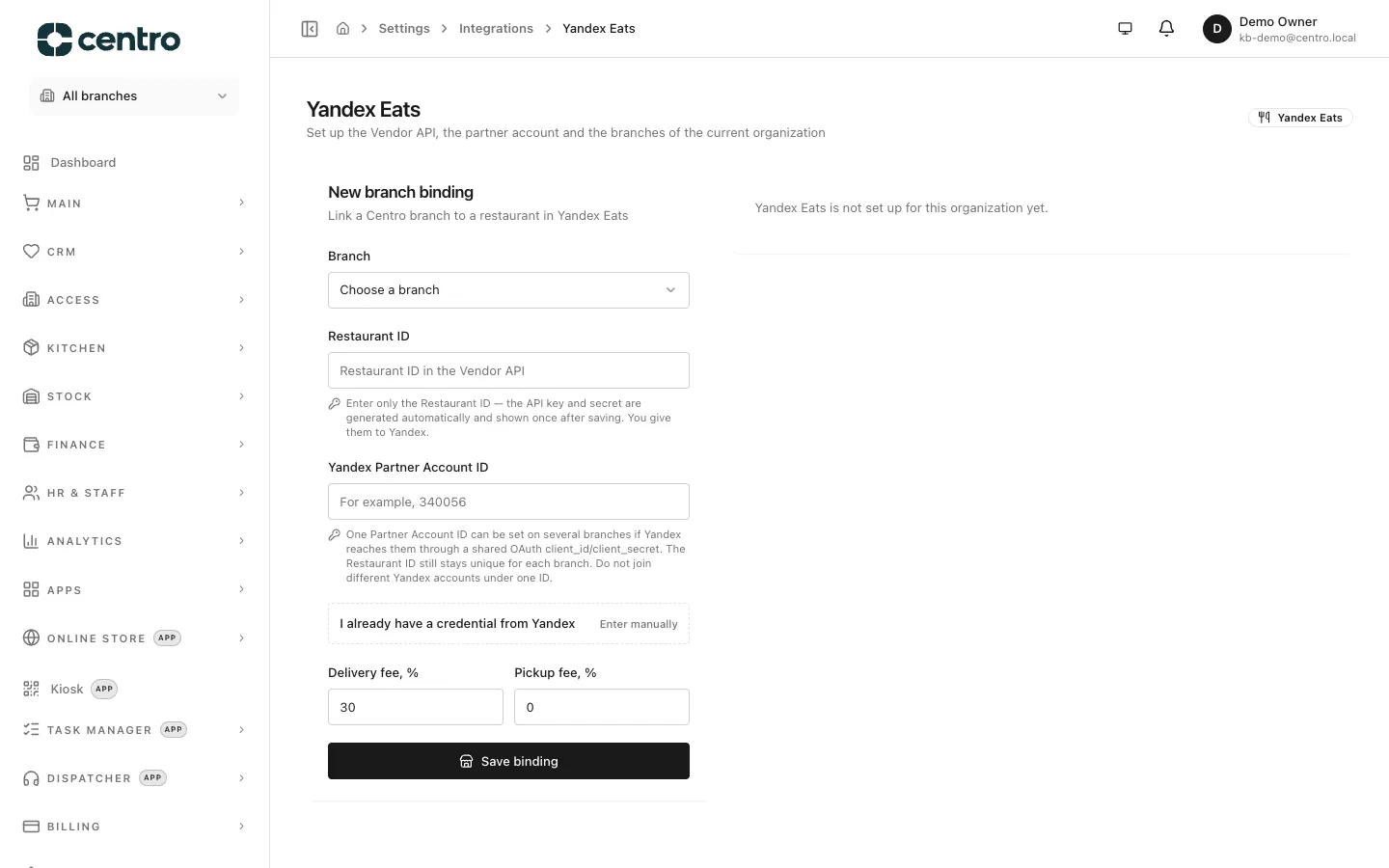
In this integration Centro itself is the Vendor API server: Yandex Eats sends orders to Centro and takes the menu from it. The page has two parts: on the left the «New branch binding» form («Branch settings» for an already bound branch), on the right a card per bound branch. With no bindings yet, the right side says «Yandex Eats is not set up for this organization yet.».
Tip: For a restaurant: Yandex Eats orders land at the till and in the KDS like other channels; the fee and receivable are booked in finance as an aggregator. Dish names and prices come from the menu — after changing the menu click «Publish menu» or wait for the auto-sync.
Tip: For a store: the page works the same — any venue can be bound and catalog products are published as the menu. It only makes sense if your store is registered as a seller on Yandex Eats (for example ready food or flowers).
Tip: A car wash usually does not need Yandex Eats: it is a food-delivery marketplace, with no service bookings or vehicle data. If the app is not connected, there is no need to connect it.
Binding a branch #
Restaurant ID, Partner Account ID, keys and fees: how to create a new binding.
«New branch binding»
- In the left card choose the «Branch» (a venue, not a warehouse). Branches already bound are marked «- already linked».
- «Restaurant ID» — the restaurant ID in the Yandex Eats Vendor API (required, unique per branch).
- «Yandex Partner Account ID» — optional. If Yandex calls several branches through one shared OAuth client_id/client_secret, put the same ID on all of them; never join different Yandex accounts under one ID.
- Enter «Delivery fee, %» and «Pickup fee, %» (0–100) — 30 and 0 by default.
- Click «Save binding». The API key and secret are generated automatically, shown once in the «New credentials» block and copied to the clipboard — hand them to Yandex; after a page refresh they are hidden.
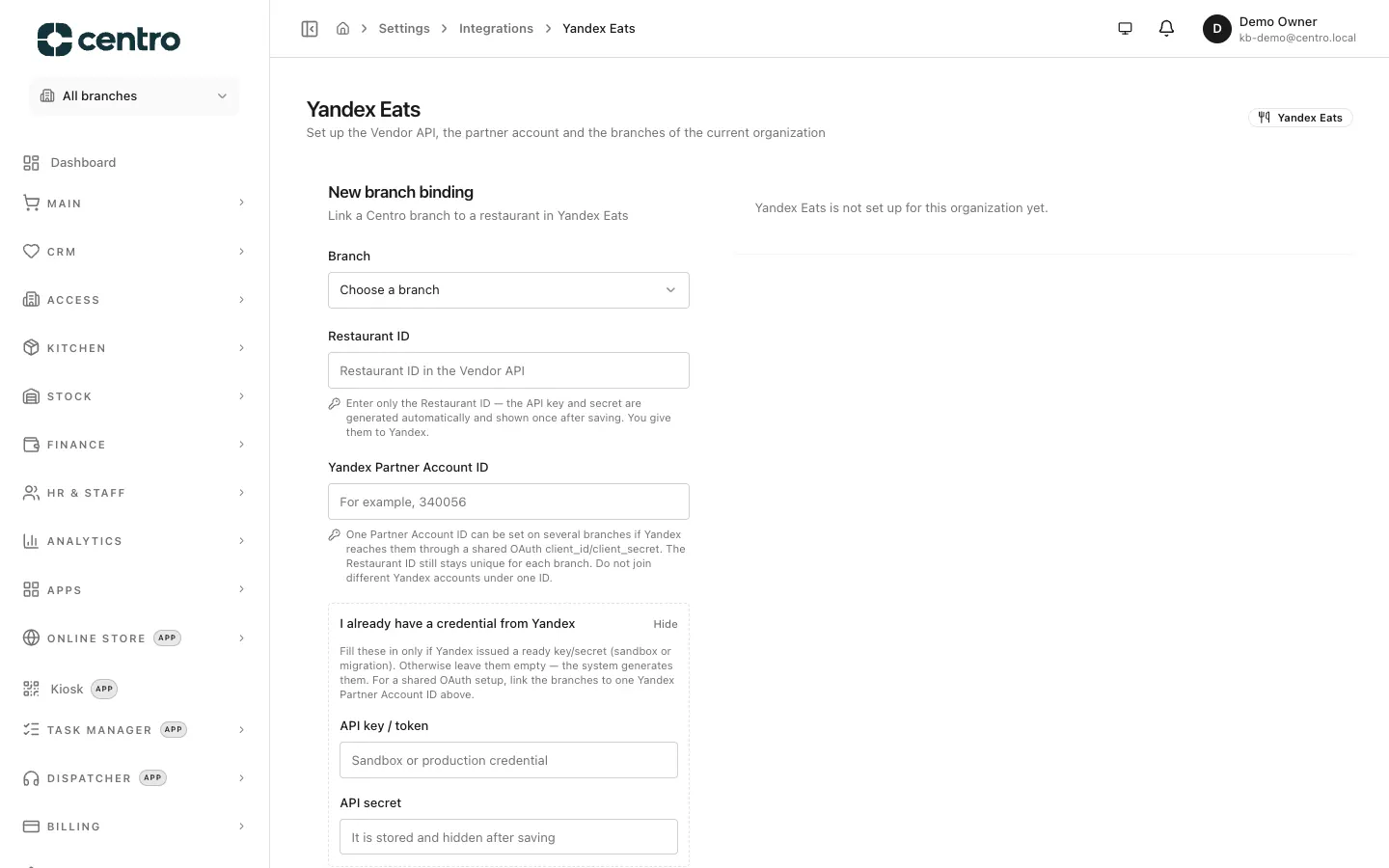
Tip: The «I already have a credential from Yandex» block («Enter manually»: «API key / token», «API secret») is only for when Yandex issued a ready key/secret — a sandbox or a migration. Otherwise leave the fields empty: the system generates the keys itself.
The binding card: receiving, menu and settlements #
Turning order receiving on, menu sync, fees, keys, Yandex orders and logs.
- Header
- Restaurant ID, Partner Account ID and a «Receiving on» / «Receiving off» badge.
- API key / API secret / «Last check»
- Only the last characters are shown. Full keys appear only on creation and on «Rotate credentials».
- «Receive orders from Yandex Eats»
- The main switch. When turned on (with a confirmation) new orders automatically appear in Centro, at the till and in the kitchen and are accepted automatically. A new binding is created with receiving off.
- «Menu sync»
- Automatic menu sync with Yandex (every 60 minutes by default).
- Vendor API base URL / Token endpoint
- The addresses to enter on the Yandex side — with a copy button.
- «Settlements (fees)»
- Yandex Eats is booked as a cashless aggregator: gross minus fee = receivable. Change the rates and click «Save fees».
- «Test», «Rotate credentials», «Revoke credentials», «Rotate webhook secret»
- The first checks the Vendor API keys; the second issues a new key/secret (the old ones stop working — hand the new ones to Yandex); the third revokes the keys; the fourth issues a new webhook secret.
- «Publish menu» / «Publish availability»
- Queues a manual publish of the menu or availability (stop list) to Yandex.
- «Yandex orders» and «Vendor API logs»
- Incoming orders (amount, fee, receivable, error) filtered by status and External order ID; a failed order can be reprocessed with «Retry». The logs show Yandex requests and the HTTP status.
Important: Before turning receiving on, check menu prices and the branch opening hours: once on, real orders are accepted automatically and go to the kitchen.