Uzum Tezkor
The Uzum Tezkor marketplace: menu, prices and stock go to Uzum, and Uzum orders come straight into the POS/KDS.
Open in the admin panel/apps/uzum-tezkor/settings Uzum Tezkor (Uzum Tezkor Eats) is a food delivery marketplace. Centro acts as the «vendor API» here: Uzum itself pulls the catalog and prices from Centro every hour, stock every 5 minutes and statuses every minute (Uzum sets the frequency), and orders from Uzum appear in Centro as ordinary orders in the POS and on the kitchen screen. Each branch is connected separately and has its own keys. Calling a courier is not here but in «Uzum Delivery».
How to open
- In the sidebar, expand the Apps group — it lists the connected apps.
- Click «Uzum Tezkor».
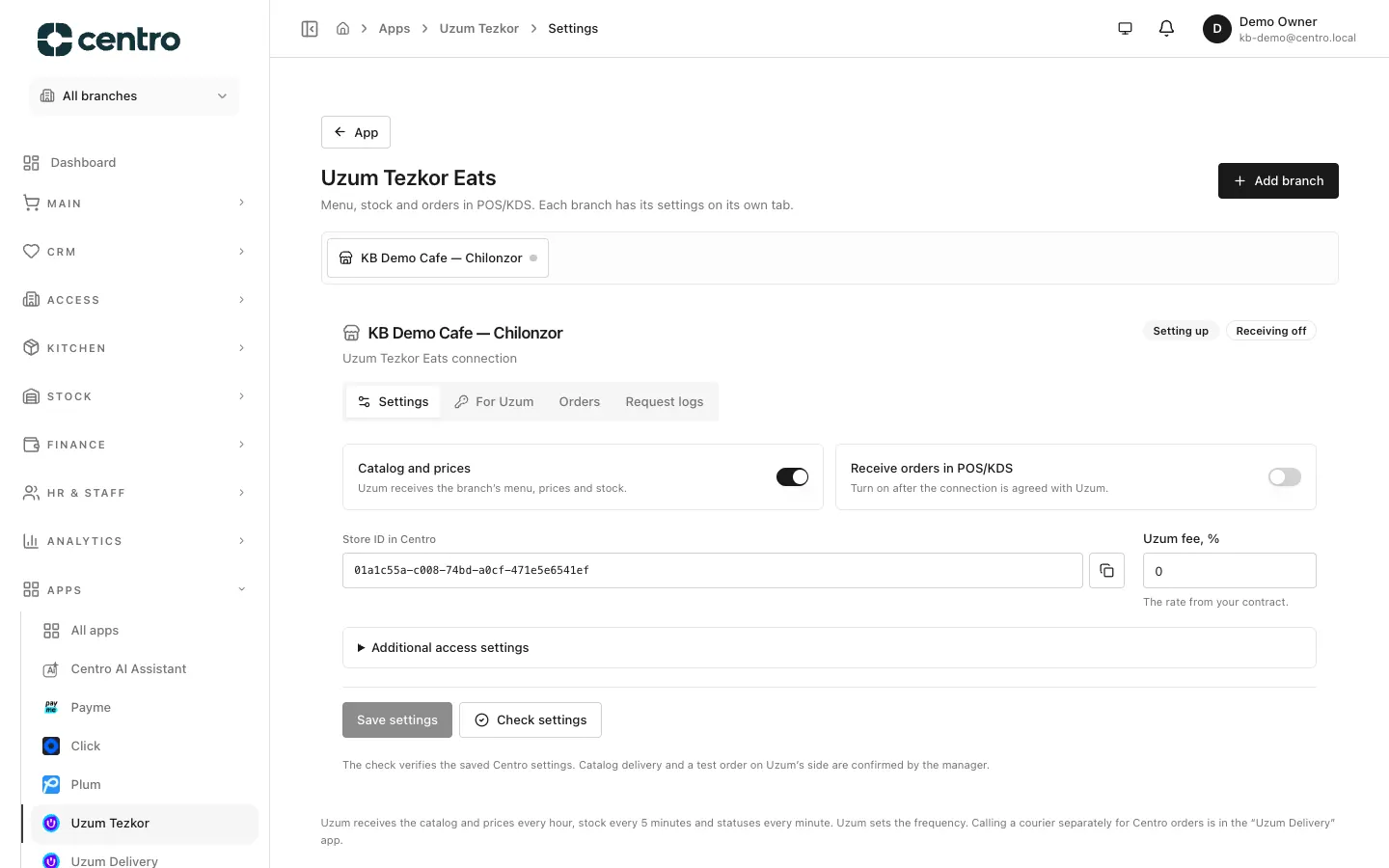
At the top are the tabs of connected branches (name and a dot: blue — orders are received, grey — not) and the «Add branch» button. Choosing a tab shows that branch’s connection card: a status badge («Access granted» / «Setting up» / «Access off» / «Connection error» / «Access suspended»), «Receiving on» or «Receiving off», and four sections — «Settings», «For Uzum», «Orders», «Request logs».
The branch «Settings» section
- «Catalog and prices»
- When on, Uzum receives this branch’s menu, prices and stock.
- «Receive orders in POS/KDS»
- Turn it on after agreeing the connection with the Uzum manager and checking a test order. Orders are not received until keys are created and while the branch is closed («To receive orders, create keys in the “For Uzum” section.»).
- «Store ID in Centro»
- The ID by which Uzum links orders to the branch — by default the branch ID in Centro. Change it under «Additional access settings» → «Change Store ID» only by agreement with Uzum.
- «Uzum fee, %»
- The rate from your contract (0–100). Used to calculate the fee expense on Uzum orders.
- Vendor account ID (access group ID)
- Optional («· optional»); the «Create ID» button generates a new ID. Giving several branches the same ID lets one shared client_id access them (one Uzum account for several branches). It is not the restaurant ID in Uzum; leave it empty for independent access.
- «Save settings», «Check settings»
- The check validates the saved Centro settings only; the Uzum manager confirms catalog retrieval and the test order on their side.
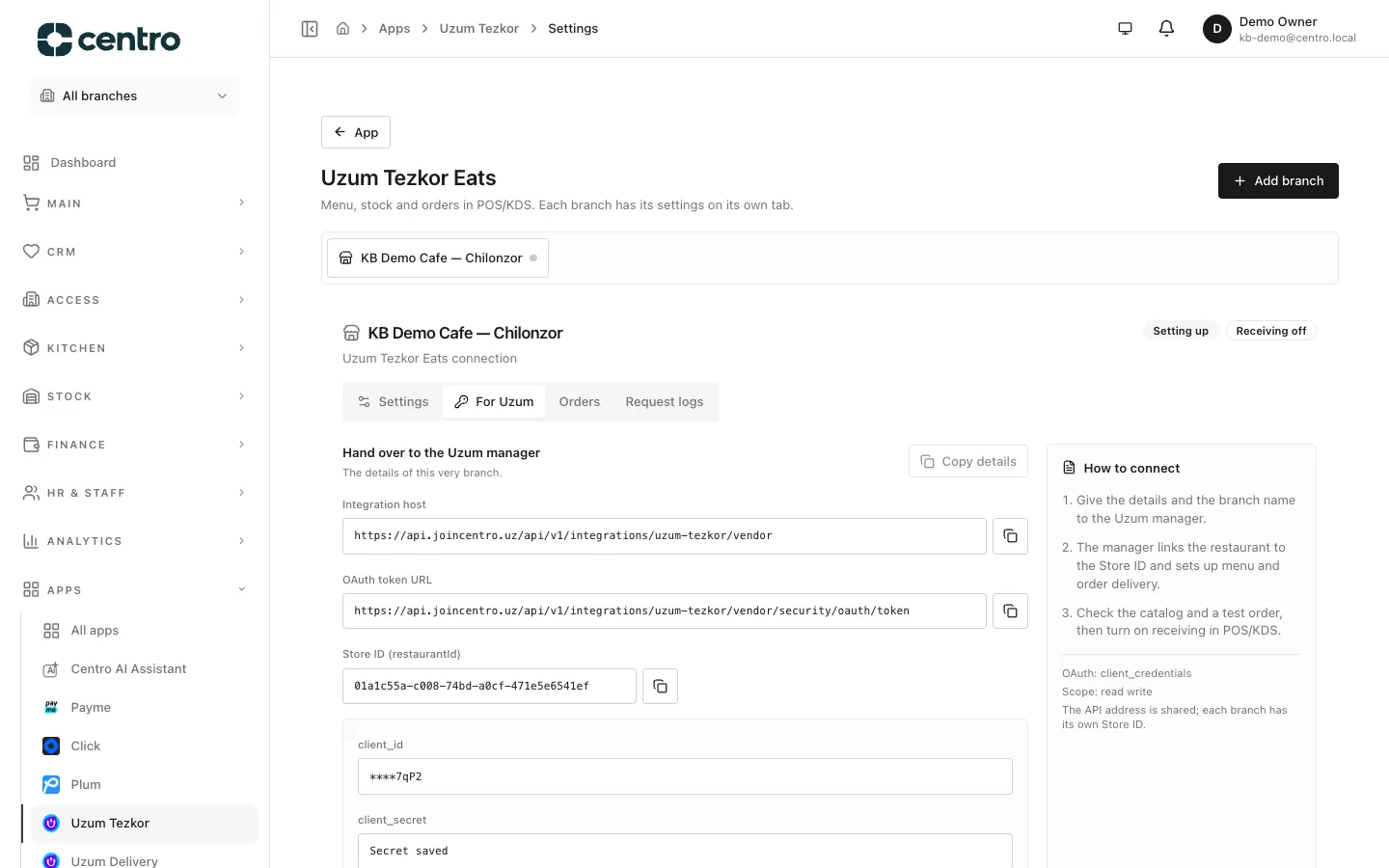
The «For Uzum» section
- «Integration host», «OAuth token URL»
- Centro API addresses — the same for every branch. OAuth: client_credentials, scope: read write.
- Store ID (restaurantId), client_id, client_secret
- This branch’s own details. client_secret is shown only once when created — copy it before you leave the page; afterwards it shows «Secret saved». «Copy details» copies everything as one text (meant for the Uzum manager, so it is in Russian).
- «Create new keys» / «Revoke access»
- New keys immediately invalidate the old keys and tokens — hand the new ones to the Uzum manager. Revoking stops Uzum from pulling the catalog and sending orders and turns receiving off. Both ask for confirmation.
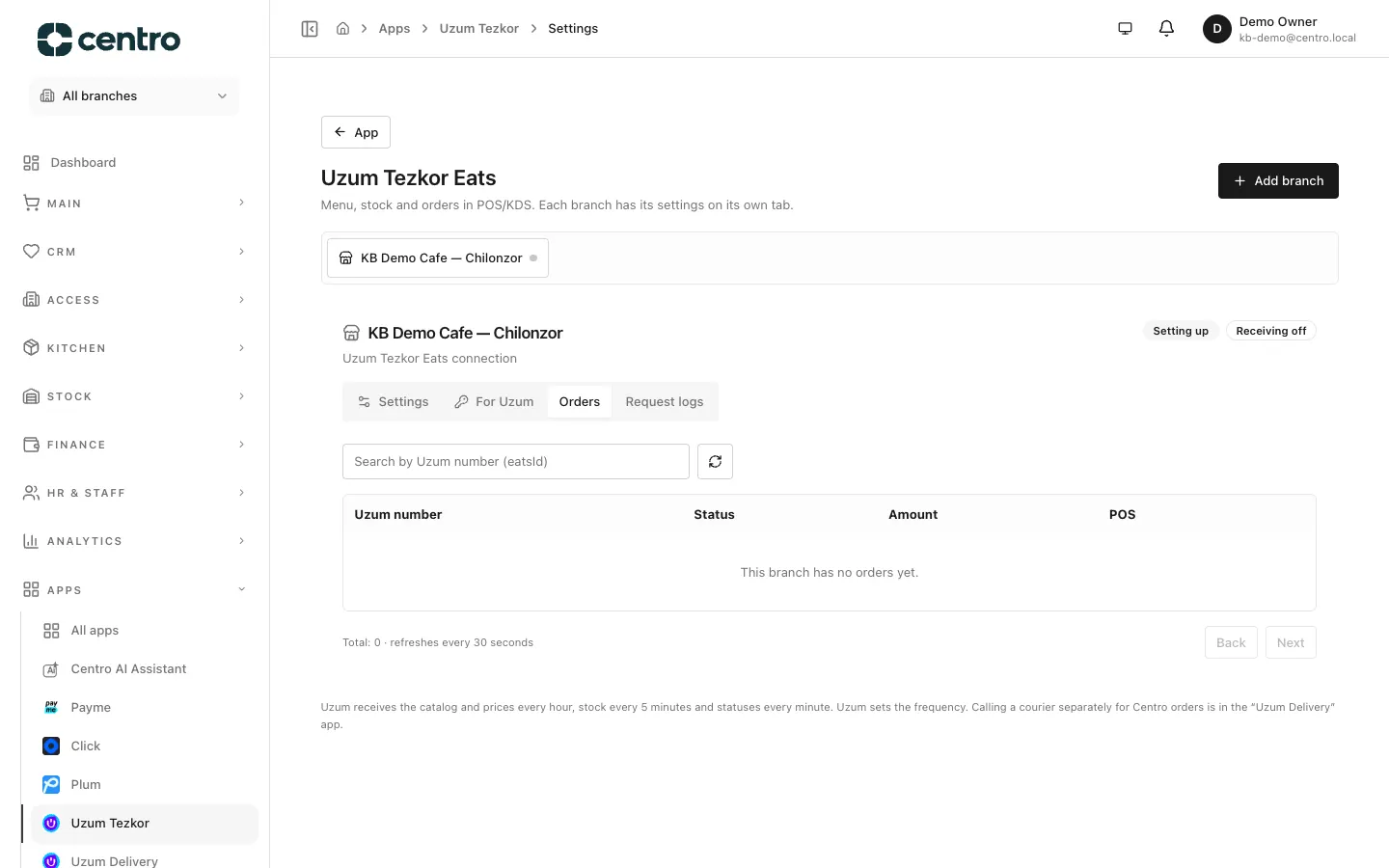
Orders and log
- Orders — the «Uzum number» (eatsId), status, amount and whether an order was created in Centro («Created» / «Not created»). An order that was not created can be re-processed into the POS with «Retry». The list refreshes every 30 seconds and can be searched by eatsId.
- Request logs — the last 30 requests from Uzum to this branch with responses: for troubleshooting the connection.
How to connect a branch to Uzum Tezkor
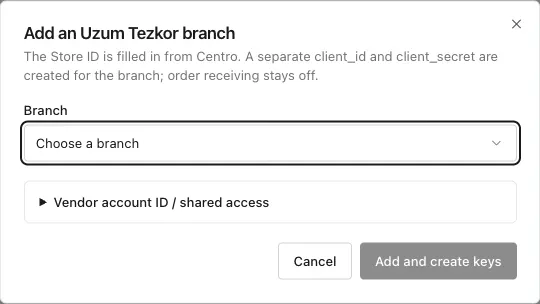
- Press «Add branch», choose the branch (Store ID fills in by itself) and press «Add and create keys». Order receiving stays off.
- In the «For Uzum» section copy the details and send them to the Uzum manager together with the branch name.
- The manager links your restaurant to the Store ID and sets up menu and order delivery.
- Check the catalog and a test order, then turn on «Receive orders in POS/KDS» and save.
Tip: In the catalog Uzum Tezkor shows «Setup required» until at least one branch fully receives orders (access active, keys present, receiving on) — that is expected.