Uzum Delivery
Call an Uzum courier for your own orders: token, server, branches, delivery class and the webhook.
Open in the admin panel/apps/uzum-delivery/settings Uzum Delivery is a one-time courier service: you call an Uzum courier for your own delivery order (from the POS or the dispatcher), the price is calculated per order, and the statuses and courier details come back to Centro. The app is free; it connects itself on the first save with delivery switched on.
How to open
- In the sidebar, expand the Apps group — it lists the connected apps.
- Click «Uzum Delivery».
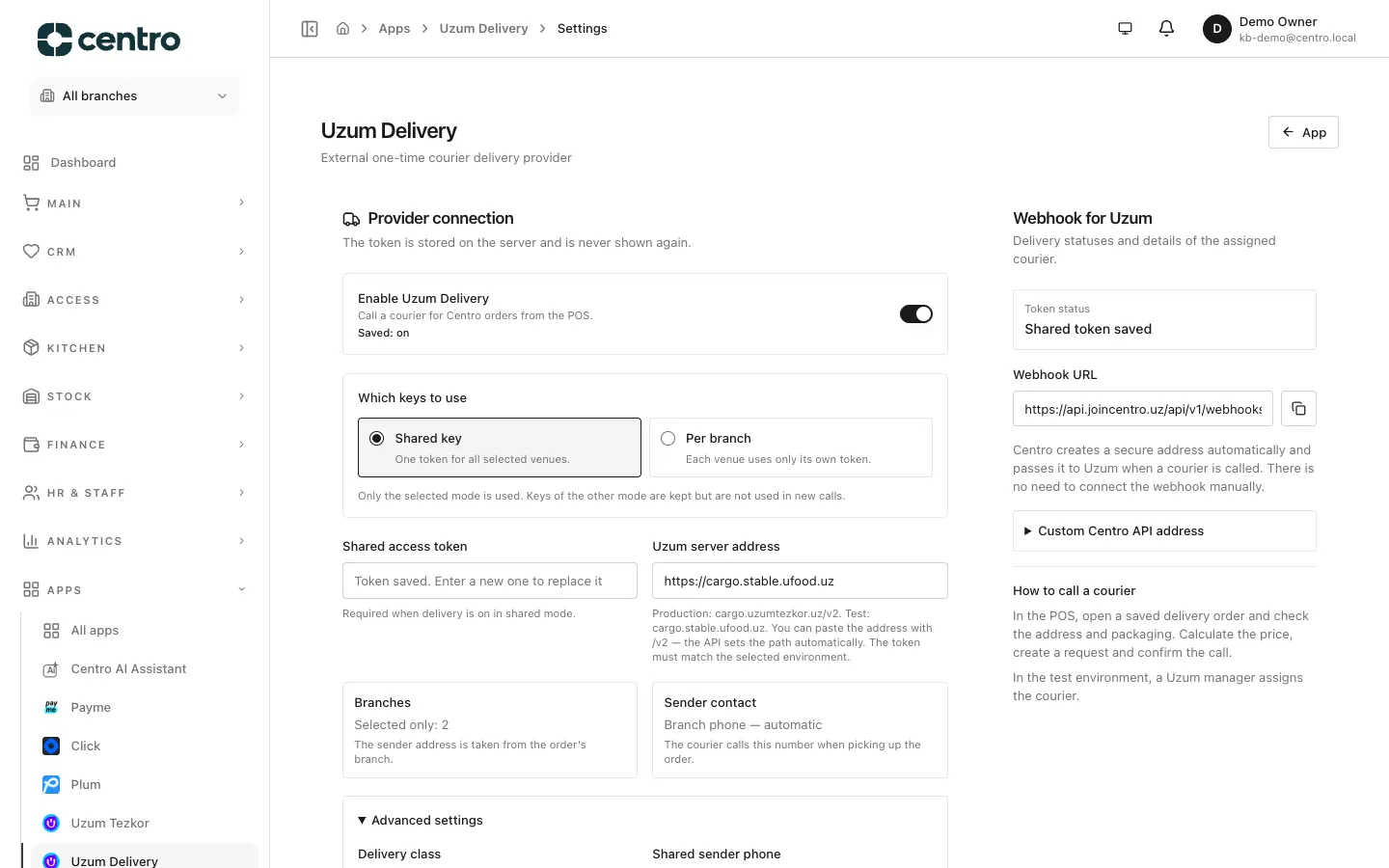
The «Provider connection» card
- «Enable Uzum Delivery»
- Turns on courier calls for Centro orders from the POS. The «Saved: on/off» line is the current state on the server (flipping the switch is not saving yet). Turning it on needs a token (or branch keys) and the webhook.
- «Which keys to use»
- «Shared key» — one token for all selected venues; «Per branch» — each venue uses only its own token. Only the selected mode is used; the other mode’s keys are kept.
- «Shared access token»
- The token issued by Uzum (shared mode). Stored encrypted on the server and never shown; a new token replaces the old one. While there are active deliveries the token and server cannot be changed.
- «Uzum server address»
- Production: cargo.uzumtezkor.uz/v2, test: cargo.stable.ufood.uz. The token must match the chosen environment.
- «Branches», «Sender contact»
- A short summary: which branches can call a courier («All venues · calls only from open ones» or «Selected only: N»; the sender address is the order’s branch) and which number the courier calls (the branch phone by default).
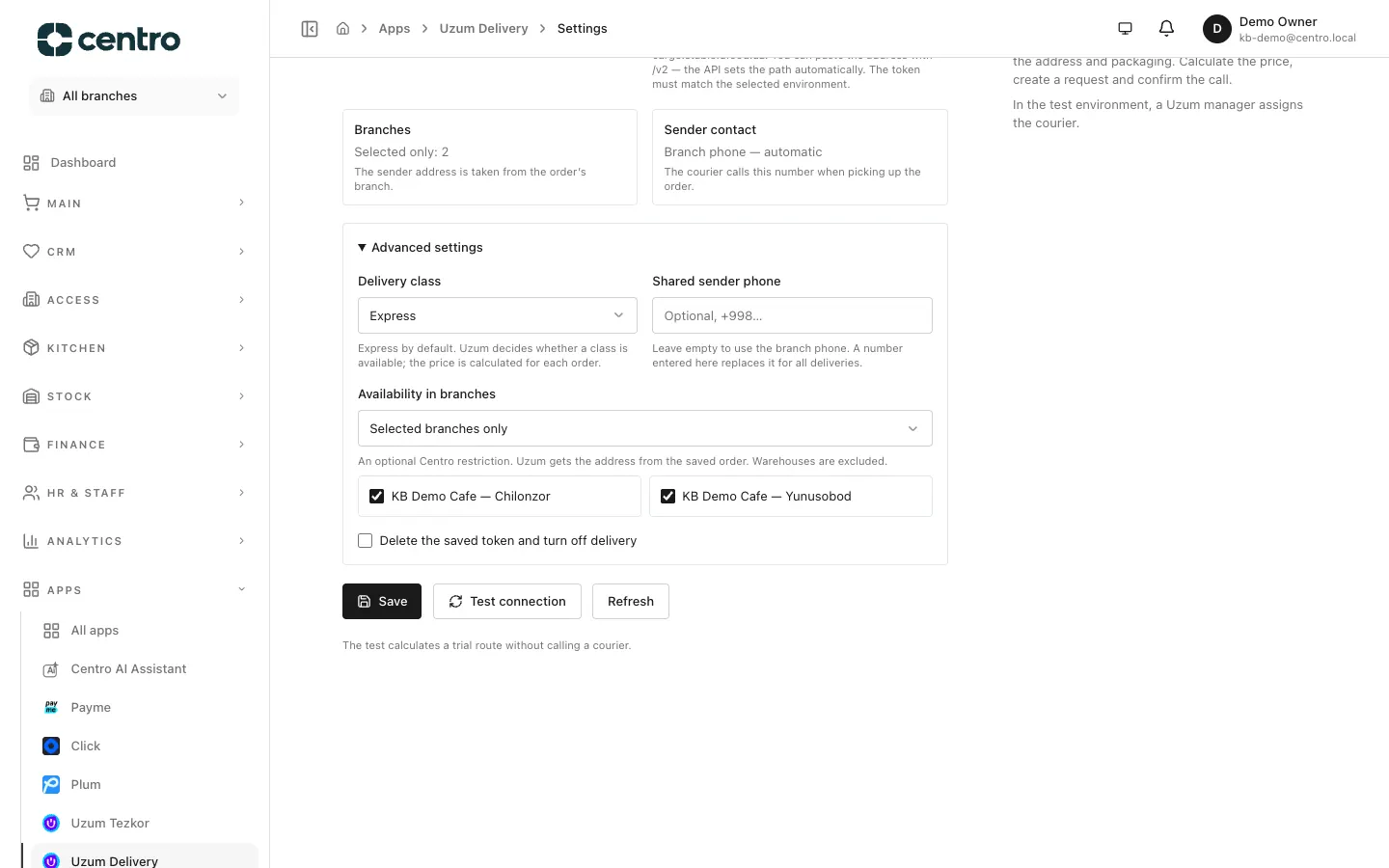
«Advanced settings»
- «Delivery class»
- Express (default) or Courier. Uzum decides availability; the price is calculated per order.
- «Shared sender phone»
- Optional. Empty — each branch’s own phone is used; filled — this number for all deliveries. Format: with the country code, e.g. +998901234567.
- «Availability in branches»
- In shared mode: «All venues» or «Selected branches only» (ticked in the list; a closed branch is marked « · closed», warehouses are excluded). With delivery on and «selected only», at least one branch is required.
- «Delete the saved token and turn off delivery»
- Shown when a token is saved. Tick it and save to delete the token and switch delivery off.
Buttons
- «Save»
- Validates the form (token, server, branches, phone) and saves it — without calling Uzum. Errors appear under the fields.
- «Test connection»
- Calculates a trial route with the saved token without calling a courier: «The connection works. Available delivery options: N.» Locked while there are unsaved changes or no saved token (you can test even with delivery off).
- «Refresh» / «Discard changes»
- Re-reads the settings from the server; with edits pending it discards them.
The «Webhook for Uzum» card
- «Token status»
- «Shared token saved» / «Shared token not set», or «Venue keys: N/M» in per-branch mode.
- Webhook URL
- A secure address created by Centro — it is passed to Uzum automatically with every courier call, no manual setup needed. Uzum sends statuses and courier details to it.
- «Custom Centro API address»
- Change it only when you use your own Centro server (HTTPS, no path).
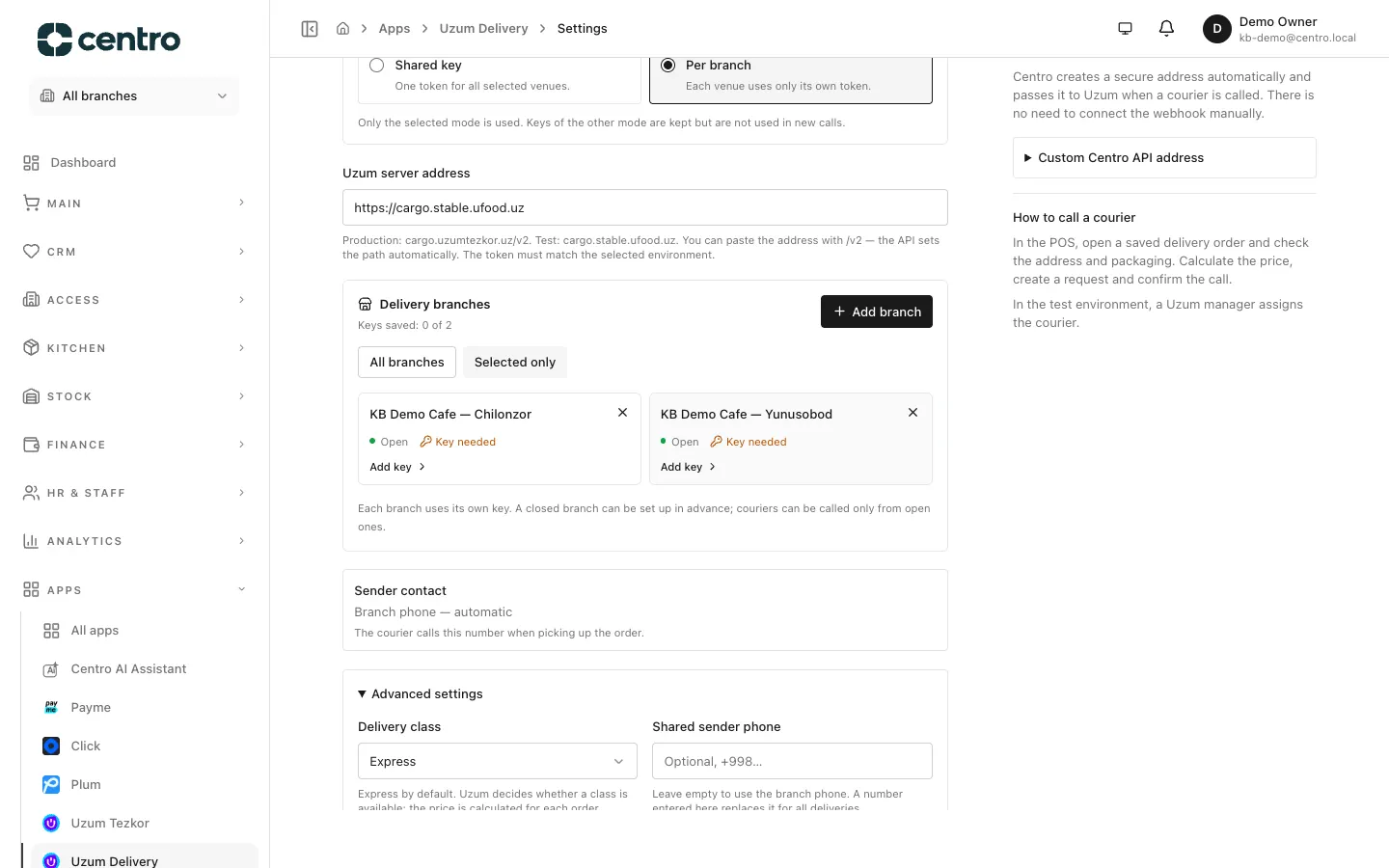
«Per branch» mode
- The shared token field is hidden and the «Delivery branches» block appears: «Keys saved: N of M», «All branches» / «Selected only».
- «Add branch» — choose a venue and save the Uzum key issued to it. Clicking a branch card lets you replace the key, «Test» it (saved key, no courier) or «Delete branch key».
- A closed branch can be set up in advance, but couriers are called only from open ones. To switch delivery on, every selected branch needs a saved key.
How to call a courier
- In the POS, open a saved delivery order and check the address and packaging.
- Calculate the price, create a request and confirm the call.
- The courier status and details update in the order automatically. In the test environment a Uzum manager assigns the courier.