Movement Report
For every item: opening balance, receipts, sales, write-offs, transfers, production and closing balance for the period.
Open in the admin panel/stock/reports/movement The page header is «Stock movement». The report answers «where did the stock go?»: for each item you see which operations took it from the opening balance to the closing balance.
How to open
- In the sidebar, expand the Stock group.
- Click Movement Report.
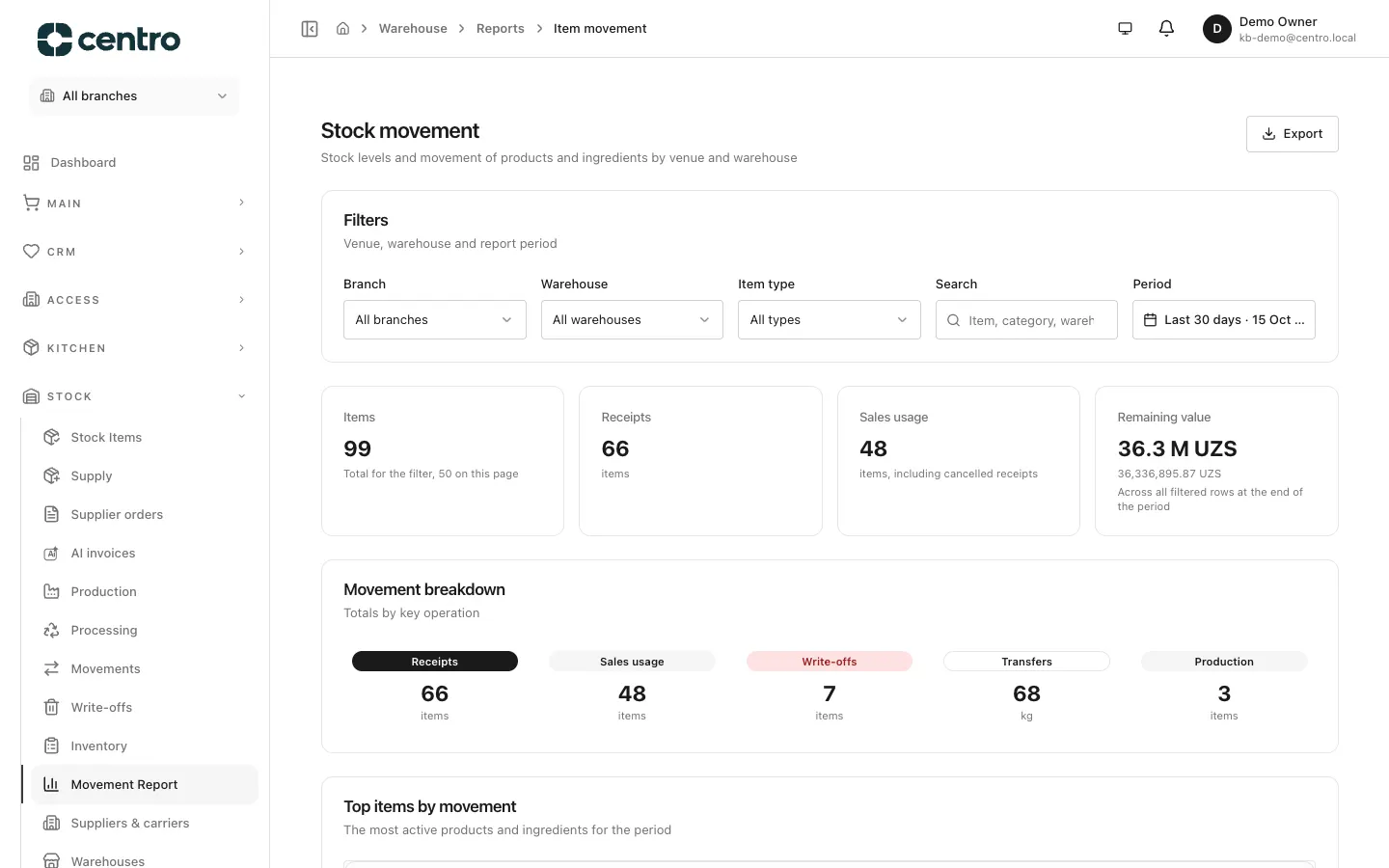
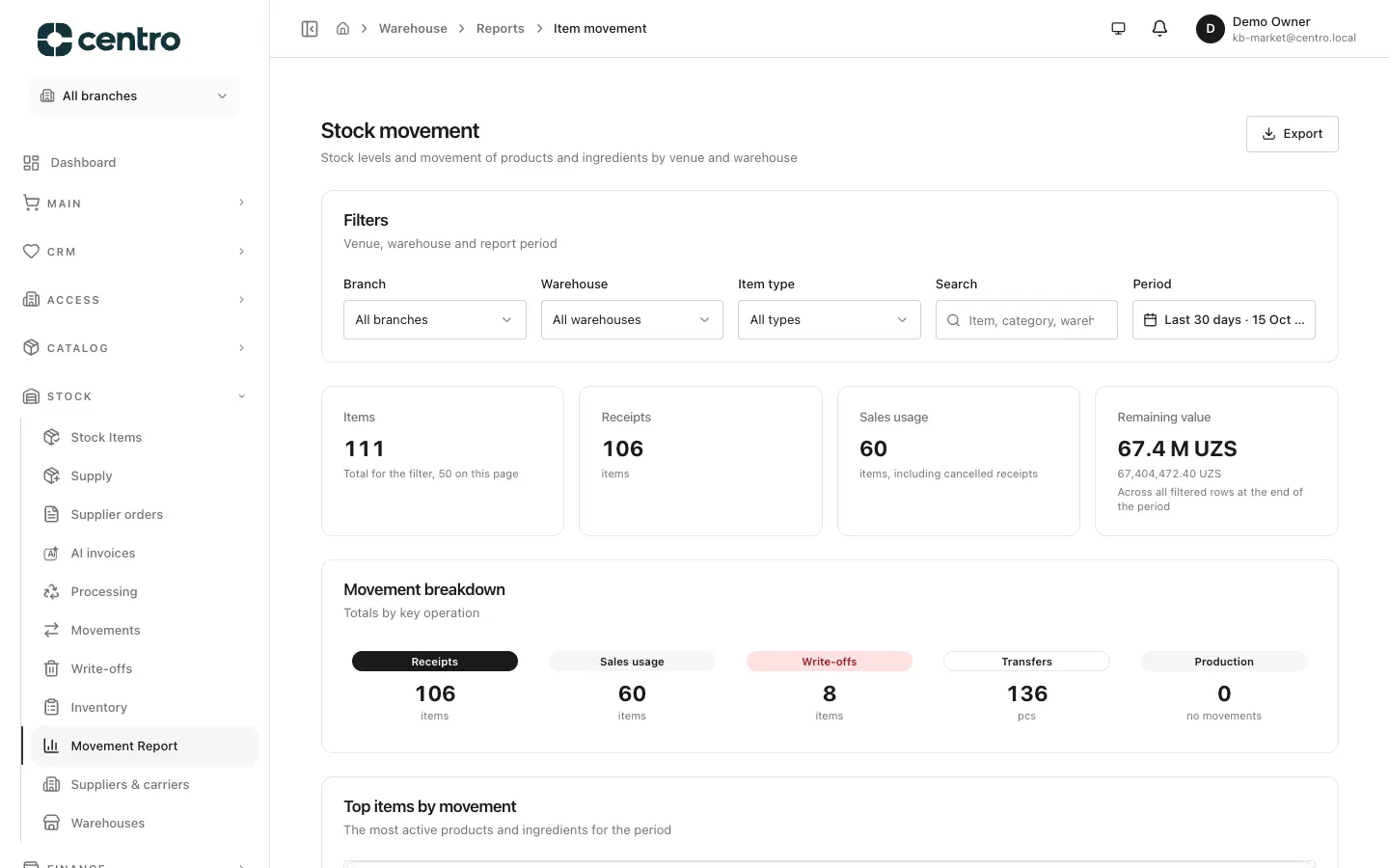
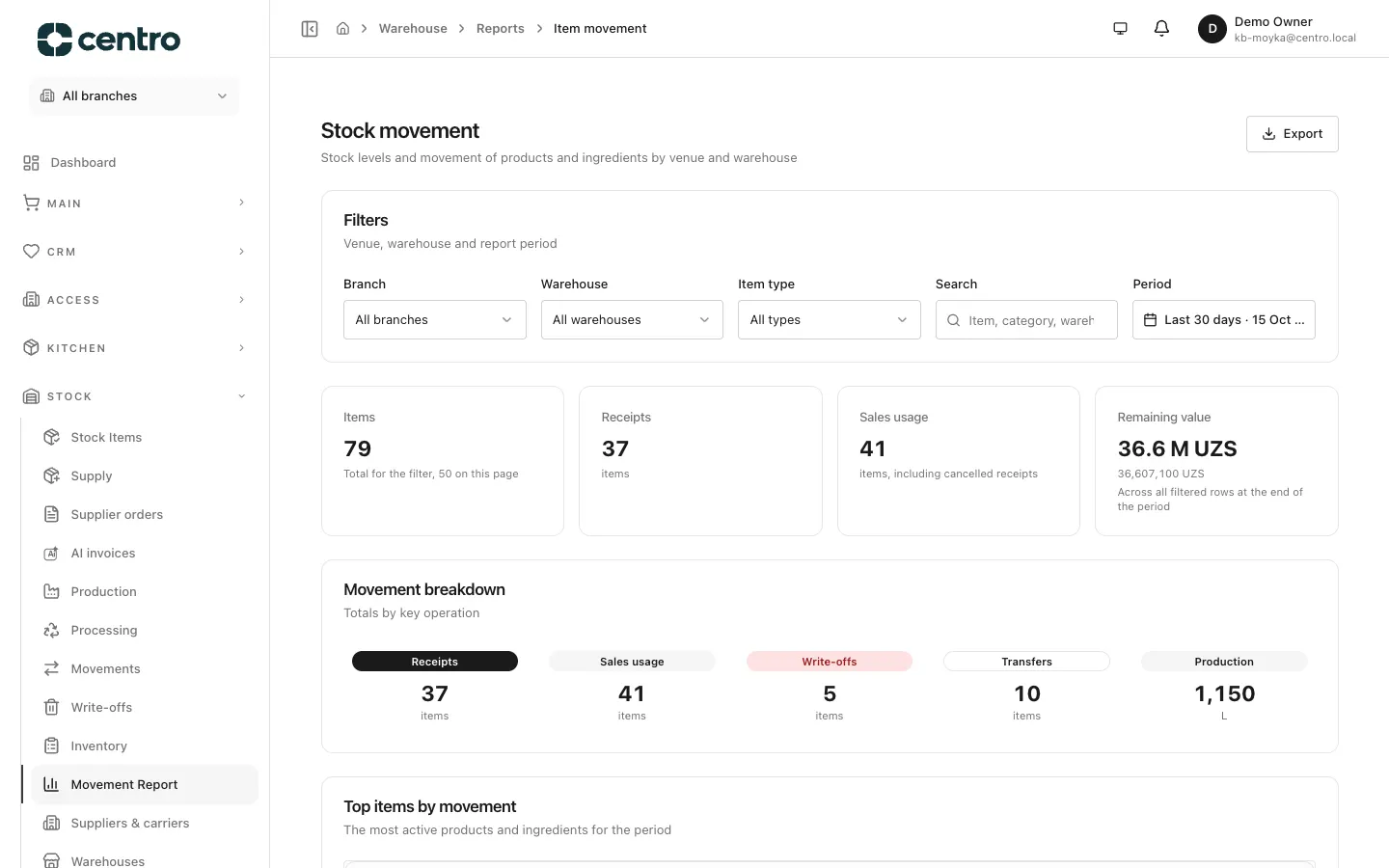
Filters
- Venue and warehouse
- Limits the report to one venue or warehouse.
- «Item type»
- «All types», «Ingredients», «Semi-finished goods», «Product modifiers», «Products», «Product variants», «Recipe cards (sales)».
- «Search», «Period»
- Search by item, category or warehouse, and the period (default: last 7 days). Active filters are shown as badges; «Reset» clears them. Filters live in the address bar, so you can send the link to a colleague.
Cards
- «Movement totals»
- «Items», «Receipts», «Sales usage» (including cancelled receipts) and «Remaining value» — the value of all filtered rows at the end of the period.
- «Movement breakdown»
- Five tiles: «Receipts», «Sales usage», «Write-offs», «Transfers», «Production». Clicking a tile keeps only items with that kind of movement; clicking again removes the filter.
- «Top items by movement»
- The items with the most movement: total volume and balance.
Tip: In a store pick «Products» or «Product variants» in the «Item type» filter — the ingredient, semi-finished and tech-card types stay in the list but have no data.
Reading the detail table #
Opening + in − out = closing; expanding a row to individual operations.
«Stock and movement details» columns
- «Opening»
- Balance at the start of the period.
- «Receipts»
- Incoming stock from receipts.
- «Sales usage», «Write-offs»
- How much left through sales and write-offs.
- «Transfers in/out»
- Received from / sent to other warehouses.
- «Production»
- The produced quantity of semi-finished items and finished goods. Note: ingredients consumed by production currently show up under «Sales usage» (in the log: operation «Sale», document «Production #…»).
- «Closing»
- Balance at the end of the period. The «Cost» and «Stock value» columns are hidden by default — turn them on via «Columns».
Tip: Checking a row: Opening + Receipts − Sales usage − Write-offs + in − out ± Production ≈ Closing. If a gap remains, it is usually a stocktake adjustment or a return — expand the row and look at the log.
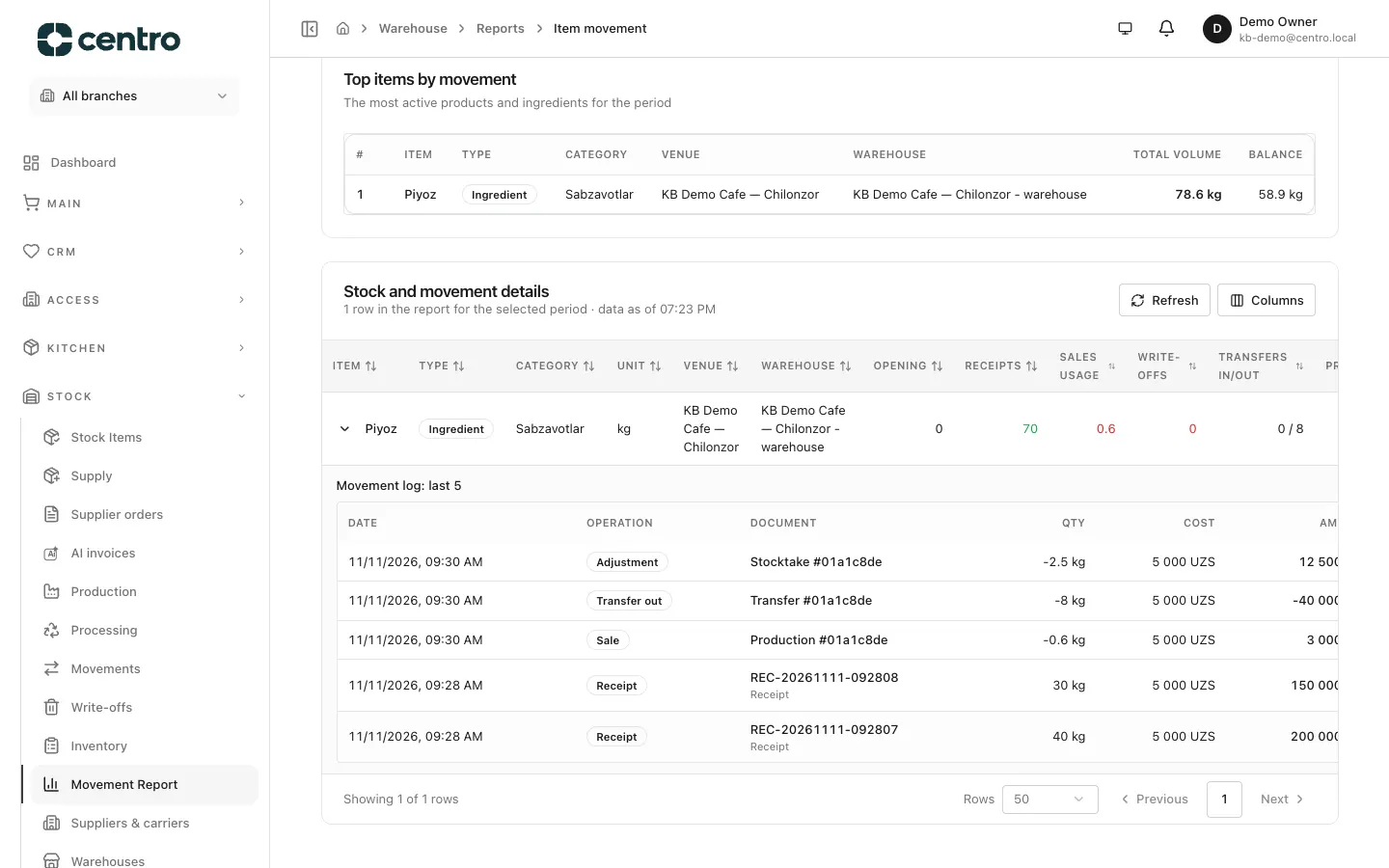
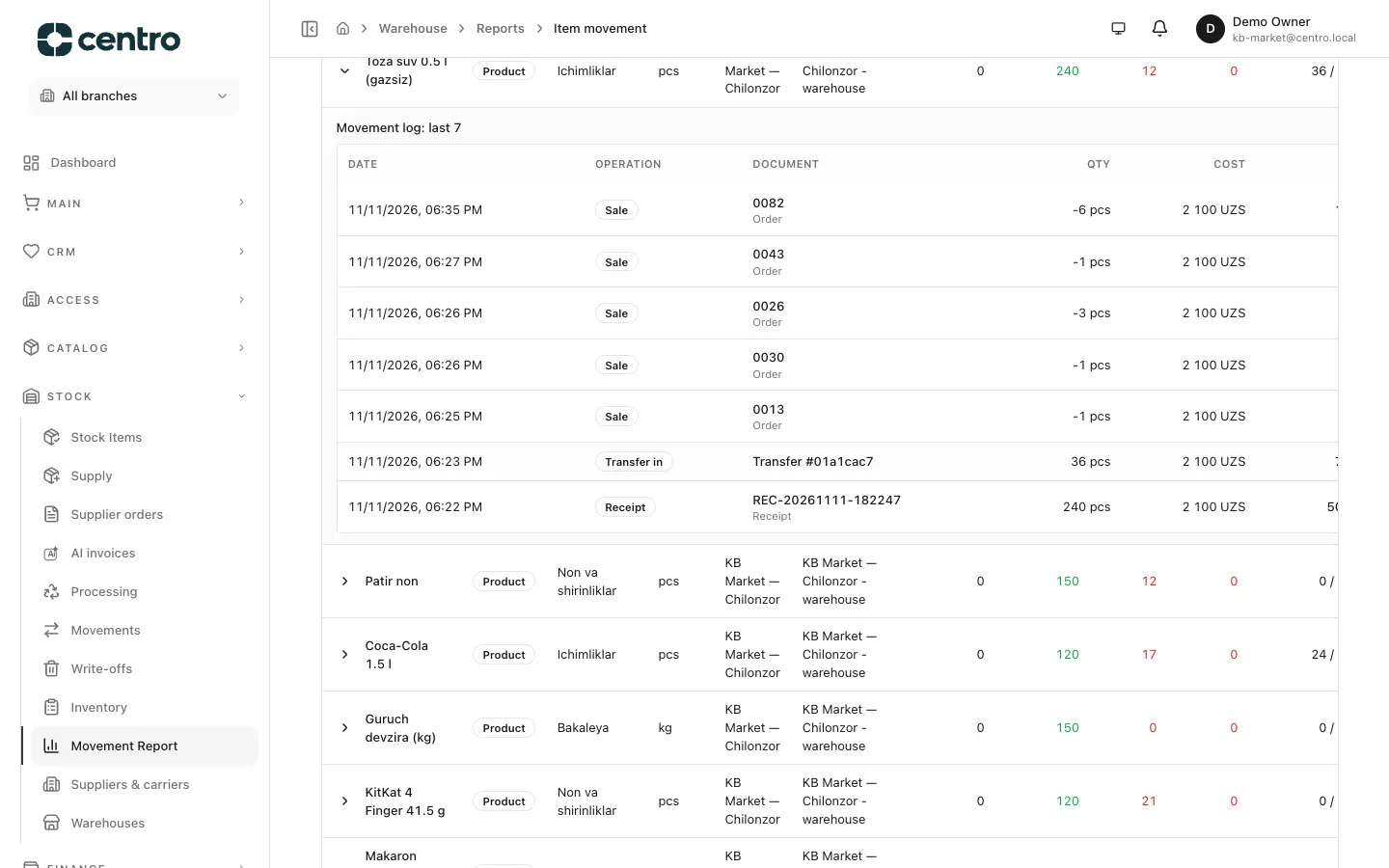
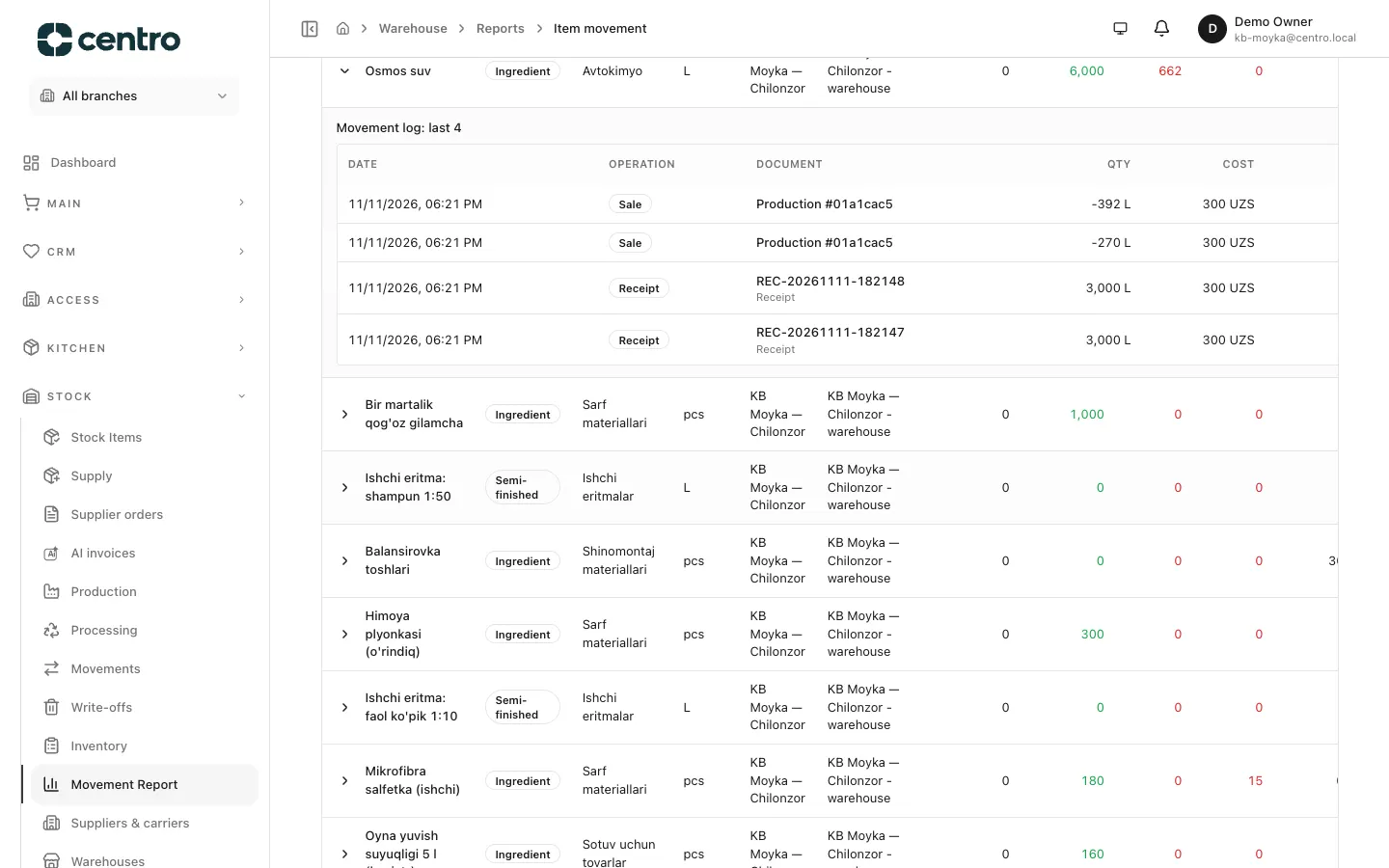
The row chevron opens the «Movement log»: date, «Operation» (e.g. «Sale», «Transfer in», «Adjustment», «Shortage backfill»), «Document», quantity, «Cost», amount and comment.
Tip: «Refresh» recalculates the period data (the header shows «data as of …»). «Export» downloads the whole filtered result as Excel or CSV.