Taxes
Taxes accrued for the year under the selected tax regime, and the monthly tax periods.
Open in the admin panel/finance/taxes The «Tax accounting» page calculates taxes by itself. The basis is order revenue, the tax regime from the organization settings and the payroll calculations. The only thing entered by hand here is VAT on documents Centro does not have (the «VAT period calculation» card). The page covers the whole organization (there is no venue selector). Top right: «Export» and the year selector (the current year and the two before it).
How to open
- In the sidebar, expand the Finance group.
- Click Taxes.
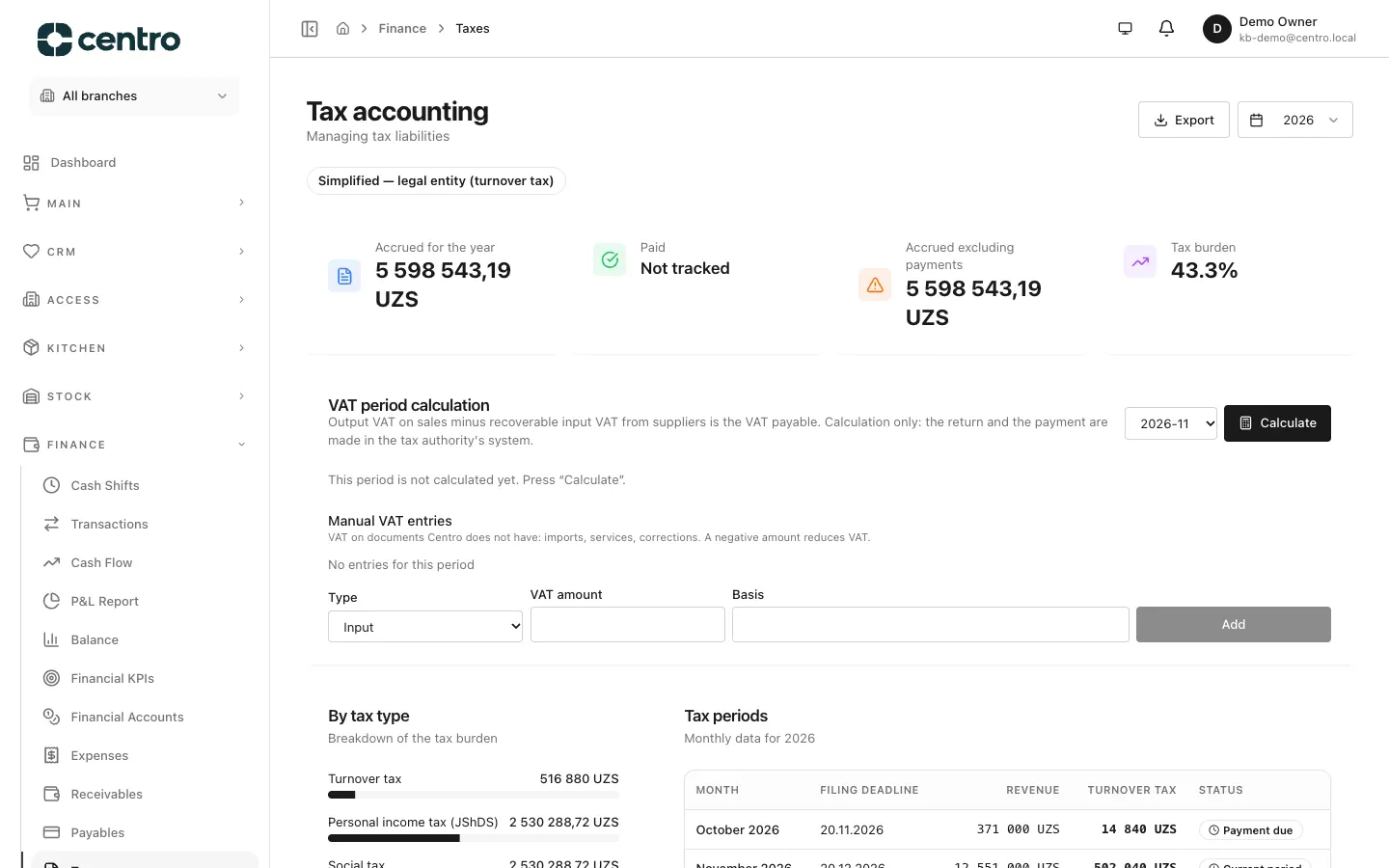
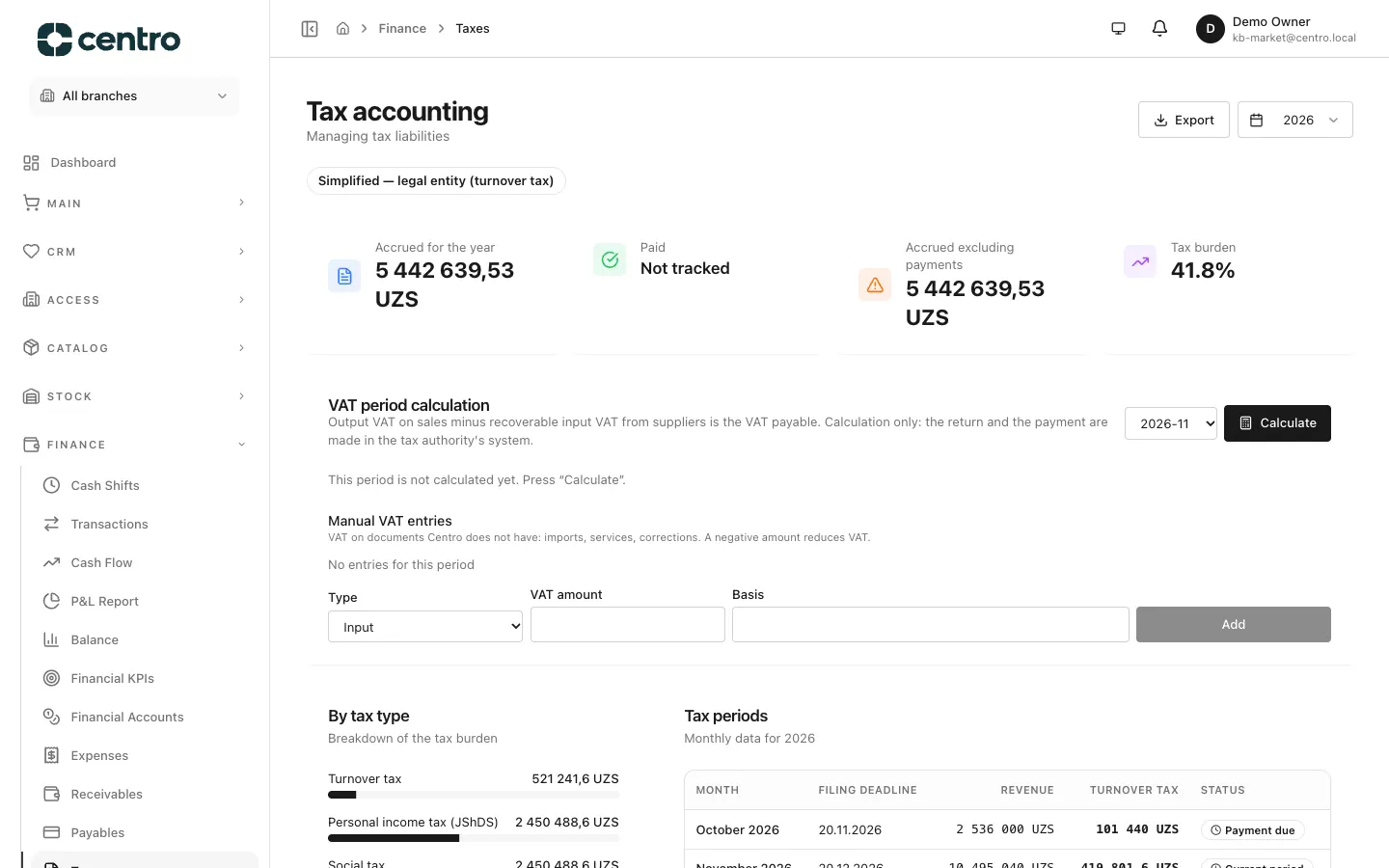
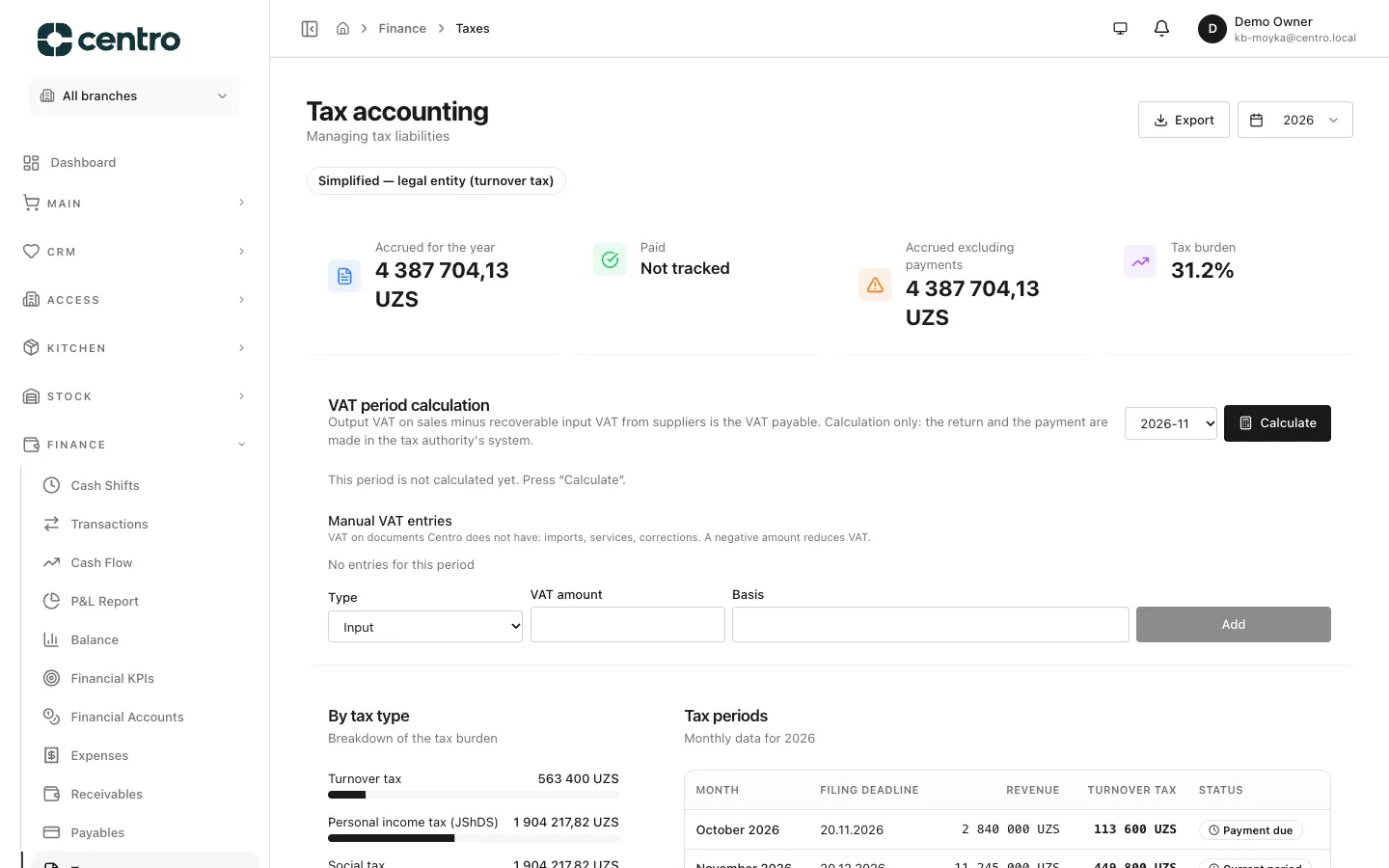
Tax regime (the badge under the header)
- «General regime (VAT + profit tax)»
- VAT is taken from the tax amount of the orders.
- «Simplified — legal entity (turnover tax)»
- Turnover tax = revenue × rate (4% unless set in the settings).
- «Simplified — sole proprietor (turnover tax)»
- The same, with a default rate of 1%.
Important: If no regime is selected, there is no badge and the «By tax type» card says «No tax regime selected. Set it up in Settings → Taxes.» — all amounts are zero. The regime and rate are set in Settings → Taxes.
The four cards
- «Accrued for the year»
- VAT (general regime) + turnover tax (simplified) + personal income tax + social tax + INPS.
- «Paid»
- Currently «Not tracked»: tax payments are not followed on this page.
- «Accrued excluding payments»
- For now the same amount as the first card.
- «Tax burden»
- Accrued taxes ÷ annual revenue × 100%.
Under the cards is the «VAT period calculation»: the VAT payable for the chosen month and manual VAT entries (see the «VAT period calculation» section below).
The «By tax type» card shows each tax with its amount and share of the total burden (bar); at the bottom — «Total revenue». Personal income tax, social tax and INPS come from this year’s payroll calculations (made on the «Payroll» page of the HR section).
The «Tax periods» table
- «Month»
- Only months that had orders are shown.
- «Filing deadline»
- The 20th of the following month.
- «Revenue»
- The total of the month’s non-cancelled orders (by order date).
- «VAT» / «Turnover tax» / «Tax»
- The column name depends on the regime; the amount is the tax for that month.
- «Status»
- «Closed» — the month is over, «Open» — the current month. It does not mean a return was filed.
Tip: «Export» creates a two-sheet file: «Periods» (the table) and «Summary <year>» (regime, accruals, tax burden and each tax). It is ready data for your accountant’s monthly return, but reconcile it with your accounting software before filing.
VAT period calculation #
Output VAT on the month’s sales, recoverable supplier VAT and the amount payable; manual VAT entries.
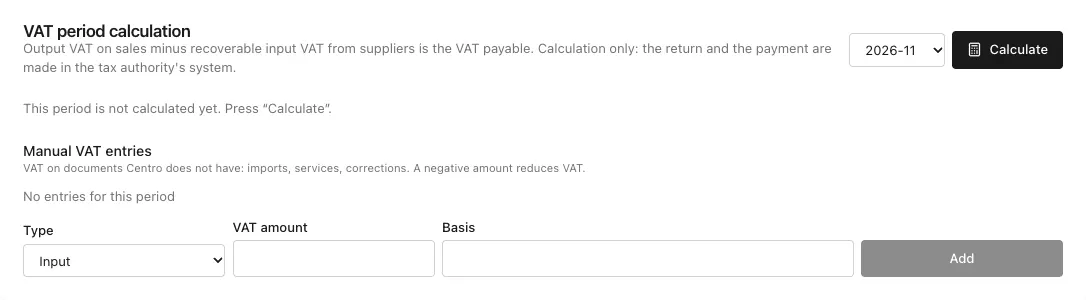
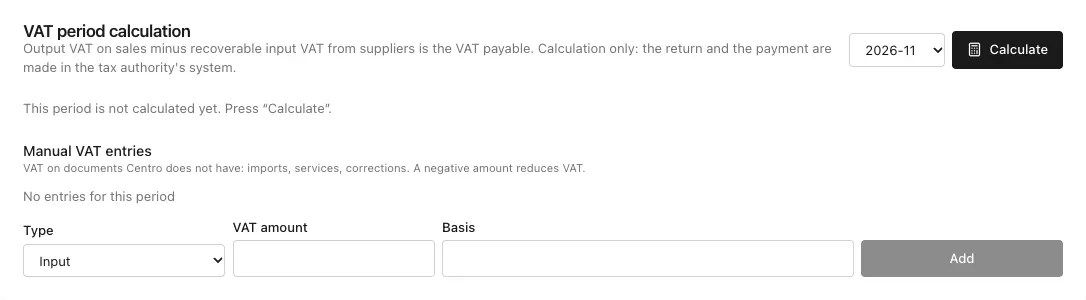
The «VAT period calculation» card sits under the four cards. It subtracts the recoverable supplier VAT from the output VAT on the chosen month’s sales and shows the amount payable. It is a calculation only: the return and the payment are made in the tax authority’s system.
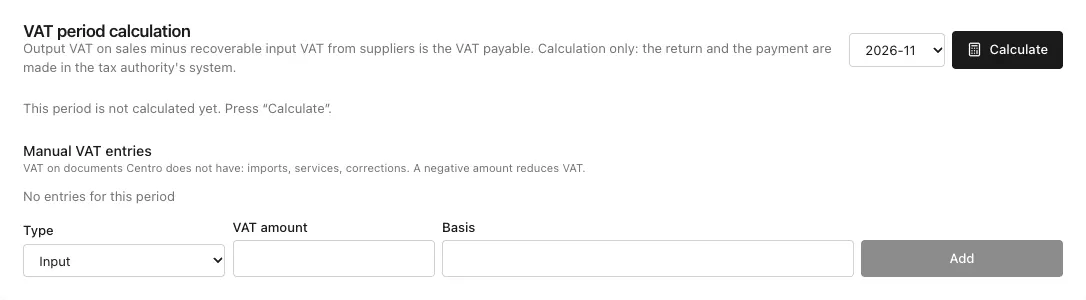
How to calculate a period
- Pick the year at the top of the page and the «Period» on the card (months as YYYY-MM; for the current year up to the current month).
- Click «Calculate» («Recalculate» if the period was calculated before). The result is saved and shown next time; above the table you see the period dates, the rate and when it was calculated.
Calculation rows
- «VAT on receipts (… orders)»
- VAT recorded on the period’s orders (cancelled and deleted excluded), in the organization’s time zone.
- «VAT inside sales with no VAT on the receipt (…)»
- Only when there are such sales: amount × rate / (100 + rate).
- «VAT of returns»
- The VAT of returns made in the period — subtracted.
- «Output VAT»
- The total of the rows above together with «Manual entries (output)».
- «Recoverable supplier VAT (… receipts)»
- The recoverable VAT of supplier receipts recognised in the period (reversed ones excluded).
- «Input VAT»
- Receipt VAT plus «Manual entries (input)».
- «VAT payable» / «Carried forward (input above output)»
- Output − input; below zero the difference is carried forward.
The «How it is calculated» list on the right repeats these rules with the rate applied. The rate is the VAT rate from Settings → Taxes, or 12% if none is set.
Important: Only an organization on the general regime pays VAT. On any other regime an orange line appears: «The organization is not a VAT payer (regime: …): no output or input VAT is charged, only manual entries count.» The regime in brackets is the setting code (for example, simplified_entity).
A manual VAT entry
- The «Manual VAT entries» block is for VAT on documents Centro does not have: imports, services, corrections. The entry belongs to the period chosen on the card.
- «Type»: «Input» or «Output»; «VAT amount» (a negative amount reduces VAT); «Basis» is required.
- Click «Add» — «Entry added». The bin icon deletes an entry.
- The calculation does not update by itself: after changing entries click «Recalculate».
Tip: The «File the return» and «Pay» buttons send nothing: there is no tax authority integration, and clicking them shows a message that this is not available. File the return in the tax authority’s system and record the tax payment as an expense.
Important: «Calculate», «Add» and deleting an entry are shown with full access to the «Taxes» section in the role. Taxes are calculated for the whole organization: an employee assigned to venues cannot do these actions — the server refuses.