Store specifics
Only: Store
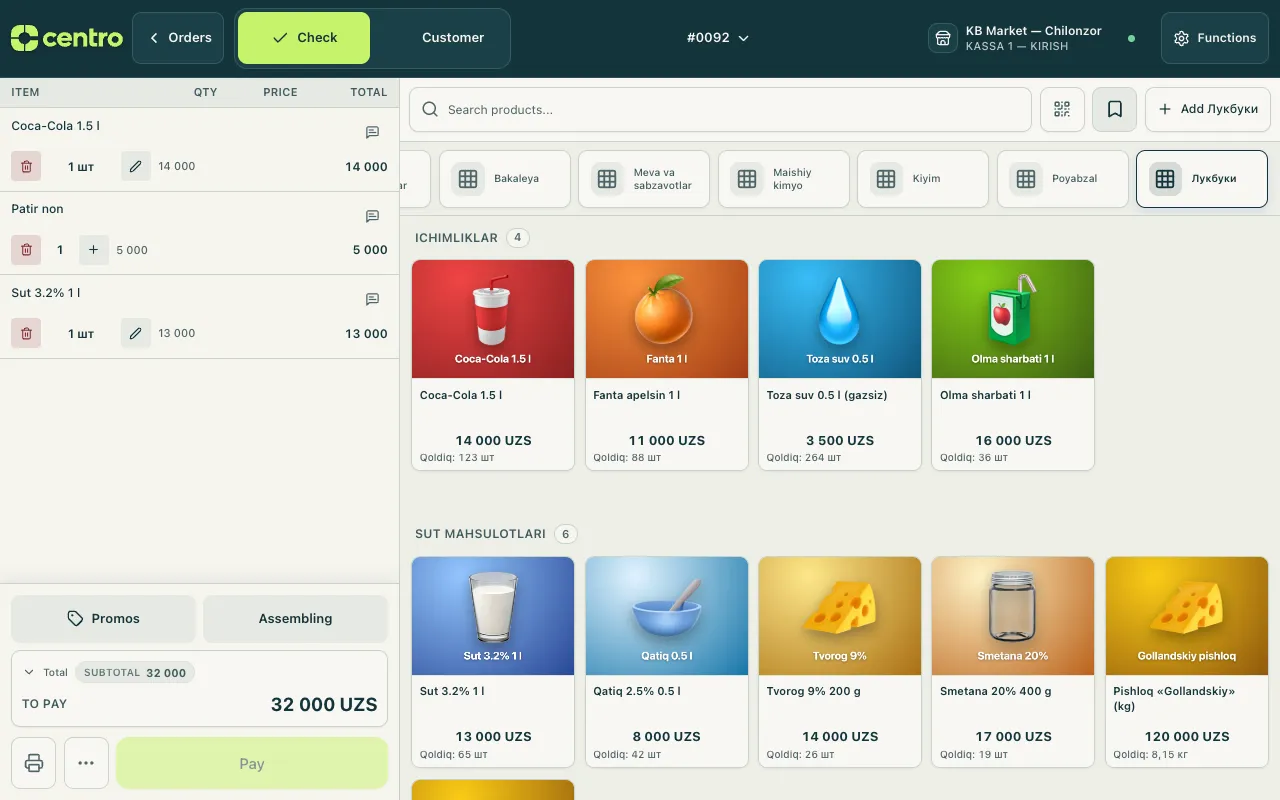
How the register differs in a store: sales by barcode, weighed goods, lookbooks.
In a store-type organization the register works more simply: there are no tables, guests or kitchen, and a sale is paid at once. In return it has what a store needs: selling by weight or in parts, and lookbooks.
A sale by barcode #
An ordinary store sale: scanning, quantity and payment.
How to do it
- On the orders screen press New Order and pick the store-sale source (with a single source the terminal opens at once).
- Switch scan mode on with the scanner button next to the search box.
- Scan the goods one by one — each is added to the check. Scanning the same product again increases its quantity.
- If needed change the quantity with «+» and «−» on the row, attach a customer or apply a discount.
- Press Pay and take the payment. For a store sale payment is available at once — there is no «ready» status to wait for.
Screenshot not captured yet
Good to know
- A store has no guest counter and no send-to-kitchen button; kitchen tickets are not printed.
- For delivery and pickup orders the statuses are named differently: Assembling → «Assembling» → Собран (assembled) → «Assembled».
- Tapping a product without a price opens «No price set»: enter the sale price per unit and press Add to receipt.
- A product marked «Нет в наличии» (out of stock) cannot be sold when «Do not sell below zero» is on: the server refuses the item.
Weighed and fractional goods #
Selling by weight or part of a piece with the quantity typed by hand.
How to do it
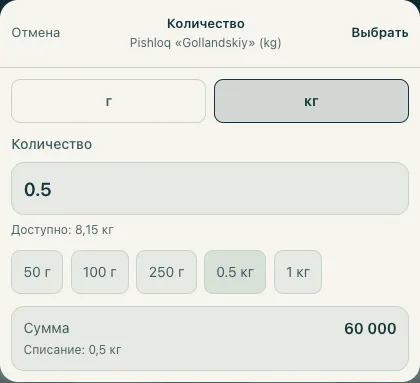
- Tap the card of a weighed product — the «Количество» (quantity) window opens.
- Choose the unit (шт, г, кг, мл, л — pieces, grams, kilograms, millilitres, litres) and type the quantity or press one of the ready buttons (for example «0.5 кг»).
- The window shows «Доступно» (available stock) and «Сумма» (amount). Press Выбрать (select) — the item is added to the check.
- To change the quantity press the pencil icon or the quantity on the row in the check — the window opens again.
Screenshot not captured yet
Good to know
- Weight is typed by hand: the register does not connect to scales and does not read weight barcodes from scale labels. Weigh the product and type the reading into the window.
- Selling part of a piece item (for example 0.5 pcs) works only when «Fractional sale» is on in the admin panel (Settings → Parameters → «Orders» → «Stock and selling») and does not apply to combos or products with modifiers.
- If you type more than is in stock the register says «Количество больше доступного остатка» (quantity exceeds available stock) and does not add the item.
- Weighed goods cannot be put into an order delivered by your own couriers.
Lookbooks (ready-made sets) #
Selling a set built in the admin panel, as a whole or item by item.
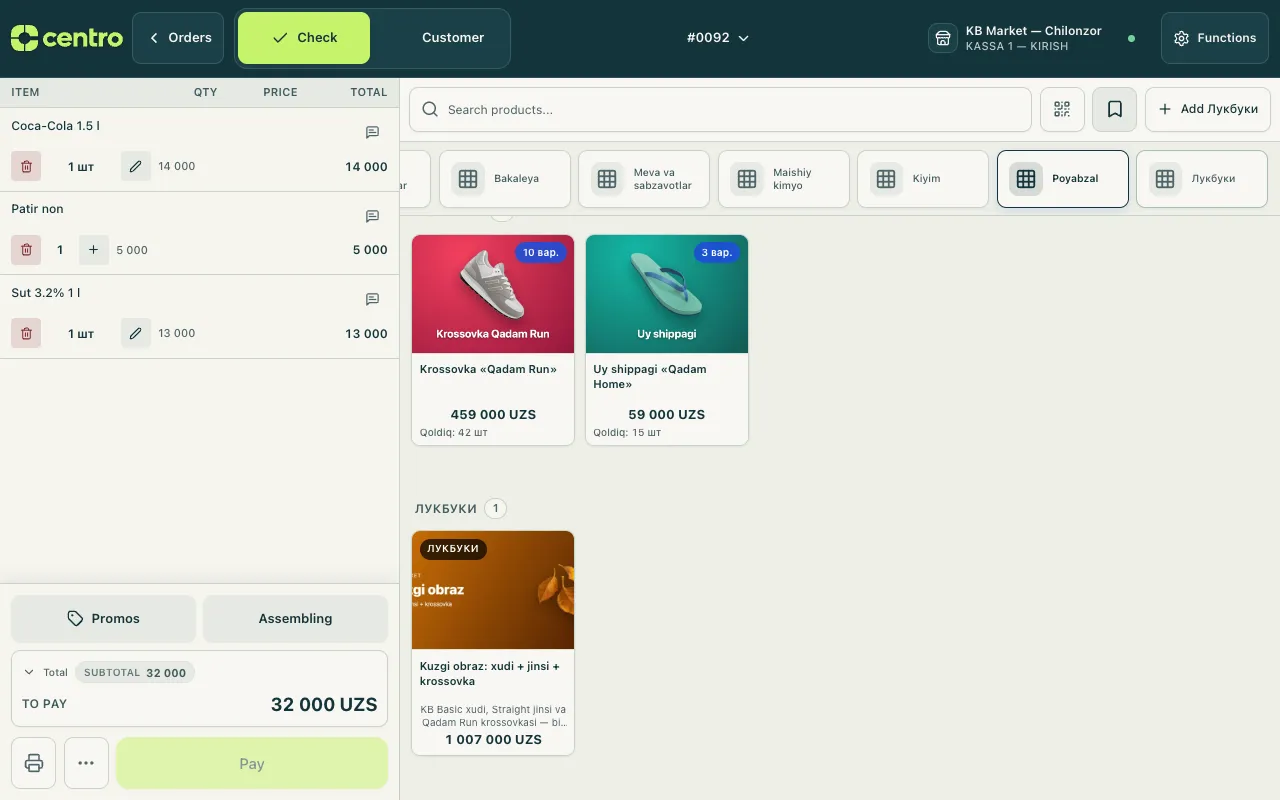
A lookbook is a ready-made set of products built in the admin panel (a bouquet or an outfit, for example). It appears in the catalog as a card with a badge. Tapping the card opens the contents of the set.
Screenshot not captured yet
- Order as set — when the set is sold as a whole: all its products go into the check as one collapsible row.
- Add all, or Add next to a single product — adds the products to the check as separate items. For a product with variants choose the variant first.