Car wash specifics
Only: Car wash
The vehicle plate, assigning a specialist, the «На мойку» button and the washers report.
When the customer vehicle plate is switched on for the organization, the register works in car-wash mode: customers are found by plate, a vehicle is attached to the order, the job is assigned to a specialist, and the send-to-kitchen button is called На мойку (N) (to the wash). Many labels in these windows are shown in Russian.
An order with a vehicle plate #
Find the customer by plate, pick the vehicle, assign a specialist and take payment.
How to do it
- Press New Order and add the services to the check.
- On the «Customer» tab press Add customer and type the plate number into the search (it also searches by name, phone and email).
- If the customer is found, select them. If the plate is not found, the «… — номер не найден» (plate not found) panel offers three ways: Создать нового клиента (create a new customer), Добавить авто существующему клиенту (add a vehicle to an existing customer) or Продолжить как гость (continue as a guest).
- Check the vehicle: if the customer has one car or a default one, it is selected automatically. Otherwise press «Выберите автомобиль» (choose a vehicle) and pick from the list, or use Добавить автомобиль (add a vehicle) to enter the plate, make, model and colour.
- Assign a specialist: on the «Check» tab press Specialist next to the guest counter and pick one from the list.
- Press На мойку (N) (to the wash) — the order goes into work. When it is ready press Pay and take the payment.
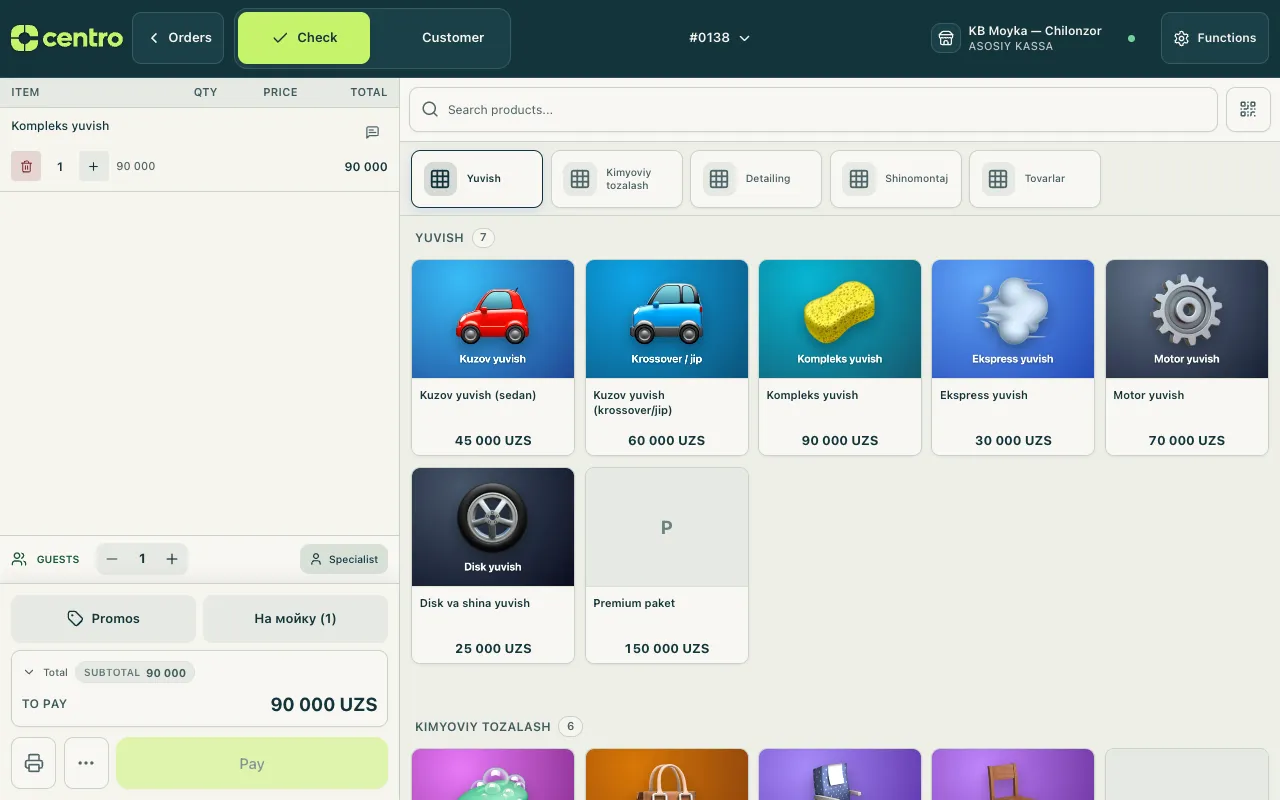
Screenshot not captured yet
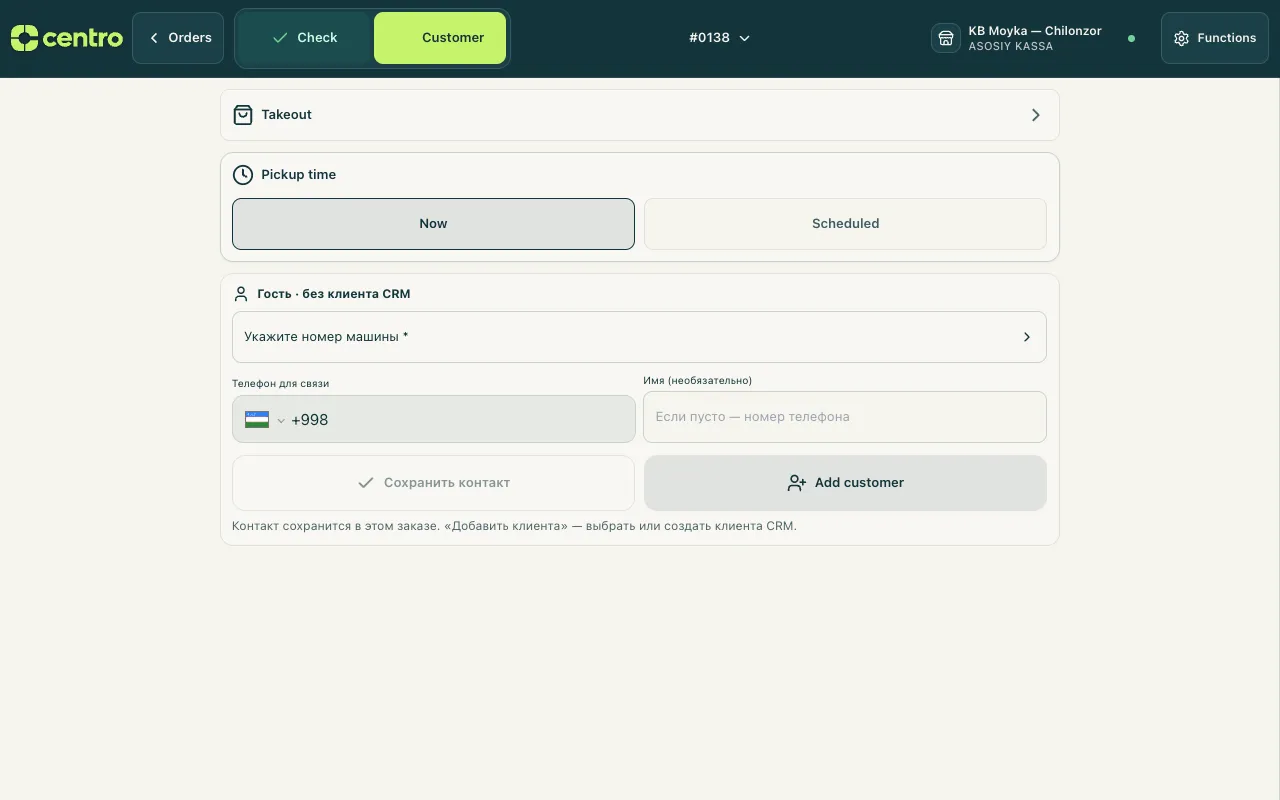
Screenshot not captured yet
Good to know
- A plate is required before payment: pressing Pay without one opens the vehicle picker or the customer search instead of payment, with the message «Для оплаты автомойки сначала укажите номер автомобиля.» (enter the vehicle plate first). The plate is not required to send the order into work.
- For an order without a customer (a guest) the plate goes into «Укажите номер машины *» (enter the plate) on the «Customer» tab.
- When creating a new customer in a car wash the plate is required instead of the phone.
- To assign a specialist the order has to be saved — add at least one service first.
- In the orders list the plate shows in the customer cell and the row has «Customer» and «Specialist» buttons; the courier and delivery chain are not used.
The washers report #
Vehicles, services and discounts per specialist.
How to do it
- Open Functions and press Отчёт мойщиков (washers report) in the «Finance» section. Enter the admin password if it is asked.
- Choose the period — the report shows vehicles, services and discounts for each specialist. It can be printed.
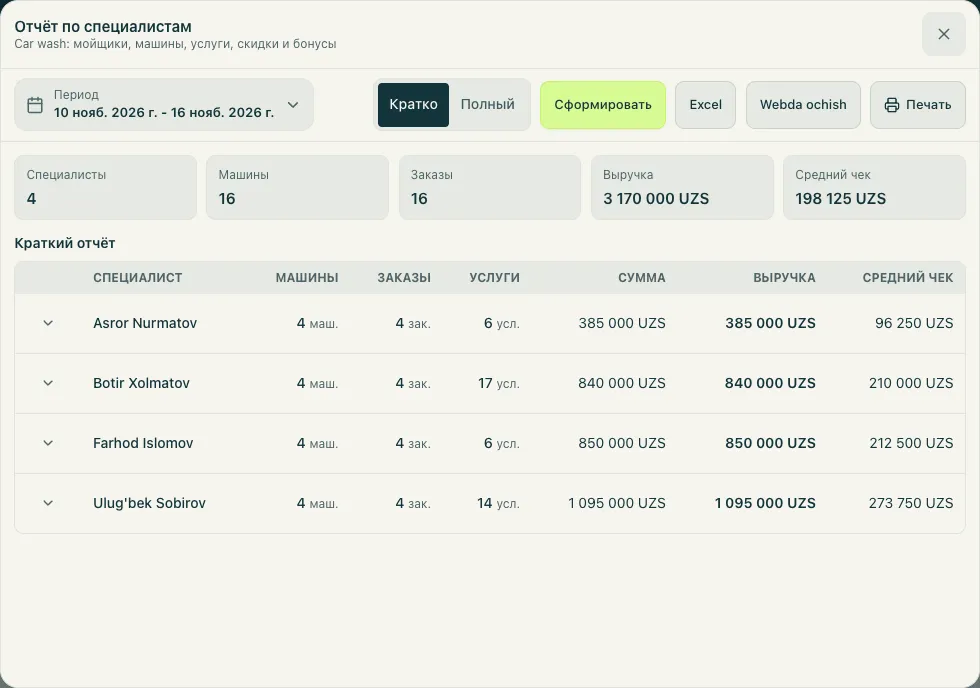
Screenshot not captured yet