Expenses at the register
Record an expense paid from the register and send it for approval.
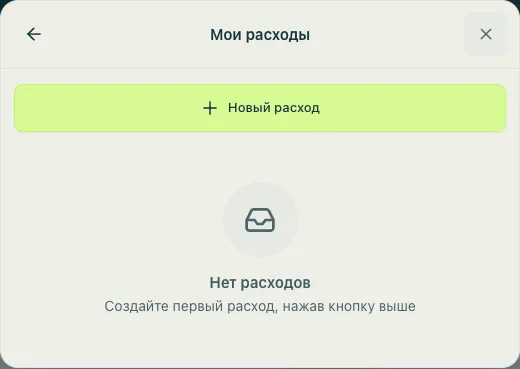
The cashier records an expense paid from the register (for example household goods or a supplier payment) right on the register. The expense goes to the administrator for approval. These windows are shown in Russian.
How to do it
- Press Functions → Expense — the «Мои расходы» (my expenses) window opens.
- Press Новый расход (new expense).
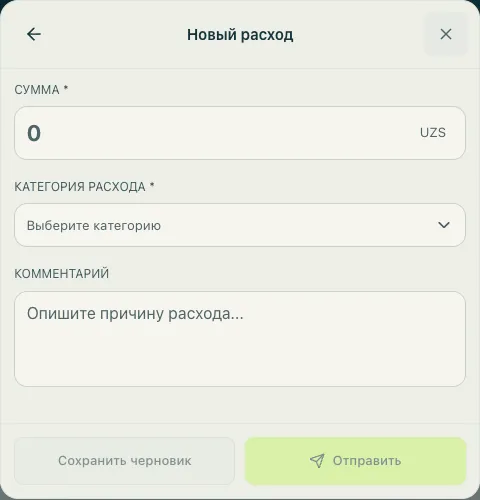
- Enter «Сумма *» (amount) and choose «Категория расхода *» (expense category). If the category requires a recipient, a «Сотрудник *» (employee) or «Поставщик *» (supplier) field appears — fill it in too.
- Optionally describe the reason in «Комментарий» (comment).
- Press Отправить (send) — the expense gets the status «На рассмотрении» (under review). If you do not want to send it yet, press Сохранить черновик (save draft).
Expense statuses
- «Черновик» (draft)
- Saved but not sent. Only a draft can be edited or deleted («Удалить черновик»).
- «На рассмотрении» (under review)
- Waiting for the administrator’s decision. Opens for viewing only.
- «Одобрен» / «Отклонён» / «Изменён»
- Approved, rejected, or the administrator changed the amount. Opening the expense shows who decided, when and with what comment in «Решение администратора» (the administrator’s decision).
Good to know
- Saving, sending or deleting an expense needs internet; offline, the list is shown as it was last loaded.
- A sent expense reduces the expected cash of the shift at once, before it is approved. Drafts and rejected expenses do not count.
- Expense categories are set in the admin panel. There is no payment-source field — the expense is counted against the register’s cash.