Period and venue filter
All numbers on the page depend on the selected period and venue.
- «All venues»
- Pick one venue and every metric is calculated for it alone. If a branch is selected in the sidebar, «All venues» means all active venues of that branch.
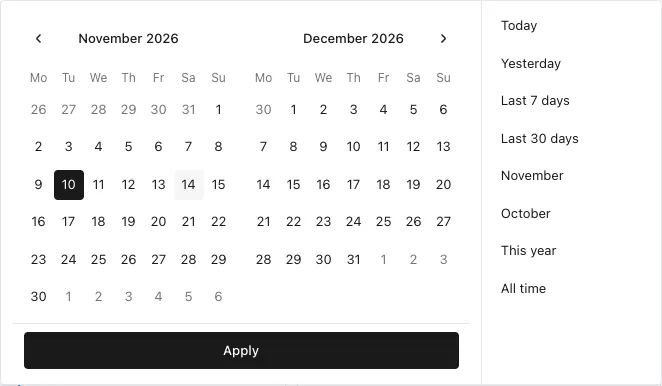
- Presets
- «Today», «Yesterday», «Last 7 days», «Last 30 days», the current month name, the previous month name, «This year», «All time».
- Calendar
- Select a start and end date in the two-month calendar — the period switches to a custom range.
Change the period
- Click the calendar button in the header.
- Pick a preset on the right or select dates in the calendar.
- Click «Apply».
Tip: The default period is «Today». The selected period is written to the page address and restored when you come back to the dashboard in the same tab. For a single day the revenue chart is hourly (0:00–23:00); for longer periods it is daily. Month names, dates and numbers are shown in the interface language.