How to turn the section on
How the sidebar is built: plan, apps, position permissions and business type; what happens when payment ends.
The sidebar is built separately for every employee. An item is shown only when all the conditions that apply to it are met at the same time:
Four conditions
- Plan and additional modules. «Finance», «Task Manager», «Online store», «Kiosk» and «Dispatcher» are visible only if the feature is in the plan or the module has been bought (Billing → Plans).
- The app in Apps. For the groups with the APP badge (Online store, Kiosk, Task Manager, Dispatcher), and for Centro AI Assistant, «AI reports», Yandex Eats and connected integrations, the matching app must be «Active», «Connected» or in «Trial». A disabled app hides the item even when the module is paid for.
- Position permissions. Every menu item is tied to a row of the «Admin panel access» matrix in Access → Positions; with «No access» the item is hidden. When no item is left in a group, the whole group disappears.
- Business type. A store gets «Catalog» without the kitchen items instead of «Kitchen»; the car-wash mode is switched on by Centro (below).
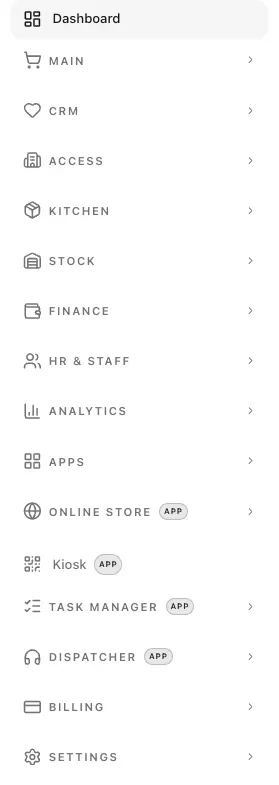
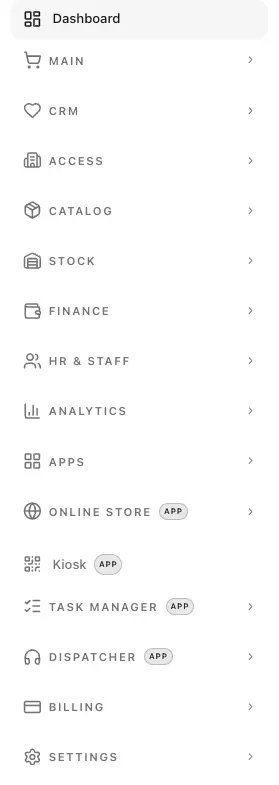
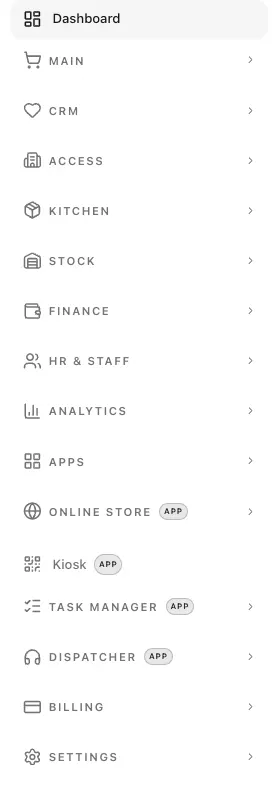
The Dashboard item itself depends neither on the plan nor on permissions: every employee sees it, and this is where the panel redirects when a page without access is opened.
What happens when payment ends
- The subscription has ended
- After the period ends there are 3 days of grace. Then the plan stops working: «Finance», «Task Manager», «Online store», «Kiosk» and «Dispatcher» disappear from the menu, module apps switch to «Payment required», and the server rejects requests of the stock and finance pages (error 402 «Module payment is required»). The other sections and «Billing» stay in the menu so that you can pay.
- A separately bought module was not renewed
- The module keeps working until the end of its own paid period plus 3 days; then only that module closes: the item disappears from the menu and the app shows «Payment required». Data is not deleted.
- The app was disabled in Apps
- The item disappears at once, while the module payment is not cancelled. To bring it back, press «Connect» on the app page.
Store. The organization type is chosen at registration («Restaurant / Cafe» or «Store / Shop»). For a store the «Kitchen» group is called «Catalog»: instead of tech cards, semi-finished goods, ingredients, supplies, stations, KDS and kitchen audit it has lookbooks, brands and partners; «Stock» has no «Production». There is no switch for the type in the panel — to change it, contact Centro support.
Car wash. There is no separate type: it is a restaurant-type organization with the car-wash mode on (vehicle plate on customers and orders). Centro support switches it on with the «Car wash logikasi» switch in the super administrator’s organization card — ask support to turn it on. The menu stays the same as a restaurant’s; customer cards, orders and reports change.
Tip: The organization owner (and the «Super-admin» position) does not depend on position permissions: they see every item whose plan and app conditions are met. The permission matrix restricts only the other employees.
Tip: After paying or connecting, reload the page (F5): the menu reads the plan and the list of apps when the panel loads.