Settings
General Task Manager parameters: automatic incidents, points and pay multipliers.
Open in the admin panel/tasks/settings The page header is «Task Manager settings». There are three tabs: «General», «Points» and «Multipliers». These are organization-wide settings and the same data as the matching fields on HR & staff → Settings — a change in one place shows up in the other.
How to open
- In the sidebar, expand the Task Manager group.
- Click Settings.
How to change the settings
- Open the tab you need and change the values — Save and Reset only become active after a change.
- Click Save — the changes on all three tabs are saved together. If there is an error, the page switches to the right tab and highlights the field.
- Reset discards unsaved changes.
Important: Multipliers and points affect employees’ payroll. Do not change them in the middle of a pay period — new values apply to the next calculations.
The «General» tab #
Automatic incidents, task auto-assignment, predictive analytics and night hours.
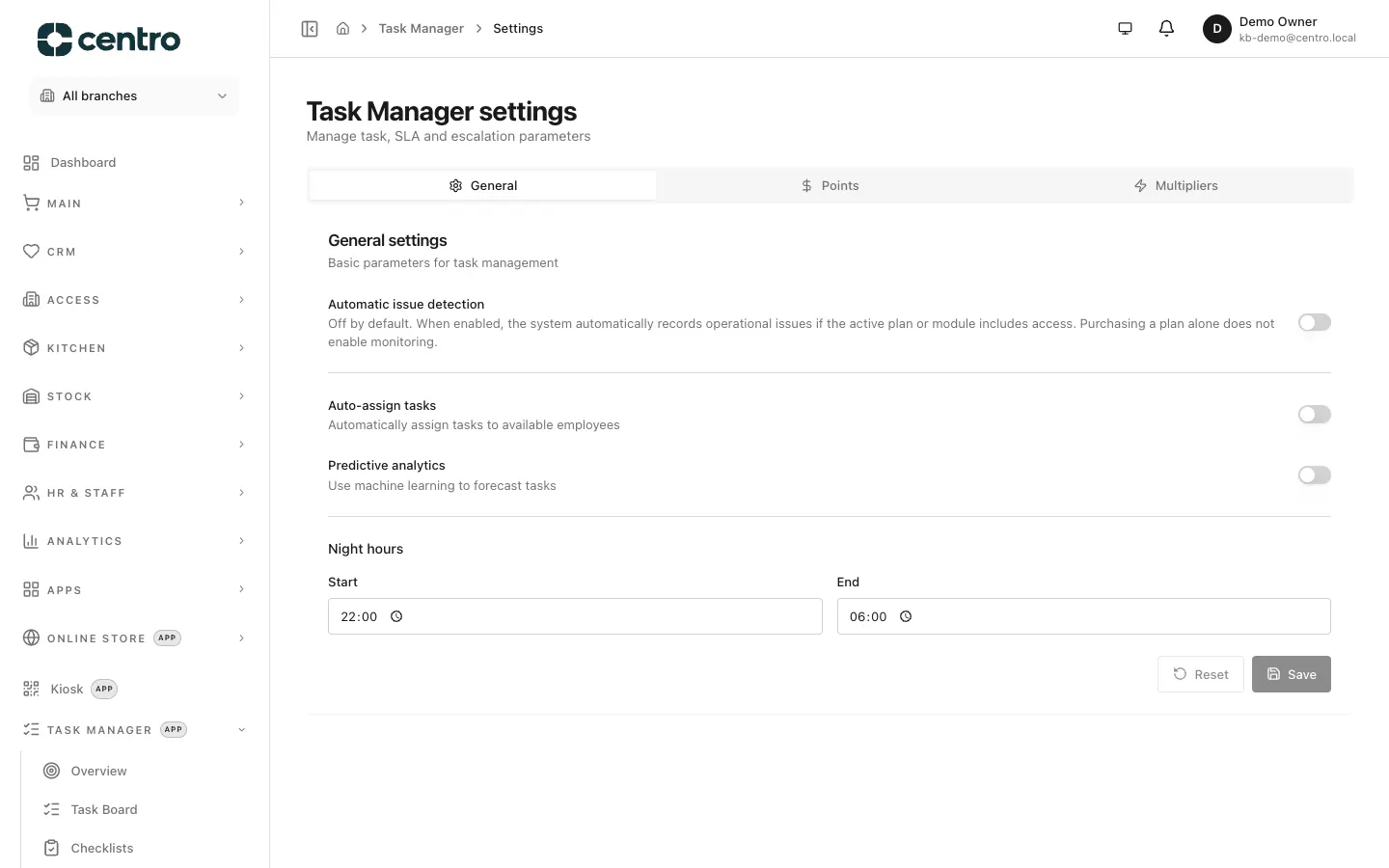
- «Automatic issue detection»
- Off by default. When on, the server opens incidents for operational problems by itself (see «Automatic incidents» for the list), but only if the plan or a module grants access. Without access saving fails with «Automatic incidents are not available on your plan».
- «Auto-assign tasks»
- The flag is saved, but in the current version the server does not distribute tasks by it — pick the assignee in the task.
- «Predictive analytics»
- Not saved yet: after reloading the page the switch is off again.
- «Night hours»: «Start» / «End»
- In HH:MM, for example 22:00–06:00 (may cross midnight). Hours worked in this window get the «Night shifts (×)» premium in payroll.
The «Points» tab #
Points for completed tasks, the point value and the daily/monthly limits.
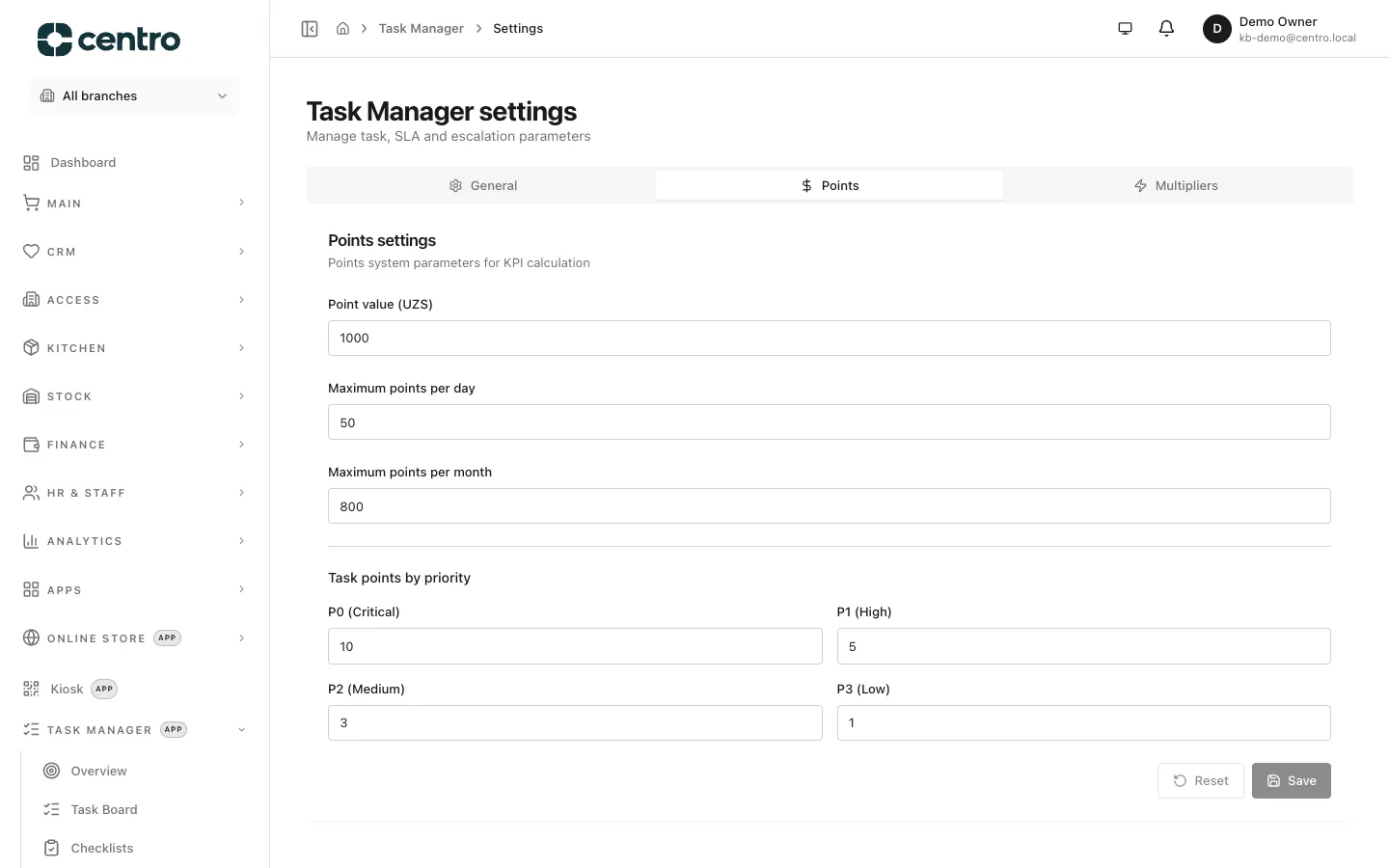
- «Point value (UZS)»
- What one point is worth in the organization’s currency. Cannot be negative.
- «Maximum points per day» / «Maximum points per month»
- Points that go into pay are capped by these limits: first per day, then per month.
- «Task points by priority»
- P0 (Critical), P1 (High), P2 (Medium), P3 (Low) — how many points the assignee gets when the task is completed; an integer 0–100,000.
How it gets into pay. Every task assigned to the employee and completed in the pay period earns points by its priority. The points are capped by the daily and monthly limits, multiplied by the «Point value» and added to the calculation as the «Баллы за задачи» bonus. This only works if «Include points in pay» is on in HR & staff → Settings.
The «Multipliers» tab #
Pay multipliers for overtime, night work and work on days off.
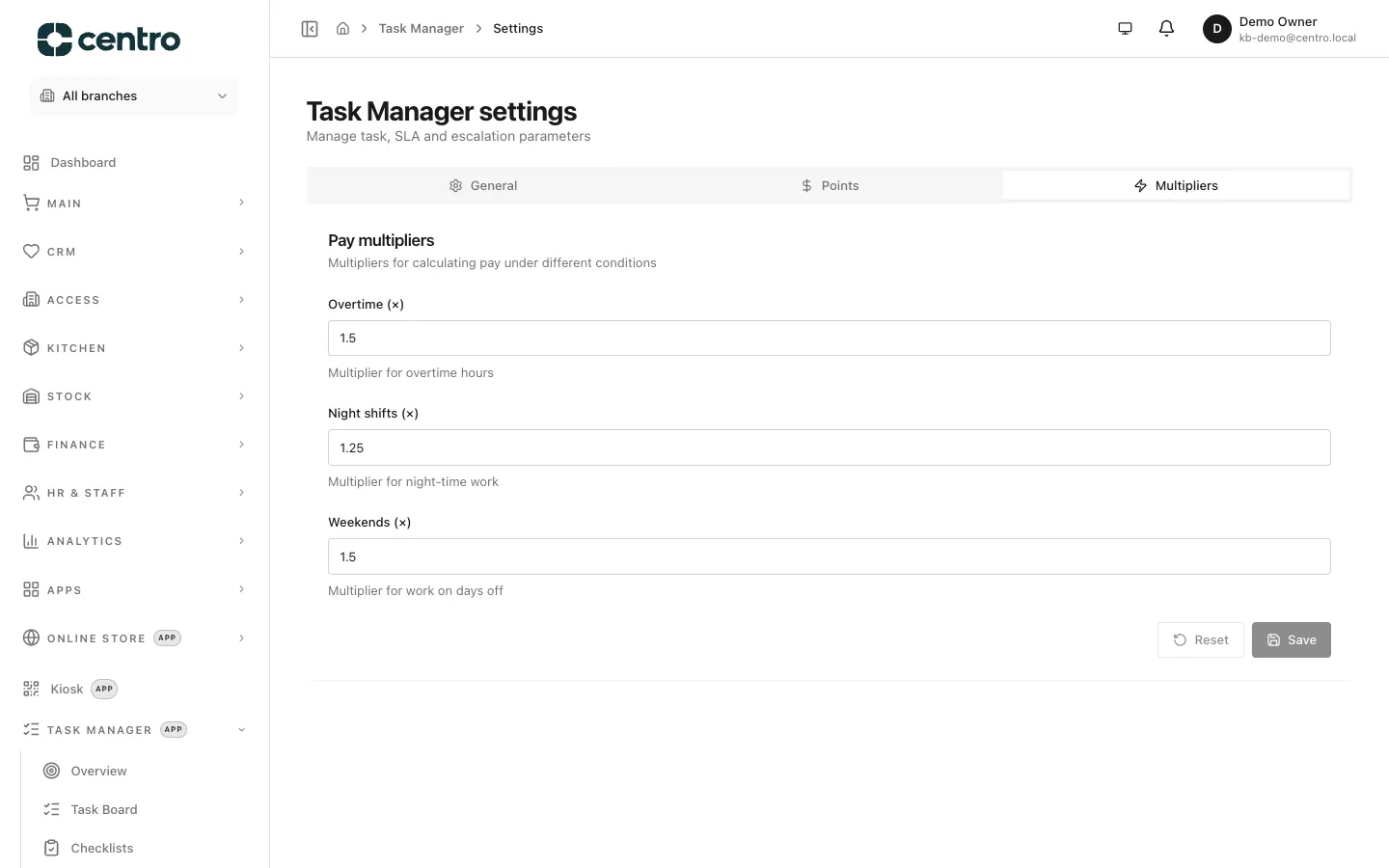
- «Overtime (×)»
- Hours above the shift norm (8 hours by default) are paid with this multiplier.
- «Night shifts (×)»
- A premium for hours inside «Night hours»: hourly rate × (multiplier − 1) × night hours. Only for schemes with an hourly rate.
- «Weekends (×)»
- The same kind of premium for hours worked on days off (Saturday and Sunday by default).
Tip: Each multiplier is between 1 and 5 (for example 1.5 = one and a half times). At 1 no premium is added.