Licences
Who may work in Centro apps and on Centro devices on the «base + modules» tariff: seats per kind, assigned licences and history.
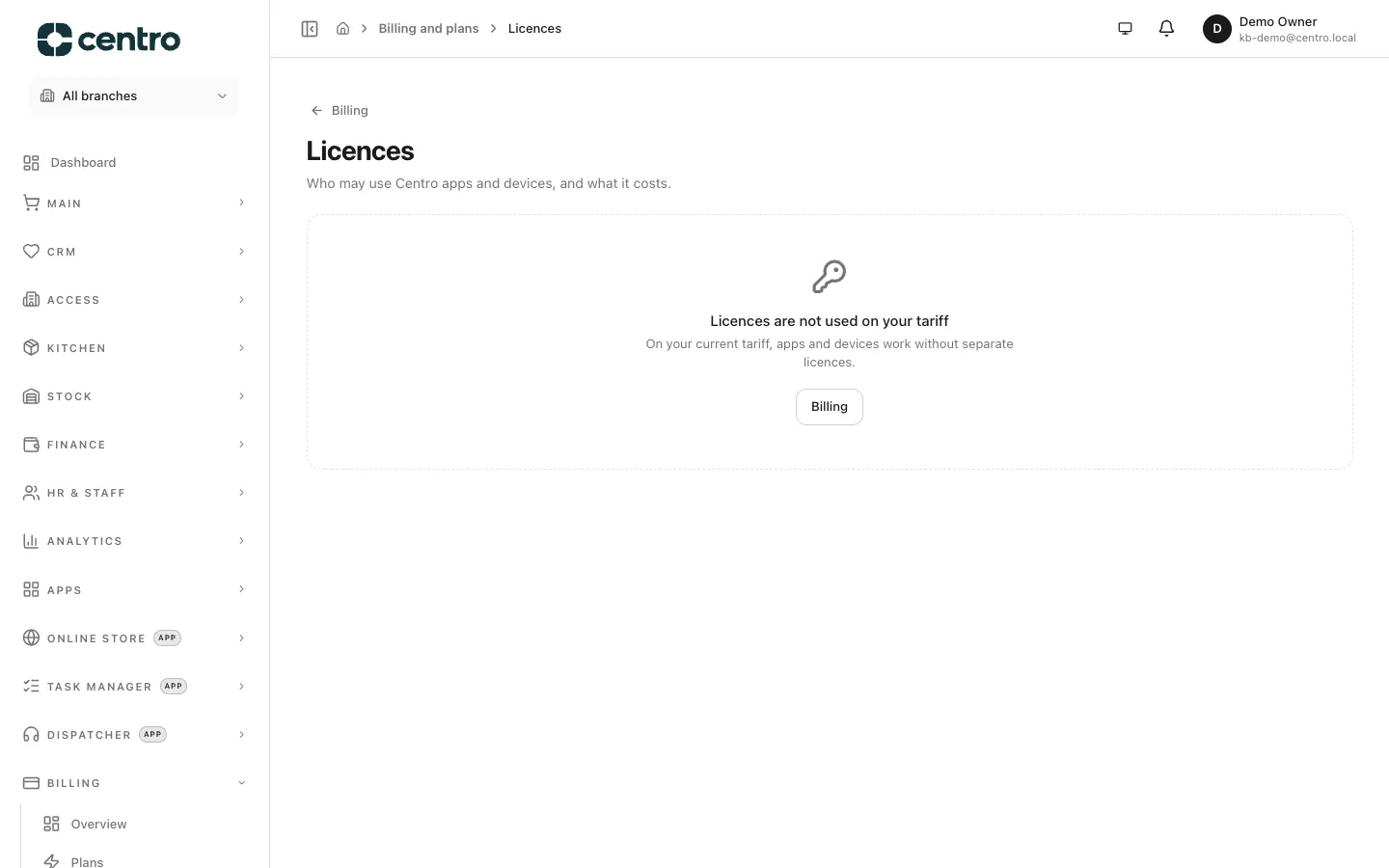
Open in the admin panel/billing/licences On the «base + modules» tariff the admin panel, mobile apps and devices work by licences: the owner assigns each licence to a specific employee or device and moves or removes it at any time. Kinds: «Admin panel», «Waiter app» («Seller app» in a shop), «Courier app», «Warehouse app», «POS register», «Kitchen screen» (restaurants only), «TV screen», «Self-service kiosk», «Task terminal». The page lists the kinds your tariff sells. On an old plan the page says «Licences are not used on your tariff».
How to open
- In the sidebar open Billing → Overview and press Manage on the «Licences» card. There is no separate sidebar item.
- Or through the Manage licences link on the «Your tariff» page, the «Licences» link in the checkout, or the «Licences» link on the register and device pages.
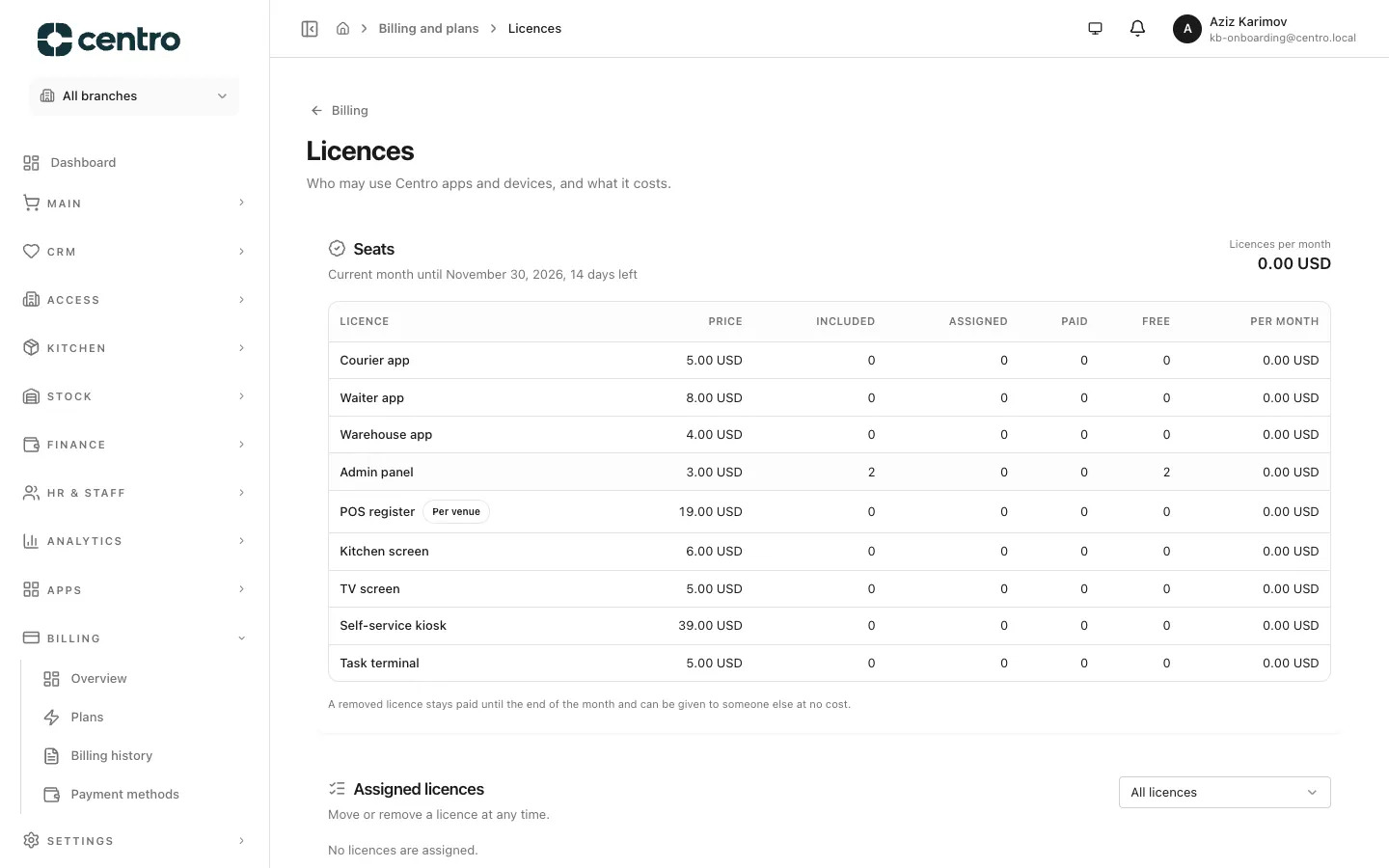
«Seats»
- Header
- «Current month until …, N days left» and, on the right, «Licences per month» — the monthly amount of licences. During the trial: «During the trial, employees and devices can sign in without a licence, with one exception: only 1 register works — the one holding the licence, or the first register if none does. Need more registers? Pay for the plan; the trial ends as soon as you pay. Once paid, signing in needs a licence.».
- Columns
- «Licence», «Price» (one per month), «Included» (in the tariff), «Assigned», «Paid» (seats bought above the included ones this month), «Free» (paid but not assigned), «Per month». A kind with the «Per venue» badge (registers, for example) has a row per venue below it. «Not available yet» — this kind cannot be assigned yet.
«Assigned licences» and «History»
- «Assigned licences»
- A kind filter («All licences» or one kind). Columns: «Employee or device» (with its type below: «Employee», «User account», «Register», «Kitchen station», «TV screen», «Task Terminal device»), «Licence», «Venue», «Since», «Source» («Assigned», «Included in the plan», «Trial», «Transferred») and «Actions» — Move / Remove; an admin panel licence included in the tariff shows «Owner’s licence» instead of buttons and cannot be moved.
- «History»
- Every assignment, move and removal: who, which licence, when and by whom it was applied, when and why it was removed («Removed», «Moved», «Deleted», «By the system») or «Active».
Tip: A removed licence stays paid until the end of the month and can be given to someone else at no cost. A licence assigned above what was bought is charged for the days left in the month and goes into the next invoice; seats can be bought in advance in the checkout.
Applying, moving and removing a licence #
Where the buttons are, what the dialog shows and what it costs.
Where to manage a licence
- Employee profile — the «Licences» card: «Admin panel», «Waiter app» («Seller app» in a shop), «Courier app» (when the position allows the courier app or a licence is already held) and «Warehouse app». In the Employees list licence badges sit under the name, and there is a «Licence» filter (with «No licence»).
- Cash registers — in the «Type» column of the list and in the «Licence» card of the register edit page: a POS terminal needs a «POS register» licence, a self-service register a «Self-service kiosk» one. A mobile register needs none.
- Kitchen stations and the KDS page (restaurants only), the TV screens card in Apps, «Kiosk licences» in the Kiosk settings and «Task Terminal device licences» on the branch page.
Every place shows a state badge («Licence», «Included» or «No licence») and the Apply / Move / Remove buttons. The buttons show only to people with full access to «Billing»; those who can only view employees, registers or workstations see just the state.
What the dialog shows
- Price
- «Free during the trial period.»; «A seat that is already paid for is free, so nothing extra is charged.»; or «For the rest of this month (N of M days)» and «amount + tax = total» — that amount goes into the next invoice. Below: «From …: +… a month» or «From … the monthly amount does not change.».
- «Check before applying»
- Warnings: the employee’s position does not give access to this app; the employee has no courier profile yet; the employee has no login (e-mail and password). The licence is applied, but the employee can sign in only once that is fixed.
- Moving
- Pick an employee or device in «Who gets the licence» and press Move licence. Moving is free, as often as you like.
- Removing
- «The seat stays paid until … Until then you can give it to someone else at no cost.» Confirm with Remove licence.
How to apply a licence
- Open the employee profile, the register or another device’s page.
- Press Apply on the row of the licence you need.
- Check the price and the warnings in the dialog and press Apply licence.
Important: While a register has an open shift its licence cannot be moved or removed: «The register has an open cash shift. Close the shift first.».
Signing in without a licence #
After the tariff is paid, apps and devices check the licence at sign-in; the owner and the trial are exceptions.
On the «base + modules» tariff, once the tariff is paid, every app and device checks its licence at sign-in. Without one the sign-in is refused with a message to ask the owner for a licence. For example, signing in to the admin panel: «Your account has no admin panel licence. Ask the owner to assign one to you.». If a licence is removed from a signed-in user, their session ends within about 30 seconds and they return to the sign-in screen.
Which sign-in needs which licence
- «Admin panel»
- A staff account signing in to the web admin panel (and the Web Owner app). A licence on the employee card also counts for the linked user account. The owner (role owner) always gets in and needs no licence.
- Apps
- «Waiter app» («Seller app» in a shop), «Courier app», «Warehouse app» — an employee signing in to the mobile app. An admin panel licence does not open the warehouse app.
- Devices
- «POS register» — the POS terminal; «Self-service kiosk» — a self-service register in Centro Kiosk; «Kitchen screen» — KDS (at least one kitchen station of the venue needs a licence); «TV screen» — a named TV screen; «Task terminal» — a Task Terminal device.
Tip: During the trial employees and devices sign in without a licence, except registers: 1 register works — the one holding the licence, or the first active POS register if none does; more registers need the plan paid, which ends the trial. The register included in the base (the first active POS register of every venue in a restaurant, of the organization in a shop) gets its licence automatically from the first paid month, with the «Included in the plan» source.