How to turn the section on
Billing does not depend on the plan and is always available; the pages require the «Billing and subscription» permission. Plans, modules and device places are bought here.
The Billing group stays in the menu even when the subscription is stopped — this is where you pay. Its four items are visible in the menu to all employees, but the pages open only with the «Billing and subscription» permission in the «Settings» group; without it the panel redirects to the first available page.
Menu item — what an employee needs
- Overview, Plans, Billing history, Payment methods
- The «Billing and subscription» permission in the «Settings» group — at least «View».
What is bought where
- Plan — the cards on the «Plans» page (Starter, Business, Enterprise): features such as Task Manager and advanced analytics come with the plan.
- Additional modules — at the bottom of the same page: Online store, Delivery management, Centro AI Assistant, Finance and accounting, Inventory management, Yandex Eats, Task Terminal and the AI modules. Each is paid for its own term.
- Device places — «Choose payment term» → «Configure locations and modules»: registers, waiter / sales assistant seats, kitchen displays, couriers, tasks, kiosks, the TV menu. They are paid within the plan period.
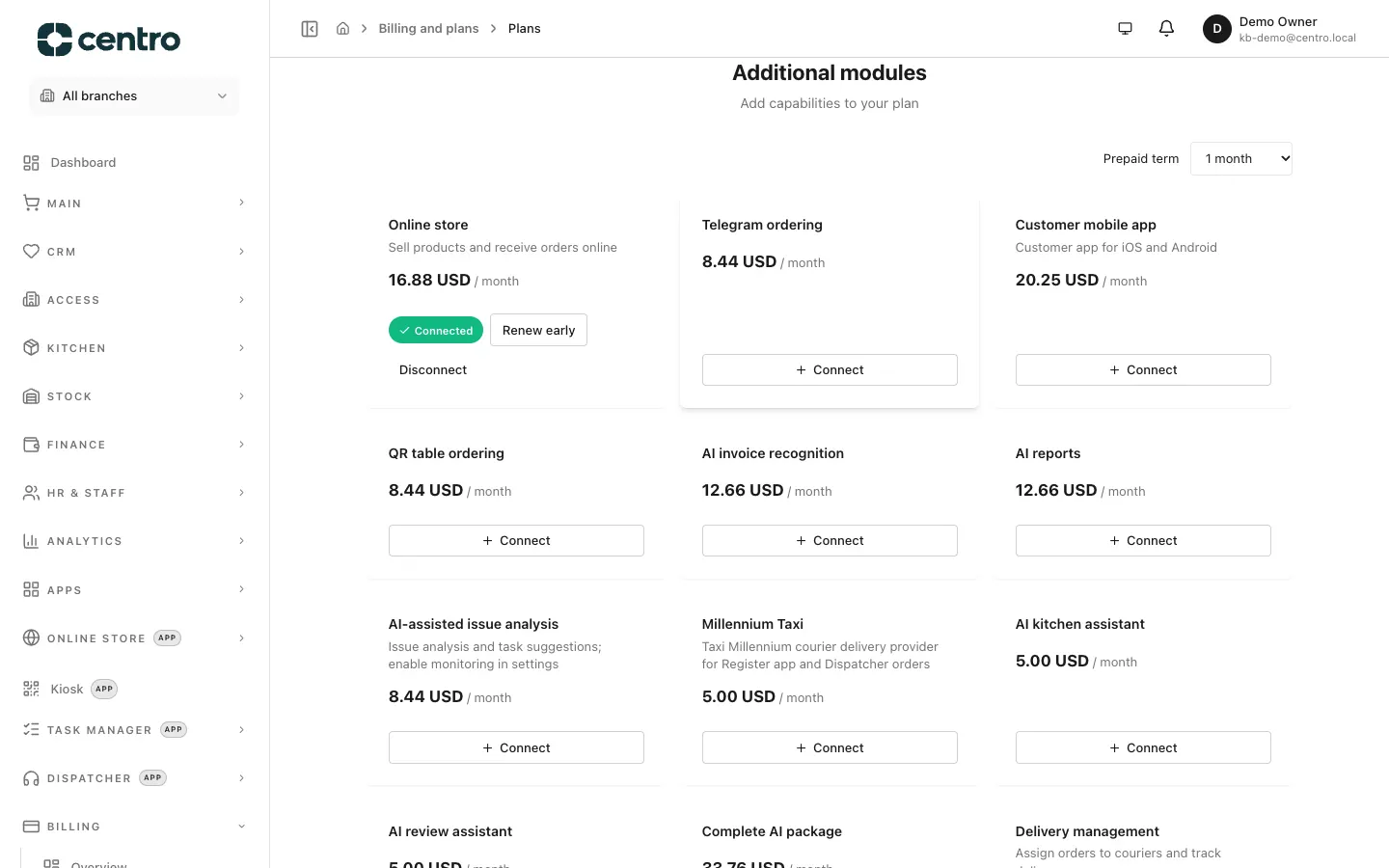
Tip: Any «Connect» only creates an unpaid invoice; money is charged only on the invoice payment page, and the module switches on after payment.
Tip: The organization owner (and the «Super-admin» position) does not depend on position permissions: they see every item whose plan and app conditions are met. The permission matrix restricts only the other employees.