Finance dashboard
P&L by recognition date: net sales, cost of goods, EBITDA, margin, cash balance and cost trends.
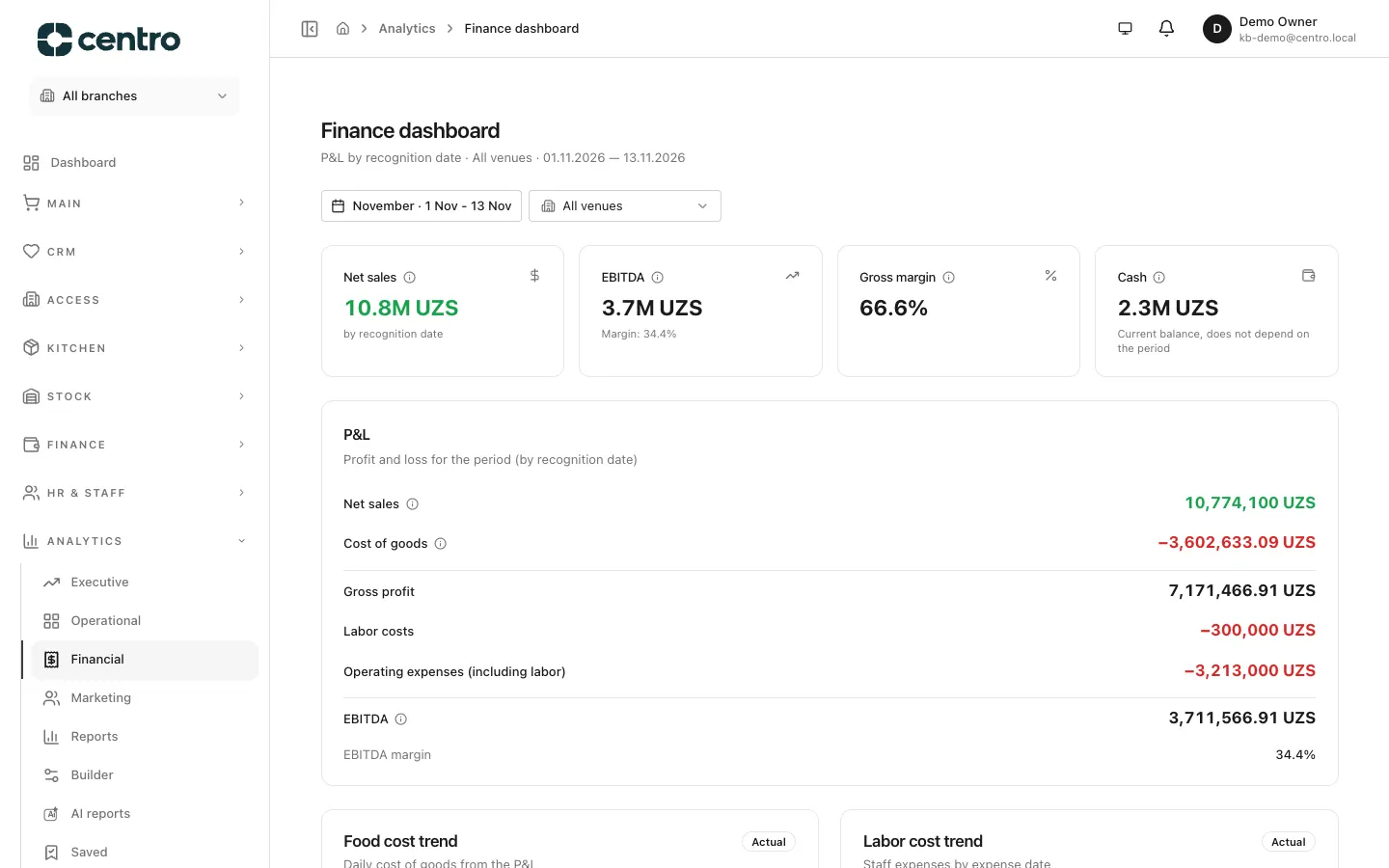
Open in the admin panel/analytics/finance This page answers «is the business making money». The numbers are by recognition date: the day the order was completed or delivered counts, not the day it was created. Under the title you see the exact date range, e.g. «01.11.2026 — 11.11.2026».
How to open
- In the sidebar, expand the Analytics group.
- Click Financial.
Toolbar
- Period
- The date button. Presets: «Today», «Yesterday», «Last 7 days», «Last 30 days», the current and previous month (by month name), «This year», «All time», or any range in the calendar. The default is the current month. Future days cannot be picked. The selected period is written into the address bar, so reloading the page or sharing the link keeps it.
- Venue
- Applies to the P&L, trends and cash on this page.
KPI cards
- Net sales
- The period’s net sales from the P&L (refunds deducted).
- EBITDA
- Gross profit − operating expenses; below, «Margin» is EBITDA as a share of net sales.
- Gross margin
- (Net sales − cost of goods) / net sales.
- Cash
- Current balance in the cash registers; it does not depend on the period.
Important: Cost of goods here is higher than the «order cost» in the summary: it also includes packaging, shortage adjustments and «Cost of goods»-type expenses. For it to be right, recipes and receipt prices must be filled in.
Page states
- «Could not load the P&L — figures are not shown» — press «Retry».
- «Some data is unavailable» — names the block that failed (e.g. «Daily P&L» or «Cash and cash flows»); the rest is fully calculated.
Tip: The full P&L report (by line item, with export) is in Finance → P&L Report. The dashboard is the quick view.
P&L, trends and cash flows #
The rows of the P&L card, cost and labor trends, the structure of inflows and outflows.
The P&L card
- Net sales
- Revenue of recognized orders minus refunds (by refund date); without tax under the general regime.
- Cost of goods
- Cost of sold items + packaging and automatic accessories + shortage adjustments − cost of refunds + expense categories of the «Cost of goods» type.
- Gross profit
- Net sales − cost of goods.
- Labor costs
- Expenses in labor-type categories (salaries, payroll taxes, benefits) by expense date. They are already part of operating expenses — the separate row is for reference.
- Operating expenses (including labor)
- All operating expenses from Finance → Expenses (rent, utilities, labor…).
- EBITDA / EBITDA margin
- EBITDA = gross profit − operating expenses; margin = EBITDA / net sales.
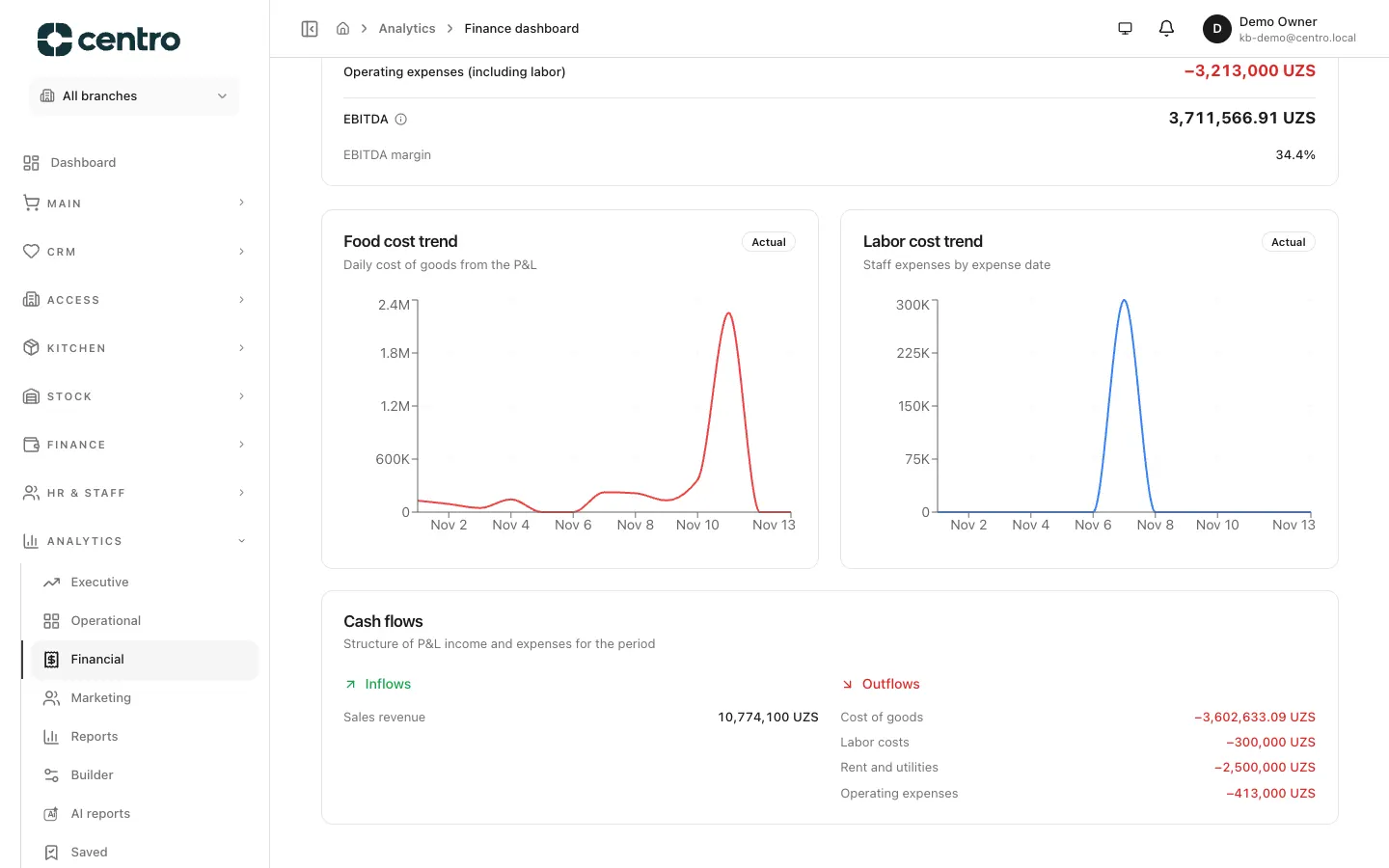
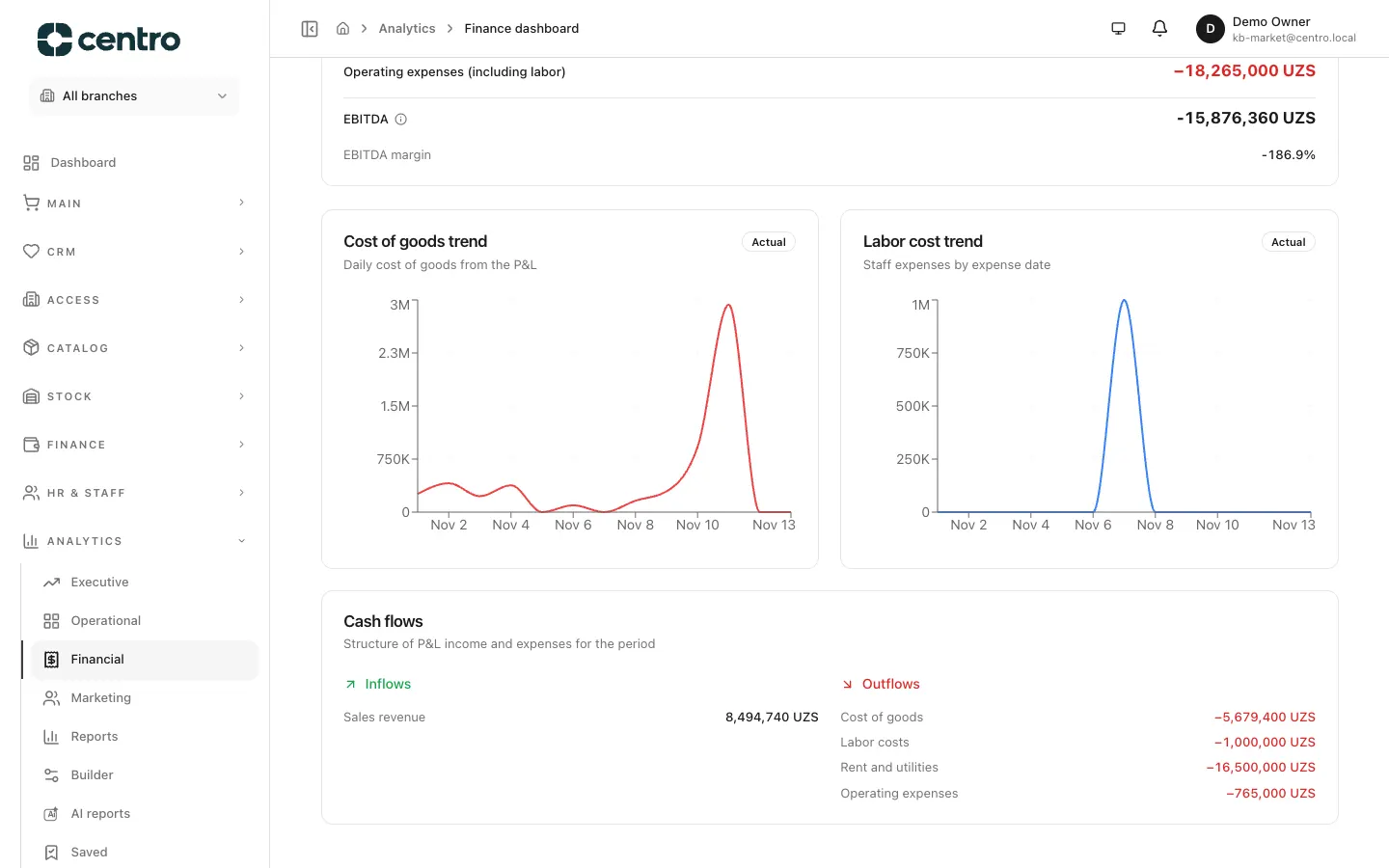
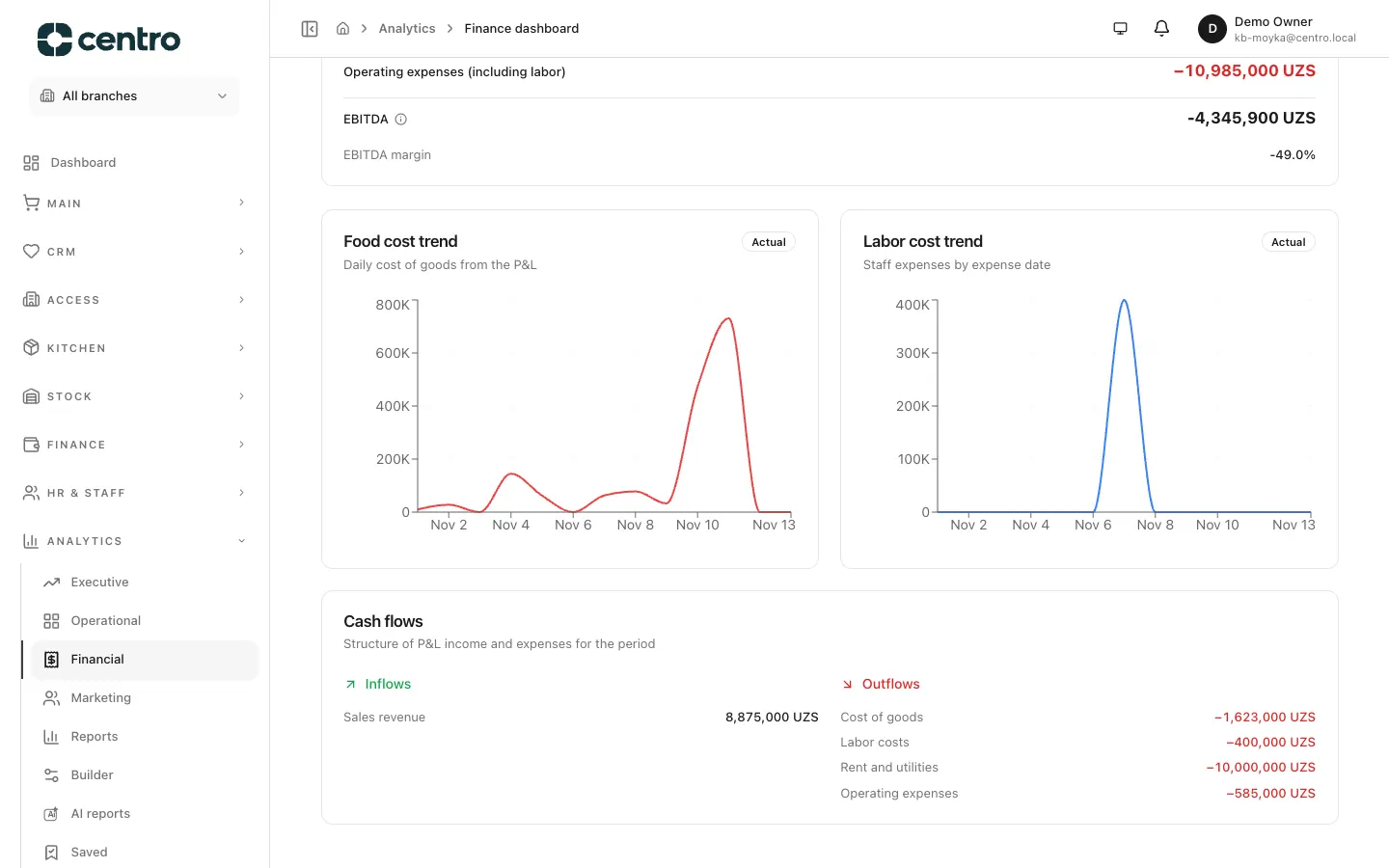
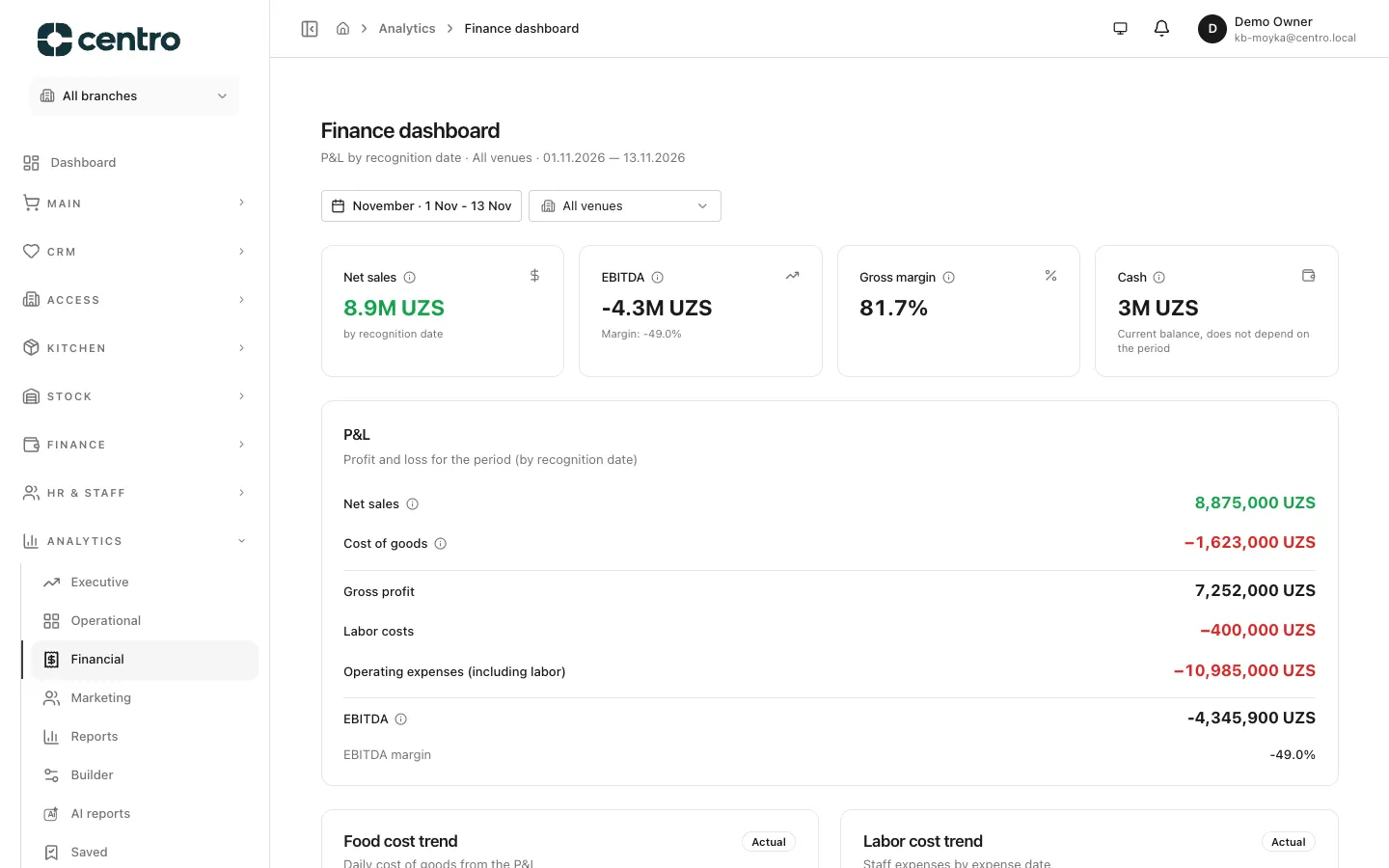
Tip: The cost trend is titled «Food cost trend», and the series in the tooltip is «Food cost».
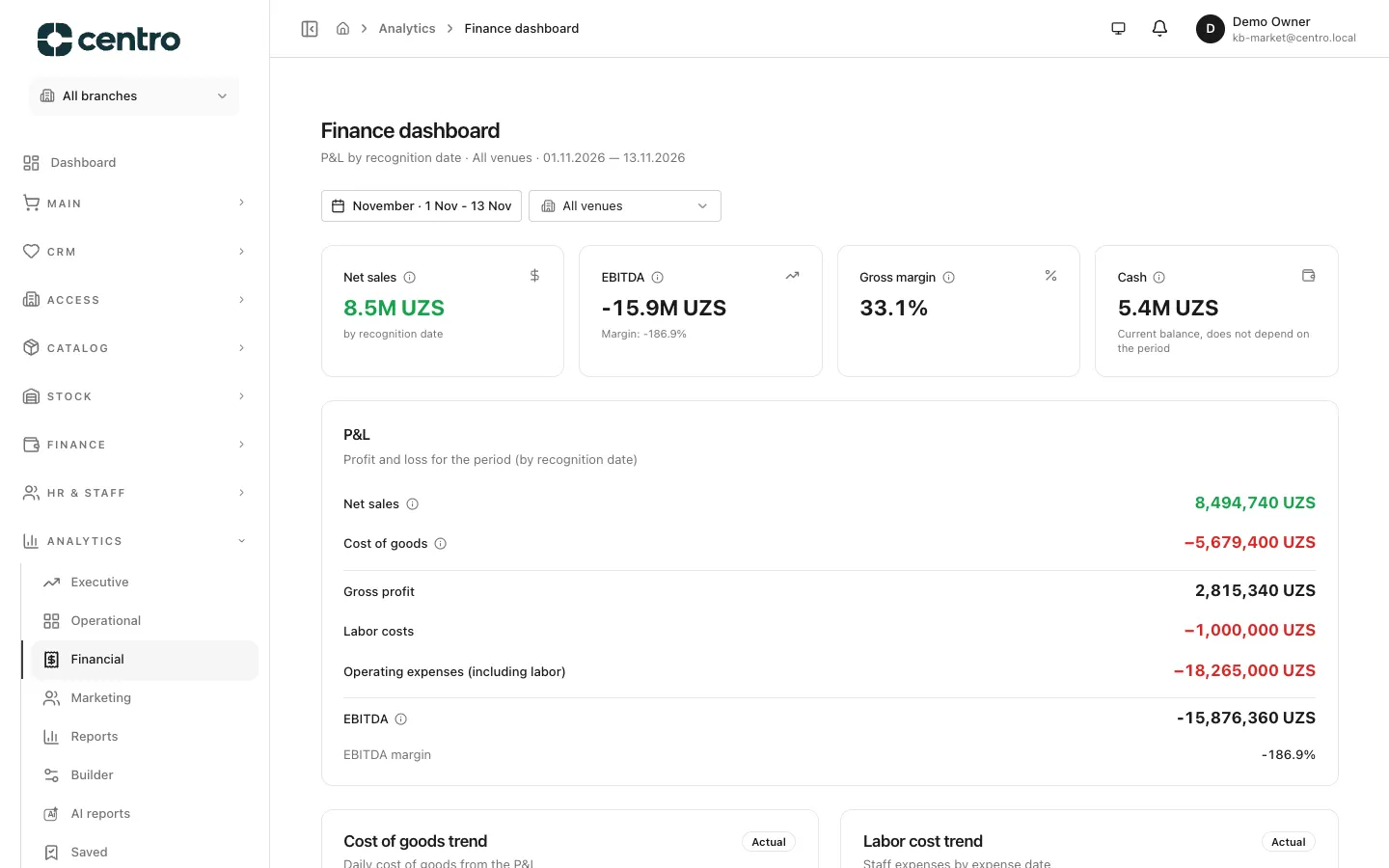
Tip: In a store the cost trend is titled «Cost of goods trend», and the series in the tooltip is «Cost of goods».
Trend badges
- «Actual» — real values from the daily P&L (solid line).
- «Estimate» — no daily data, the value is calculated (dashed line, «(estimate)» in the tooltip); the card description states the method.
- «No data» — the reason is written instead of the chart.
«Cash flows» — the structure of the period’s P&L: «Inflows» (sales revenue) and «Outflows» (cost of goods, labor and each expense category on its own row). These are P&L items, not cash-register movements.