How to turn the section on
Access does not depend on the plan; «Positions» is visible only to the organization owner.
The Access group does not depend on the plan or on apps: it is part of every plan and is not bought separately. Which items an employee sees is decided only by the permissions of their position.
Menu item — what an employee needs
- Organization, Venues
- The «Venues» permission in the «Access» group — at least «View».
- Employees
- The «Employees» permission in the «Access» group — at least «View».
- Cash Registers
- The «Cash registers» permission in the «Access» group — at least «View».
- Positions
- Only the organization owner (and the «Super-admin» position). The «Positions» row of the matrix does not add the item to the menu.
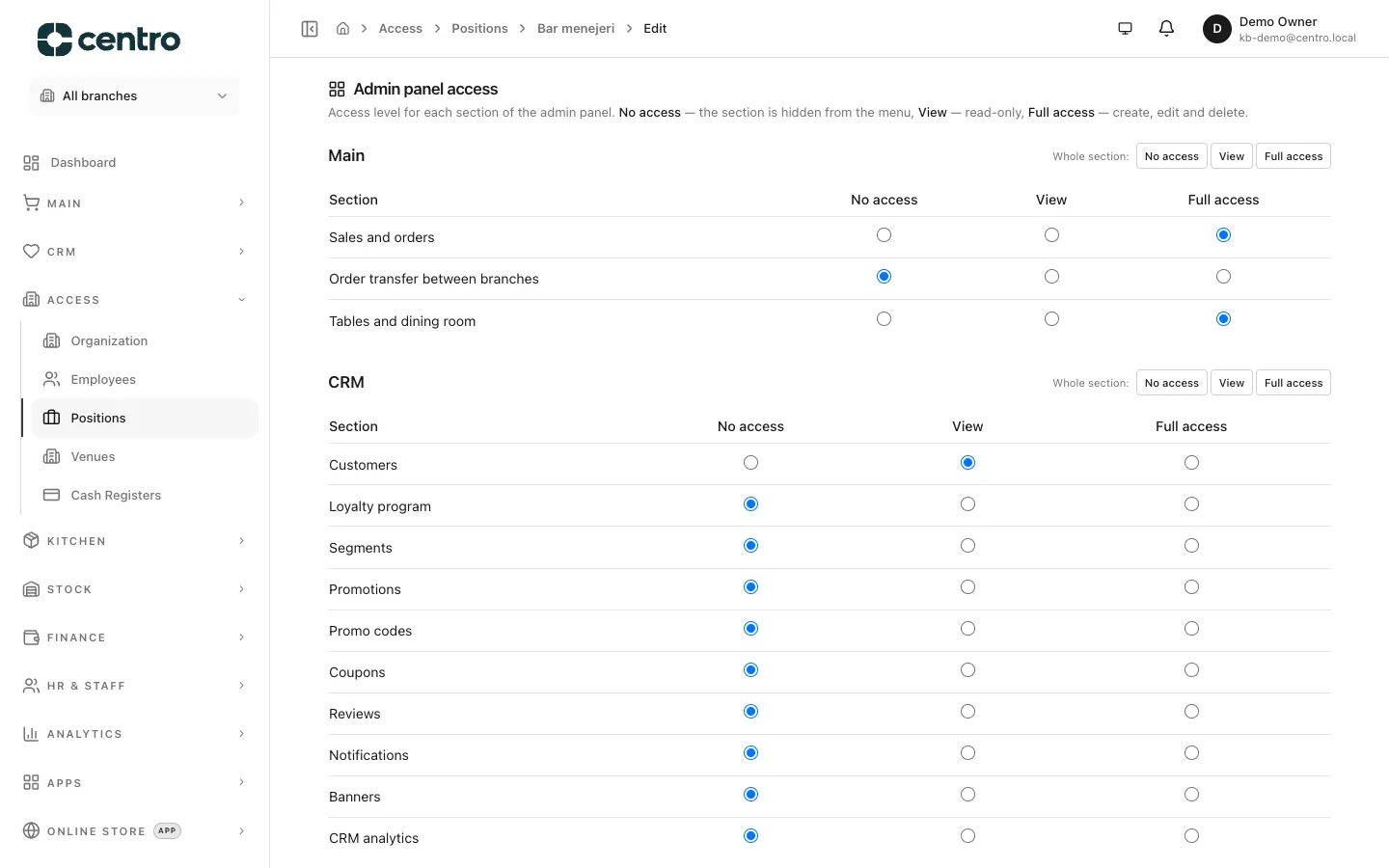
Important: Only the owner edits positions and their permissions, so the owner is the one who gives access to the other employees.
How to give an employee access
- Open Access → Positions (this item is visible only to the organization owner) and open the employee’s position for editing.
- In the «Admin panel access» block find the «Access» group and choose «View» (read only) or «Full access» (create and change) in the rows you need.
- Press «Save changes».
- The employee reloads the page and the items appear in the menu. With «No access» the item is hidden, and a direct link to the page redirects to the first available page of the menu (usually «Dashboard»).