SEO
How the store looks in Google and Yandex and which words it is found by.
Open in the admin panel/online-store/seo The SEO page gathers the search settings for the whole store in one place. Individual pages get their own SEO title and description in the «SEO» card of the page editor.
How to open
- In the sidebar, expand the Online store group.
- Click SEO.
How to set up SEO from scratch
- In «Basics», write the title and description and check the preview.
- Add name synonyms, the city and the address.
- Upload a social media image.
- Paste the verification codes from Google Search Console and Yandex Webmaster and press Save. Then press «Verify» in the console itself.
Tip: As soon as you change something, an unsaved-changes bar appears at the bottom: Save writes the changes to the store, Cancel brings back the saved state. Leaving the page without saving loses the changes.
Readiness and main texts #
What is filled in, the search title and description, how it looks in Google.
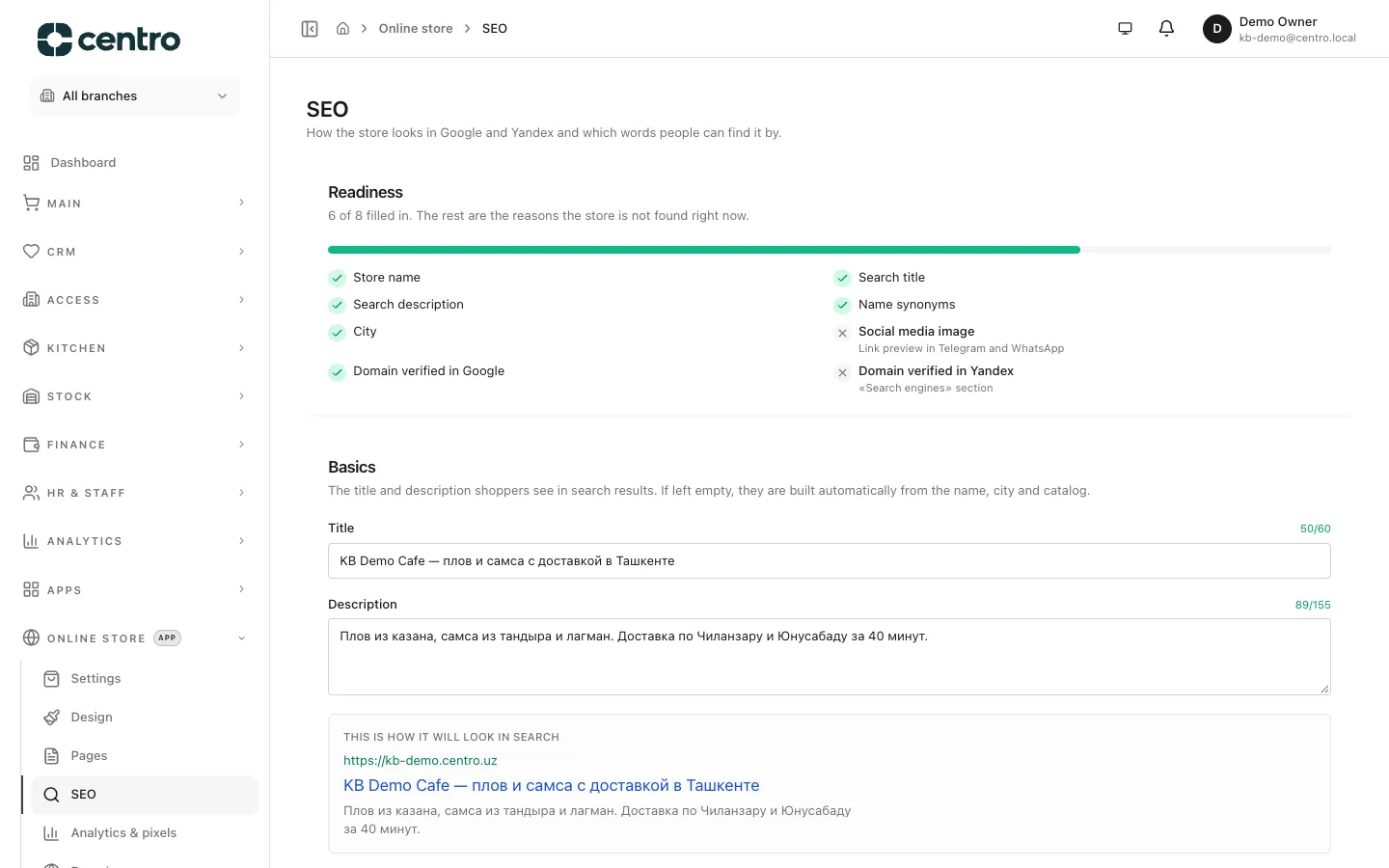
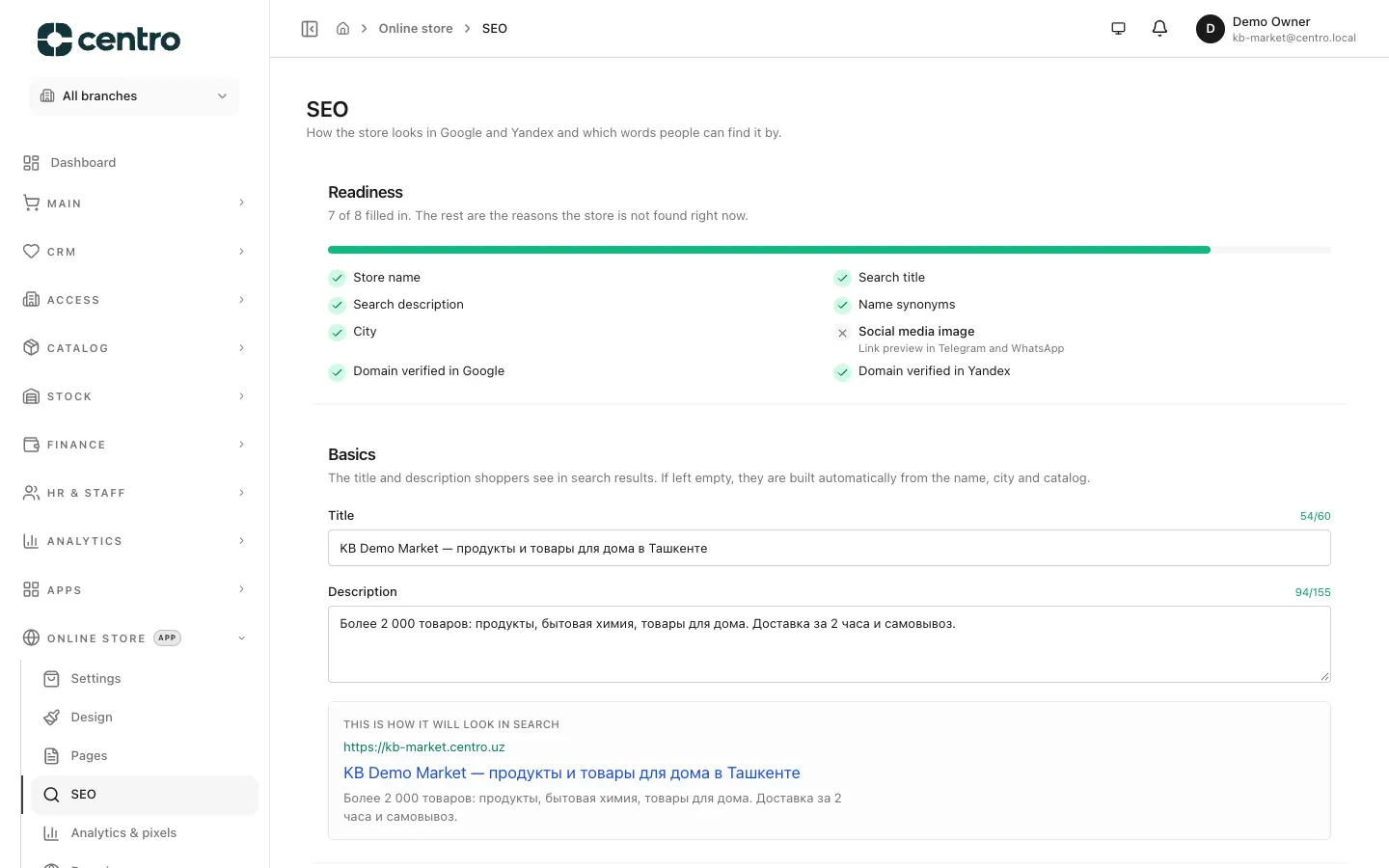
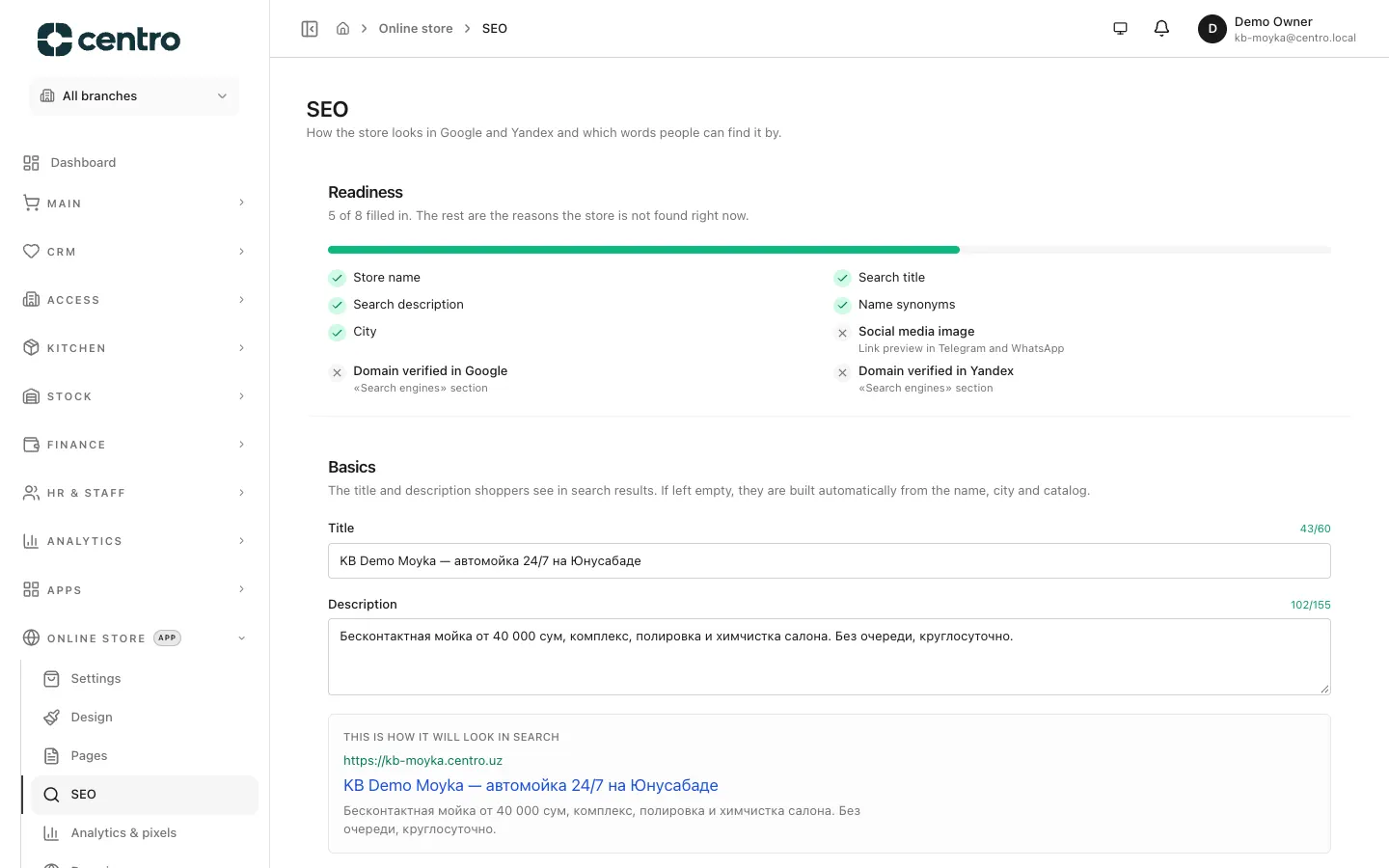
«Readiness»
- 8 items
- Store name, search title and description, name synonyms, city, social media image, domain verified in Google and in Yandex. An unfilled item says where to fill it in; the bar is the fill percentage.
«Basics»
- Title
- The blue headline in results. The counter goes to 60 characters: green — fine, amber — close to the limit, red — too long (Google cuts it). If empty, it is built automatically like «Name — online store …».
- Description
- One or two lines under the title, up to 155 characters: what you sell, where and on what terms you deliver.
- This is how it will look in search
- A live preview: the store address (custom domain or slug.centro.uz), title and description.
A restaurant should name its signature dishes and area in the title: «KB Demo Cafe — plov and samsa delivered in Tashkent».
For a store, product categories and the city matter in the title: «KB Demo Market — groceries and household goods in Tashkent».
A car wash should state the service, district and hours: «KB Demo Moyka — car wash 24/7 in Yunusobod».
Synonyms, city and address #
So the store is found by other spellings of its name and by «… in Tashkent» searches.
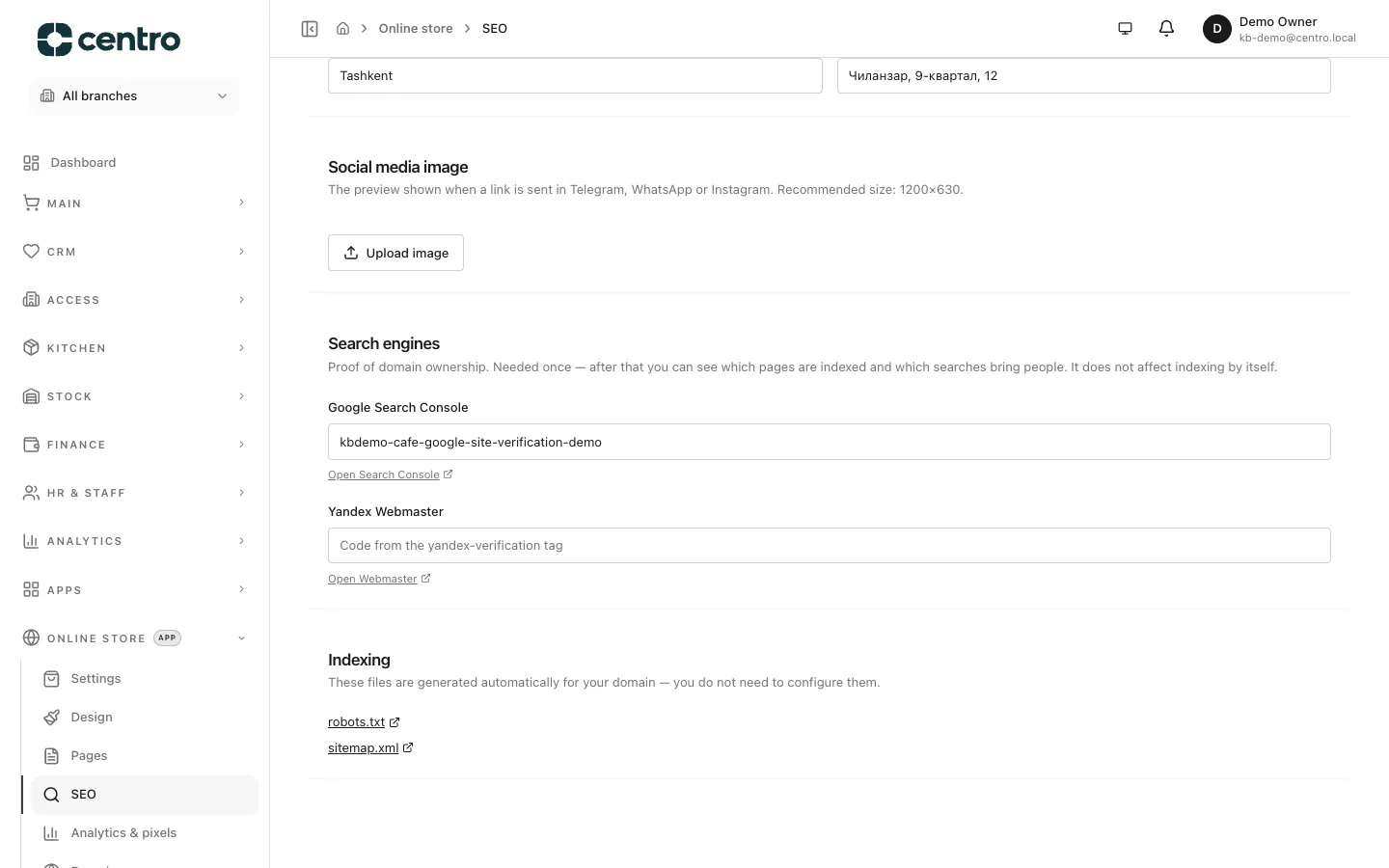
- Name synonyms
- Shoppers write the name in Latin, Cyrillic or abbreviated. Type a variant and press Enter (or a comma) or Add, or click one of the «Suggestions based on the name». Duplicates and the store name itself are not added.
- City
- Used in page titles («… buy in Tashkent») and in the company data for maps.
- Address
- The company address for search engines and maps.
Image, search engines and indexing #
An image for link previews, domain verification in Google and Yandex, robots.txt and the sitemap.
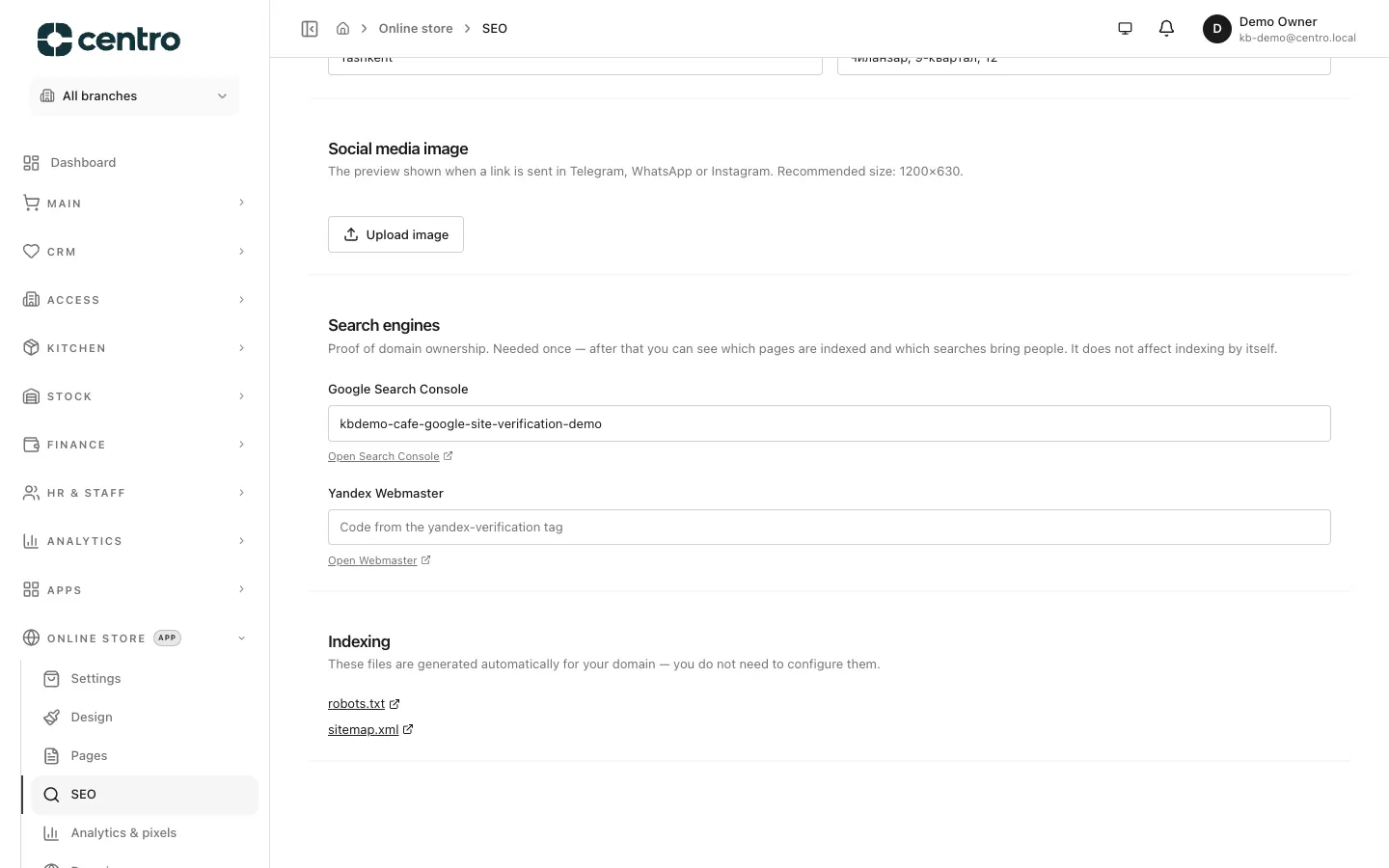
- Social media image
- The image shown when a link is sent in Telegram, WhatsApp or Instagram; 1200×630 is recommended. It is compressed automatically on upload; you cannot save until the upload finishes.
- Google Search Console / Yandex Webmaster
- The domain ownership code. In the console choose the «HTML tag» method and paste only the value of the content attribute — not the whole <meta> tag and no quotes. It does not affect indexing by itself, but the console then shows indexed pages and queries.
- Indexing
- robots.txt and sitemap.xml are generated for each domain automatically — the links open them. Without a domain — «No domain connected yet — open «Domains».».