Domains
The free Centro subdomain and your own domain (via DNS).
Open in the admin panel/online-store/domains How to open
- In the sidebar, expand the Online store group.
- Click Domains.
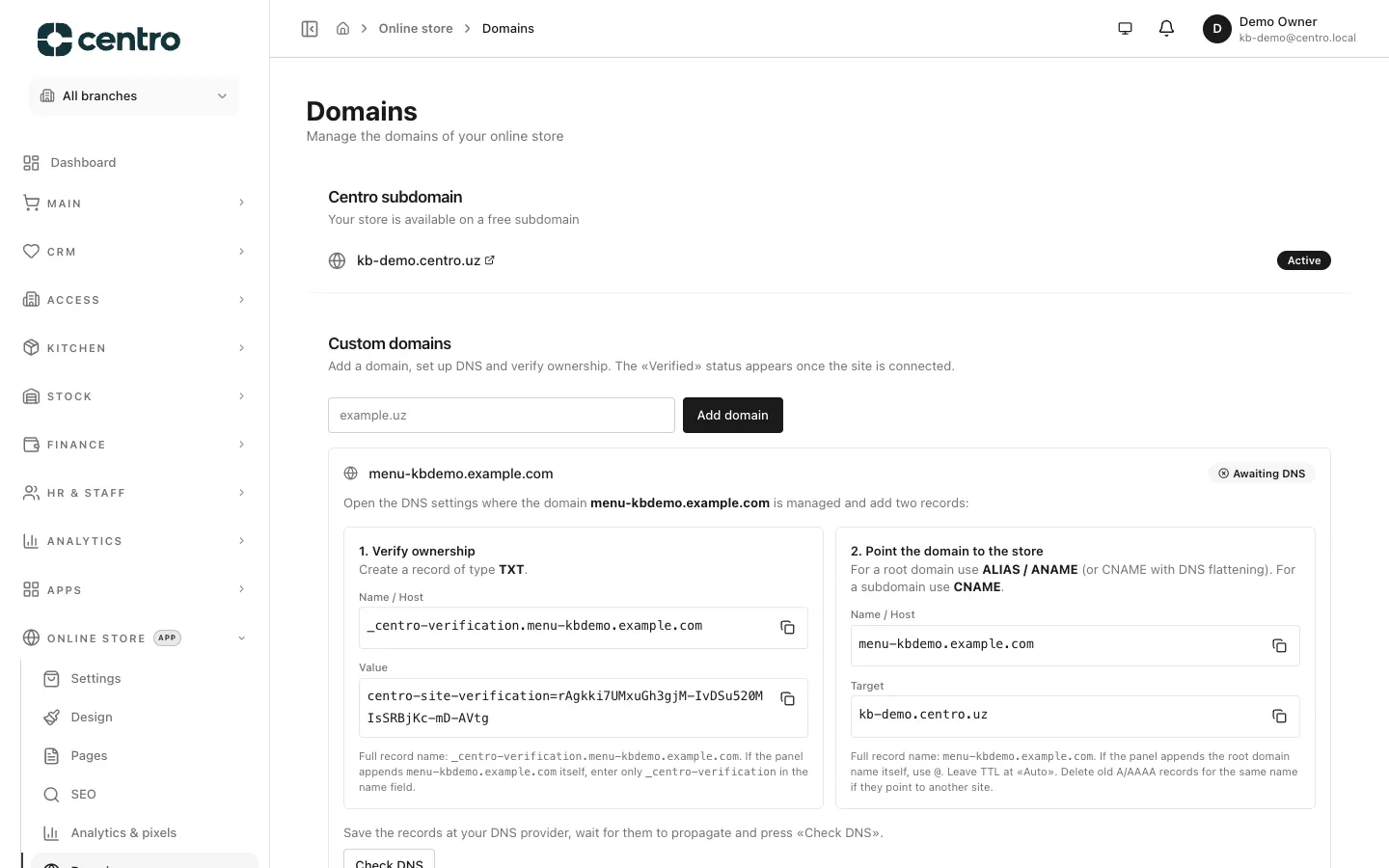
- Centro subdomain
- Every store opens for free at slug.centro.uz (slug is the organization address). The link opens the storefront in a new tab; the status is always «Active».
- Custom domains
- A domain you own (for example menu.restoran.uz). It starts working only after DNS verification.
Tip: Buying the domain and adding DNS records happen outside Centro — at the domain registrar. Centro only checks the records and issues the certificate itself.
Connecting your own domain #
Adding a domain, the two DNS records, checking and statuses.
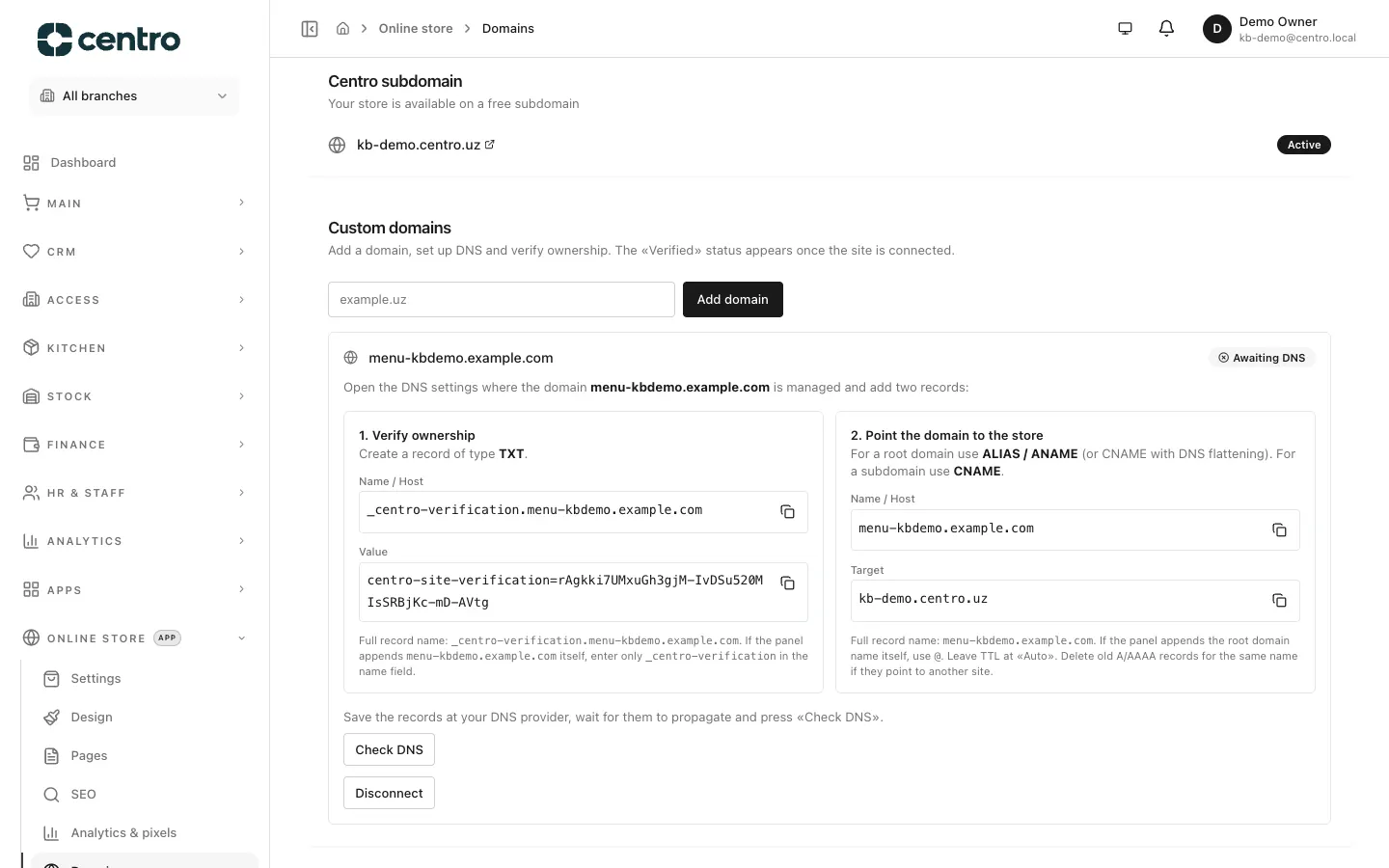
How to connect a domain
- Enter the domain without www and http:// (for example shop.example.uz or example.uz) and press Add domain. www is connected automatically; centro.uz domains cannot be added; at most 10 domains.
- Where the domain is managed (the registrar or DNS provider panel), create a TXT record: name _centro-verification, value — the code from the page. This proves ownership.
- Point the domain to the store: for a root domain ALIAS / ANAME (or CNAME with DNS flattening) with the name @, for a subdomain CNAME; the value is the store subdomain (slug.centro.uz). Delete old A/AAAA records for that name.
- Wait for the records to propagate (from a few minutes to a few hours) and press Check DNS. A repeat check is possible after 30 seconds.
Statuses
- Awaiting DNS
- The domain is added but the records are not found yet («TXT-запись подтверждения ещё не найдена» or «Домен ещё не направлен на сайт Centro»). Nothing is switched on in this state; it is safe.
- Connecting
- Both records were found; Centro is setting up the site and the SSL certificate. The page refreshes itself every 15 seconds.
- Verified
- The store opens on your domain; SEO and links use this domain.
Important: Disconnect removes the domain authorization immediately — the store stops opening on it while the subdomain keeps working. Delete the DNS records at your provider yourself.